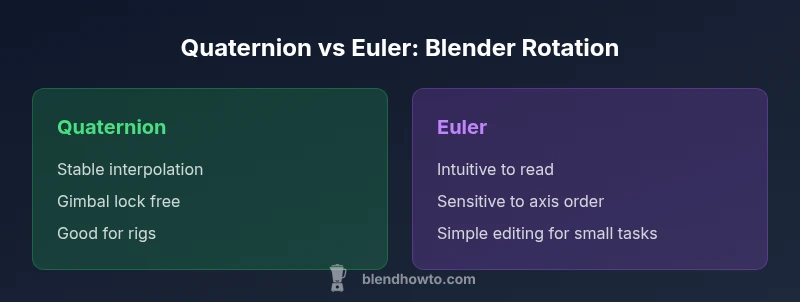
Blender quaternion vs euler: Rotation representations in Blender
A detailed, objective comparison of quaternion and Euler rotation in Blender. Learn when to use each method, how they affect animation, constraints, and workflows, with practical tips and conversion guidance.


In Blender, quaternion rotations are generally favored for animation work because they avoid gimbal lock and interpolate smoothly, while Euler angles remain intuitive for quick edits but can suffer from axis order issues. For most projects, start with Quaternion mode for stable animation, and switch to Euler only when you need precise axis control or direct, step-by-step adjustments.
blender quaternion vs euler: Core concepts
The choice between blender quaternion vs euler is not merely a numeric preference; it shapes how the software stores, manipulates, and interpolates rotations. In Blender, a quaternion represents rotations with four components, avoiding the singularities that can plague Euler representations. The phrase blender quaternion vs euler is often used by artists to reference the trade-offs between stability, ease of editing, and predictability when building animation rigs. According to BlendHowTo, most intermediate and advanced users lean toward quaternions when building complex rigs because the quaternion-based interpolation is less prone to abrupt flips during in-between frames. Yet Euler angles remain a familiar, human-readable method that can simplify rapid adjustments during blocking and layout passes. Together, these concepts provide a practical framework for deciding which rotation system to apply in Blender workflows.
blender quaternion vs euler: How Blender stores rotations internally
Blender stores rotations in multiple possible representations, with Quaternion and Euler as the two most common during animation. Quaternions encode orientation with four numbers, which avoids the gimbal-like artifacts that sometimes appear when using Euler representations across chained axes. Euler rotations are expressed as a sequence of angles around axes (XYZ, XZY, etc.), which can be more intuitive at first glance but depend on axis order. This duality drives the blender quaternion vs euler choice; the storage format itself influences interpolation, constraints, and keyframe behavior, so understanding how Blender maps between these spaces is essential for robust rigs.
blender quaternion vs euler: Gimbal lock explained in Blender
Gimbal lock is a well-known issue when animating with Euler angles. In practice, certain orientations collapse two axes into one, leading to sudden flips or loss of a degree of freedom. The blender quaternion vs euler debate highlights that quaternions avoid this pitfall because they describe rotation in a four-dimensional space without singularities at typical viewing angles. Artists who work with 3D characters, cameras, and rigs frequently prefer quaternions to maintain stable arcs for poses and motion. However, understanding the circumstances where Euler can still be convenient helps prevent over-reliance on one system.
blender quaternion vs euler: Interpolation and animation quality
Interpolation quality often drives the blender quaternion vs euler decision. Quaternions support smooth spherical linear interpolation (slerp) which yields natural, consistent motion between keyframes. Euler angles, when interpolated directly, can produce non-uniform speeds or unexpected axis flips if the keyframe spacing crosses a rotational boundary. In practice, animators switch to quaternion rotations during motion capture cleanup, character rigs, or long camera pans to ensure continuity, then move to Euler for editorial tweaks where axis intuition matters. The key is to validate the motion path in the Graph Editor across both representations to avoid surprises.
blender quaternion vs euler: Axis order and its impact in Blender
Euler rotations rely on axis order, such as XYZ or ZYX, determining how the final orientation emerges from individual angle changes. The blender quaternion vs euler discussion is strongly influenced by this ordering: a different axis sequence can produce different intermediate poses even with identical numeric angles. When you switch the rotation mode, Blender stores the same orientation in a different representation, but the on-screen behavior can feel different. For reliable editing, lock a rotation mode for a given object or bone and translate between representations only when necessary.
When to use quaternions: practical guidelines for rigs
Quaternions shine in character rigs and animation pipelines where heavy blending, constraints, or multiple influence controllers are present. They offer robust interpolation, low risk of gimbal-induced jumps, and stable pose maintenance during long sequences. If your goal is smooth facial animation, body motion, or camera rigs with many keyframes, blender quaternion vs euler strongly favors quaternion. Keep a quaternion workflow for the majority of scenes, and reserve Euler-friendly editing for quick adjustments or familiar UI tasks.
When to use Euler angles: practical guidelines for quick edits
Euler angles can be advantageous when you need direct, human-friendly control of a single pose or a quick blocking pass. If you’re working on a mechanical rig with strict axis constraints or performing precise pivots, Euler mode offers intuitive readouts. In the blender quaternion vs euler decision, Euler is often used during blocking or for components where axis-aligned rotations are central, then converted to quaternion for production-ready animation. Remember to test the final motion for any subtle interpolation issues after switching representations.
Converting between representations: best practices in Blender
Conversions between quaternion and Euler in Blender are common, but they must be done with care to preserve intent. Before converting, apply a stable pose and bake constraints or drivers if needed. Use Blender’s rotation mode switch to perform the conversion at the appropriate stage of your workflow—preferably after goals are keyed and the pose is locked. When re-targeting animations or transferring from one rig to another, verify that the relative orientation of bones remains consistent, and consider re-keying to avoid drift. The blender quaternion vs euler approach becomes most reliable when you implement a consistent conversion policy across the project.
Common pitfalls in blender quaternion vs euler workflows
A frequent issue is letting axis order drift during iterative editing; always check the rotation mode before editing to avoid unexpected results. Another pitfall is assuming that a direct angle readout in Euler will map cleanly to a quaternion; the inverse conversion can introduce subtle differences in sign or axis alignment. To mitigate, adopt a standard pipeline: block in Euler for readability, convert to quaternion for stable animation, and validate via graphs and poses. Finally, keep your keyframe spacing and constraints coherent across representations to minimize drift and rework.
Rotation modes in Blender: switching and implications for workflow
Blender’s UI allows switching rotation modes per object or bone. Blender quaternion vs euler becomes a practical choice here: set the rotation mode to Quaternion for interpolation-heavy work, then switch to Euler for precise pose adjustments or editing in the 3D Viewport. When switching modes, be mindful of how keyframes translate between representations. A good practice is to bake animations before a mode change to ensure consistency across the timeline and prevent unintended jumps in pose data.
Bones, constraints, and animation curves in real-world workflows
In bone-driven rigs, constraints and IK solvers operate most predictably with quaternion-based rotations at the blend stage. However, designers often need Euler angles for constraint limits, drivers, or specific pose goals. The blender quaternion vs euler decision becomes a workflow strategy: keep the majority of the system in quaternion to ensure smooth, consistent motion and apply Euler selectively where constraints demand straightforward axis control. Regularly inspect curves for anomalies during the transition between representations.
Performance and practical considerations when choosing rotation representations
From a practical standpoint, the performance difference between quaternion and Euler calculations in Blender is typically negligible for standard scenes, but the long-term maintainability matters more. Quaternions simplify interpolation and reduce edge-case angle wrapping, which can save time in debugging. Euler angles, being simpler to read, help new users learn the basics quickly. In the end, the blender quaternion vs euler trade-off is a matter of scene complexity, rig sophistication, and your team’s preferred workflow. Adopting a clear policy on when to switch representations supports consistency across the project.
Comparison
| Feature | quaternion | euler |
|---|---|---|
| Rotation space | four-component quaternion space (stable for interpolation) | angle-based Euler space with axis order (readable but order-dependent) |
| Gimbal lock risk | low risk (robust to orientation changes) | potential risk depending on axis order |
| Interpolation quality | smooth slerp interpolation | depends on axis order; can cause abrupt changes |
| Axis order dependency | none (intrinsic quaternion) | high (specific Euler order affects results) |
| UI readability | less intuitive to read in raw form | more intuitive for quick edits |
| Best use case | complex rigs, animation pipelines, long trajectories | blocking passes, simple pivots, quick adjustments |
What's Good
- Quaternion rotations reduce gimbal lock and enable smooth interpolation
- Euler angles are intuitive and straightforward to read during quick edits
- Conversions between representations are feasible with careful handling
- Quaternions are well-suited for complex rigs and driven animations
The Bad
- Euler angles can lead to axis-order complications and gimbal-like artifacts
- Quaternions are harder to read and edit directly for beginners
- Frequent conversions require discipline to avoid drift or misalignment
Quaternion rotations are generally the preferred default for Blender animation; Euler angles are useful for quick edits or axis-specific tasks.
Use quaternions to maximize stability and interpolation quality in complex rigs. Switch to Euler when you need fast, readable tweaks, then convert back to quaternion for production workflows.
Frequently Asked Questions
What is a quaternion in Blender and why does it matter?
A quaternion encodes rotation using four numbers, allowing smooth interpolation and avoiding gimbal lock in most situations. In Blender, using quaternions for animation can improve stability when blending multiple poses or driving rigs.
A quaternion is a four-number rotation representation in Blender that helps interpolate motion smoothly and avoids gimbal lock. It’s especially helpful for complex rigs.
How do I convert between quaternion and Euler in Blender?
Switch the rotation mode to either Quaternion or Euler and use Blender's built-in conversion when needed. Bake animation first to preserve poses, then re-key if necessary to maintain consistency across the timeline.
To convert, change the rotation mode and, if necessary, bake animation to keep poses intact. Re-key to ensure consistency.
What problems should I expect with Euler angles in Blender?
Euler angles can suffer from axis-order dependencies and gimbal-like flips during animation. This makes long sequences or complex rigs more prone to unexpected twists unless carefully managed.
Euler angles can flip or behave unexpectedly due to axis order; watch for that in long sequences.
When is it best to use Euler angles in Blender?
Euler is best for quick edits, simple pivots, or blocks where axis alignment is straightforward. For production-quality animation, prefer quaternion rotations and convert only when necessary.
Use Euler angles for quick, simple edits; switch to quaternion for stable, production-ready animation.
Do all Blender objects support both rotation representations?
Yes, most objects in Blender can switch between Quaternion and Euler rotation modes. Some constraints or drivers may require careful handling during transitions.
Most objects support both modes; use caution when constraints or drivers are involved during transitions.
What to Remember
- Prefer quaternion rotations for robust animation in Blender
- Use Euler angles for intuitive, axis-specific edits
- Plan when to convert between representations to avoid drift
- Test poses thoroughly in the Graph Editor after switching modes
- Standardize your rotation workflow across the project