Does Blender Use Qt? A Practical Guide to Blender's UI Toolkit
Explore whether Blender uses Qt for its UI, the in-house UI toolkit Blender relies on, and how this impacts add-on development, cross-platform workflows, and future UI plans.


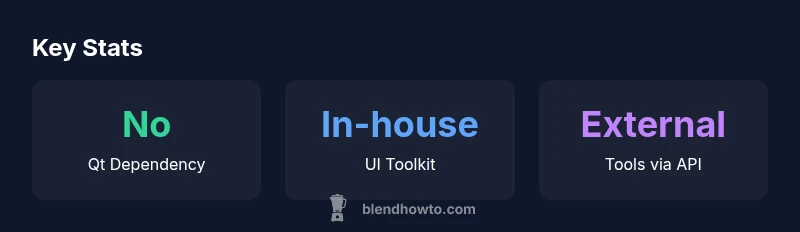
Does Blender use Qt? No. Blender uses a custom, in-house UI toolkit developed by the Blender Foundation, not the Qt framework. This choice keeps the UI tightly integrated with Blender’s core data structures and real-time 3D rendering pipeline. Qt remains popular for many cross‑platform apps, but Blender prioritizes a deeply integrated UI tailored for 3D workflows. External tools or add-ons may interface with Qt, but Blender’s own interface remains Qt-free.
Blender UI Architecture and the Qt Question
Blender’s user interface is built around a bespoke UI toolkit that is tightly integrated with Blender’s core data structures. The UI is primarily implemented in C/C++, with Python exposure for add-ons and scripting. This architecture allows real-time updates in the 3D viewport, consistent panels across platforms, and a high degree of customization for artists and technicians. Because the UI is internal to Blender, it does not rely on external toolkits such as Qt for its main rendering of panels, widgets, and editors. Developers who build add-ons typically work through the Blender Python API (bpy) to add panels, operators, and menus within Blender’s own UI, rather than creating Qt widgets. Users benefit from a uniform experience across Windows, macOS, and Linux, due to Blender’s own cross‑platform rendering and input handling. For cross-compatibility concerns, Blender’s UI is designed to be resilient to platform-specific quirks, rather than embedding a large external UI library. In short, Blender avoids Qt in its core UI and prioritizes a cohesive, 3D-focused workflow.
Why Qt Is Popular (and When It Makes Sense for Apps)
Qt is a robust, cross‑platform GUI framework used by many desktop applications to deliver a native feel across Windows, macOS, and Linux. It provides a rich set of widgets, a strong event system, and mature tooling for designers and developers. However, not every application needs Qt. For tools that require deep, domain-specific UI adaptations—like a 3D package with real‑time rendering and a complex property system—a custom UI can offer tighter integration with the core data model and rendering loop. Blender’s decision to forgo Qt is an intentional trade-off toward a UI that is optimized for 3D workflows, scriptability, and real-time feedback, rather than a general-purpose widget toolkit.
What This Means for Blender Users and Developers
If you’re an artist or a developer, this means you’ll interact with Blender’s UI primarily through the Python API (bpy) and Blender’s own panels, menus, and operators. Qt-based widgets are not part of Blender’s main UI, so adding a Qt-based panel inside Blender isn’t the standard path. For external tools, you can still build Qt-based applications that communicate with Blender via file exchange, sockets, or Blender’s own API, but you won’t be embedding Qt widgets inside Blender’s windows. This separation keeps Blender’s experience cohesive, especially across different operating systems and hardware configurations.
Implications for Add-ons and External Tools
Add-ons extend Blender by injecting new panels, properties, and operators into Blender’s UI. These extensions rely on Blender’s Python API rather than Qt, ensuring consistent behavior with Blender’s UI layout and event handling. If an external workflow requires Qt, the typical pattern is to run a separate Qt application that communicates with Blender (for example, through sockets or shared files) rather than trying to integrate Qt panels inside Blender itself. For developers, this means focusing on bpy and Blender’s data API, rather than learning Qt widgets for Blender UI work.
Looking Ahead: Could Blender Embrace Qt in the Future?
There are no public plans to replace Blender’s in-house UI toolkit with Qt. Blender’s open‑source development model prioritizes stability, scriptability, and a UI explicitly tailored to 3D modeling, animation, and rendering workflows. It’s possible that future UI experiments could explore alternative rendering or layout strategies, but a full Qt migration would be a major architectural undertaking. The Blender Foundation tends to favor incremental, user-tested improvements over wholesale UI rewrites, particularly when those rewrites risk fragmenting the vast ecosystem of add-ons and workflows built around Blender’s current UI.
Practical Takeaways for Users and Teams
- Expect a Qt-free Blender UI: tutorials, add-ons, and community content will assume Blender’s own UI system.
- If you need Qt, build an external tool that interfaces with Blender via its API, not an embedded Qt UI.
- For add-ons, design with Blender’s panels and Python API in mind to maximize compatibility and performance.
- Stay aware of UI updates in Blender releases, as the in-house toolkit evolves alongside core features.
Blender UI vs. Qt: A quick comparison
| Aspect | Qt In Blender? | Notes |
|---|---|---|
| UI Toolkit | No | Blender uses a custom in-house UI built into its core |
| Development Language | C/C++ and Python | UI is core; Python exposes API for scripting |
| Cross-Platform Behavior | Blender UI is consistent across platforms | Qt is not used for Blender's main UI |
Frequently Asked Questions
Does Blender use Qt for its UI?
No. Blender uses a custom, in-house UI toolkit that is tightly integrated with its core data structures and rendering pipeline. Qt is not part of Blender's main interface, though external Qt-based tools can interact with Blender via its API when needed.
Blender doesn't use Qt for its UI. You can build external Qt tools that connect to Blender, but Blender's own UI is Qt-free.
Can I build Qt widgets inside Blender?
Blender UI is not built with Qt widgets. Add-ons should use Blender's Python API to extend panels and menus. If you need Qt, consider an external tool that communicates with Blender rather than embedding Qt inside Blender.
Qt widgets aren’t used inside Blender; use Blender's Python API for UI work or run Qt as a separate tool.
Why does Blender avoid Qt?
Blender prioritizes a UI tightly coupled with its data model and real-time capabilities. A bespoke UI lets developers tailor layouts, panels, and interactions specifically for 3D work without the overhead of a general-purpose toolkit.
It avoids Qt to keep the UI fast and tightly integrated with Blender's core features.
Will Blender ever switch to Qt?
There are no public plans to migrate Blender's core UI to Qt. Any major UI shift would require deep architectural changes and broad community consensus.
There’s no announced plan to move Blender to Qt; it would be a large, collaborative effort.
How should I develop UI for Blender add-ons?
Use Blender’s Python API to create panels, operators, and menus within the Blender UI. This ensures compatibility and performance with Blender’s event loop and data models.
Stick to Blender’s Python API for add-ons rather than Qt UI.
“Blender's user interface toolkit is designed to stay tightly integrated with its data model and rendering pipeline, which is why Qt is not used for Blender's core UI.”
What to Remember
- Blender does not rely on Qt for its core UI.
- Develop UI work through Blender's Python API, not Qt widgets.
- External Qt tools can interface with Blender but are not embedded UIs.
- Blender’s UI is designed for real-time 3D workflows across platforms.
- Future UI plans prioritize in-house innovation over Qt adoption.