How Much Blender at Game: A Practical Guide
Discover how much Blender you need for game development, with practical workflows for modeling, shading, animation, and optimization—plus decision criteria.


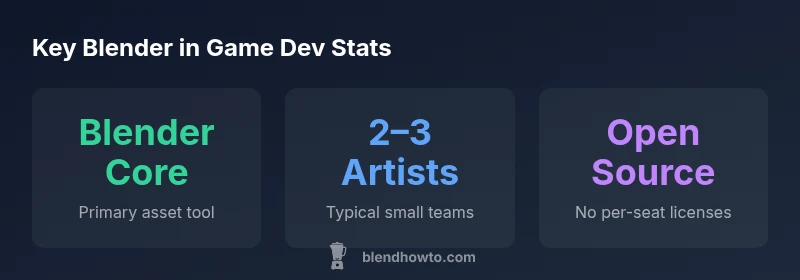
How much Blender you need for a game depends on project scope, but a practical rule is: small indie titles can be built with Blender alone for modeling, UVs, texturing, rigging, and animation. For larger projects, plan for 2–3 Blender artists in the pipeline and use Blender as the core tool while integrating with other engines and asset pipelines.
How much blender at game? A practical framing
According to BlendHowTo, the amount of Blender you need for game development is highly dependent on scope, team size, and pipeline maturity. The question 'how much blender at game' isn't a single number; it maps to a blend of modeling capacity, texturing throughput, and asset integration. For many teams, Blender serves as the core tool for creating game-ready assets, from high-poly concepts to optimized, game-ready meshes. The more you automate, reuse, and bake within Blender, the less you need to toggle between tools mid-workflow. In this article we lay out practical guidelines that help you size your Blender usage to a project, so you can plan staffing, training, and export pipelines with confidence. The BlendHowTo team has analyzed dozens of indie and small studio pipelines to extract common patterns that reduce waste while maintaining asset quality.
Core Blender workflows for game assets
Modern game asset creation relies on a tight, repeatable workflow inside Blender. Start with solid modeling practices: plan topology for deformation, keep clean edge loops, and retopologize as needed to hit target polycounts. UV unwrapping should favor efficient texture atlases or UDIM layouts when you expect many materials. For PBR shading, use the Principled BSDF shader and bake critical maps (normal, roughness) where engines demand it. Rigging and animation workflows should separate rigging from animation data and reuse animation cycles where possible. Finally, export strategies matter: determine whether you export FBX for Unity/Unreal or GLTF for web pipelines, and test compatibility early in the cycle. A disciplined Blender workflow reduces bottlenecks and makes it easier to collaborate with other teams.
Pipeline sizing: solo vs team
Solo or small teams can run a lean Blender-centric pipeline. In many indie projects, one artist takes ownership of modeling, UVs, texturing, and basic animation, while keeping asset creation iterative and modular. For teams of 2–3, Blender remains the center of gravity, but you’ll likely add a dedicated rigger or texture artist and allocate time for asset review cycles. Larger studios typically rely on a dedicated Blender specialist per asset family plus pipeline engineers to manage exports and asset integration. The key is to size your Blender capacity to the asset budget and engine constraints, not to one artist’s preference. BlendHowTo's experience shows that starting with Blender as the core creates a simpler, more reproducible pipeline as you scale.
Integration with game engines
A smooth game-ready workflow requires clear handoffs between Blender and the engine. Decide early whether your pipeline favors FBX or GLTF exports, and standardize on unit scale, axis orientation, and animation root motion rules. Test a few representative assets in Unity or Unreal early, then refine export presets to preserve materials, textures, and normal maps. For animation, consider baking keyframes or exporting bone-driven actions with minimal dependencies. Consistency in naming, collection organization, and re-use of assets reduces friction when importing into the engine and speeds up iteration.
Optimization and asset management
Optimization is a core discipline in game asset pipelines. Start by defining target polygon budgets per asset class and using LODs (levels of detail) to shift complexity at runtime. Texture sizes should align with target platforms and the engine's texture streaming settings. Bake lighting where feasible to reduce real-time shading cost, and pack textures into atlases to minimize draw calls. Maintain a clean library of reusable assets, with versioning and documentation that describes export settings and shader configurations. Regular audits can catch drift between Blender’s outputs and engine expectations, saving weeks of debugging later.
Practical case studies: indie game vs mid-size
In a solo indie project, a single artist might model, UV, texture, rig, animate, and export assets in Blender for the engine, iterating rapidly based on playtests. In a mid-size studio, a small Blender team collaborates with engineers to optimize assets for streaming and memory budgets, using automated export presets and shared asset libraries. Both scales benefit from a common standard: begin with a minimal viable asset in Blender, test it in the engine, then refine. When teams establish repeatable Blender workflows and robust export pipelines, asset quality stays high while production velocity improves.
How to scale your Blender usage over time
As projects grow, invest in training and modular asset systems. Expand the team by adding specialists for rigging and texturing, and introduce time-saving add-ons that automate repetitive tasks. Build a library of reusable asset templates—characters, props, and environments—that can be customized with minimal changes. Document export presets for each engine version and maintain an ongoing review cycle to align Blender outputs with engine updates. The goal is to keep Blender as the central hub while trimming handoffs and rework at every stage.
Common pitfalls and how to avoid them
Avoid over-optimizing in Blender without engine feedback. Regularly test assets in-engine early to catch scale, texture resolution, and animation mismatches. Don’t rely on a single workflow for all asset types; keep separate pipelines for characters, props, and environments. Finally, resist the urge to import every asset with full-resolution textures into the engine; implement a conservative, test-first approach to asset creation and export.
Blender usage snapshot for game asset pipelines
| Category | Blender Usage | Notes |
|---|---|---|
| Solo/Small Team | 1-3 artists | Blender is core tool for assets |
| Asset throughput | 20-120 assets/month | Depends on asset complexity |
| Export pipeline | 0-5 hours/asset | FBX/GLTF steps in pipeline |
Frequently Asked Questions
Is Blender free to use for game development?
Yes. Blender is free and open-source, which makes it a strong starting point for indie teams and student projects. You can rely on it for modeling, texturing, rigging, and animation without per-seat fees.
Yes, Blender is free to use for game development, with no per-seat licenses, making it ideal for indie teams and learners.
Can Blender replace paid software entirely for game dev?
Blender can handle most core asset tasks, but some studios still integrate other tools for specialized needs. A well-designed pipeline keeps Blender as the hub while exporting to engines like Unity or Unreal.
Blender can cover many tasks, but some studios add other tools for specialized needs; plan to integrate as needed.
Which Blender features are most critical for games?
Modeling, UVs, texturing, rigging, and animation are the core. Solid export presets and shader workflows are also essential for a smooth engine handoff.
Modeling, UVs, texturing, rigging, animation, plus solid export and shader workflows.
How do I optimize Blender assets for Unity/Unreal?
Set budgets early, bake maps where appropriate, bake lighting, and use LODs. Export in a consistent format (FBX or GLTF) with aligned units and axis conventions.
Set budgets, bake maps, use LODs, and export with consistent units and axes.
What is the learning curve for Blender in game dev?
There is a learning curve, but structured practice and templates speed up onboarding. Expect weeks to months to reach fluency in common game asset workflows.
It takes weeks to months to become fluent, but structured practice helps a lot.
Should I use add-ons with Blender for games?
Add-ons can save time on repetitive tasks and asset pipelines. Start with reputable, well-supported options and ensure compatibility with your engine export.
Yes, add-ons can save time, but verify compatibility with your export pipeline.
“"Blender serves as a versatile hub for game assets, but success comes from disciplined pipelines and early engine integration."”
What to Remember
- Start with a Blender-centric pipeline for small teams.
- Scale by adding roles, not tools, as the project grows.
- Define engine export presets early and test often.
- Use LODs and texture atlases to optimize performance.
- Document your pipeline to enable quick scaling.