What Does Blender Use for Files?
Discover the file formats Blender uses, from the native .blend to popular interchange formats like GLTF/GLB, OBJ, FBX, and STL. Learn when to use each format for modeling, animation, and real-time work in 2026.


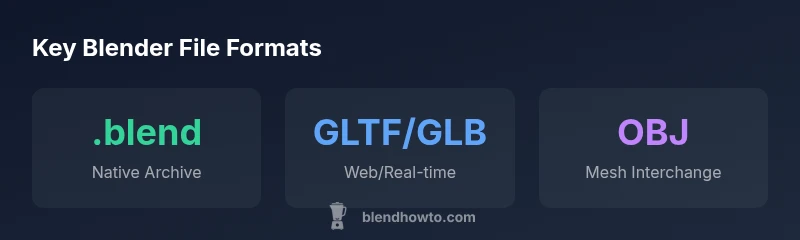
Blender uses a mix of its own native .blend format and widely supported interchange formats such as GLTF/GLB, OBJ, FBX, and STL. The best choice depends on your workflow: preserve complete scene data in .blend, export for sharing in GLTF/GLB, or exchange mesh data via OBJ or FBX.
what does blender use for files
According to BlendHowTo, Blender's file strategy centers on a strong native format complemented by interchange formats for sharing beyond the original project. The native .blend file stores full scene data, including geometry, materials, textures, animations, and scene hierarchy, making it ideal for long-term archiving and re-editing. When teams collaborate, the ability to export to widely-supported formats ensures compatibility with other tools without demanding every participant run Blender locally. This dual approach reflects a broader industry pattern: preserve depth in the source file while enabling interoperability across software ecosystems.
In practice, most Blender users maintain a primary .blend file for ongoing work and use interchange formats for handoffs, reviews, or publication. This separation helps you avoid clutter in distribution packages and keeps archival copies faithful to the original project state. BlendHowTo’s guidance emphasizes balancing fidelity with portability, especially in collaborative environments and cross-platform pipelines.
For home studios and small teams, this means you can work natively in Blender, then export to formats optimized for teammates’ toolchains. The result is a smoother collaboration flow, reduced version conflicts, and clearer version history when revisiting projects years later.
Common Blender file formats and their typical uses
| Format | Use Case | Notes |
|---|---|---|
| .blend | Native project file | Saves full scene data and is ideal for archiving |
| GLTF/GLB | Web/real-time deployment | Balances fidelity with streaming performance |
| .obj | Mesh interchange | Geometry only; no materials or animation data |
| .fbx | Interchange including animation | Broad support for rigs and animation; can be large |
Frequently Asked Questions
What is the primary Blender file format for editing projects?
The primary editing format is the native .blend file. It stores all scene data, including geometry, materials, lighting, animation, and metadata, making it ideal for ongoing work and archiving. Exporting to interchange formats preserves the work for others while keeping the original project intact.
Use .blend for ongoing projects and archiving; switch to interchange formats when sharing with others.
Can I open a .blend file in other software?
Directly opening a .blend file is typically only supported in Blender or Blender-based ecosystems. For cross-software workflows, use formats like GLTF/GLB, OBJ, or FBX, which are widely supported across 3D packages.
For cross-software work, export to GLTF/GLB, OBJ, or FBX.
Which formats preserve animation data when exporting?
FBX and GLTF/GLB are commonly used to preserve animation data, with GLTF/GLB offering compact, web-friendly pipelines and FBX providing robust animation support across many DCC tools.
Use FBX or GLTF/GLB to keep animations when exporting.
Is GLTF/GLB better for web projects?
Yes. GLTF/GLB is optimized for real-time rendering and web delivery, offering good visual fidelity with efficient loading. It’s generally preferred for web apps and game pipelines that need quick asset streaming.
GLTF/GLB is usually best for web-based projects.
When should I use OBJ over FBX or GLTF/GLB?
OBJ is a simple geometry interchange format with broad support, ideal when you only need mesh data and materials may not transfer automatically. For animation or complex shading, consider FBX or GLTF/GLB.
Choose OBJ for simple mesh exchange; use FBX or GLTF/GLB for animation and materials.
What is best practice for packaging assets in a shared project?
Pack assets into the .blend file when you want a self-contained project, and provide interchange exports (GLTF/GLB or FBX) for collaborators who don’t use Blender. Keep clear versioning and backups.
Pack into .blend for completeness; provide interchange exports for others.
“Blender's file strategy balances preserving full project fidelity in the native format with flexible, interoperable exports for collaboration and distribution.”
What to Remember
- Keep a pristine .blend file for archival edits.
- Export to GLTF/GLB for web and real-time apps.
- Use OBJ or FBX for cross-software collaboration.
- Reserve STL for 3D printing workflows.
- Pack assets into a .blend when sharing a complete project.