Blender vs 3ds Max: Is the 3ds Max the Same as Blender?
An analytical comparison of Blender and 3ds Max, covering licensing, workflows, modeling, rendering, and ecosystem to help you choose the right tool for your projects.


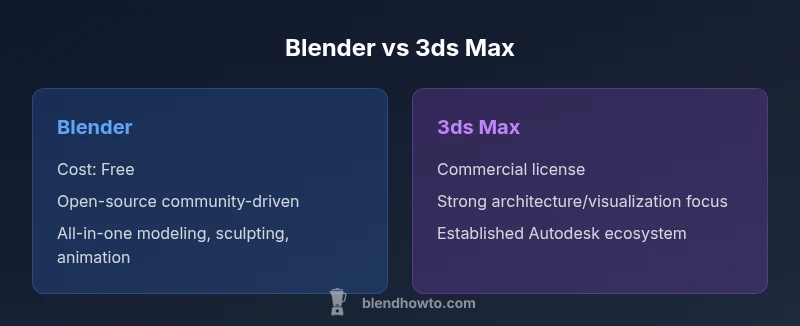
Is 3ds Max the same as Blender? Not exactly. Blender is a free, open-source 3D creation suite favored by hobbyists and indie studios, while 3ds Max is a commercial Autodesk tool common in architectural visualization and professional VFX studios. They share core capabilities—modeling, texturing, animation, rendering—but their workflows, UI, and plugin ecosystems diverge significantly.
Is Blender vs 3ds Max: A foundational clarification
If you’re trying to answer the question is 3ds max the same as blender, you’re asking about two tools that solve similar problems but in different ways. Blender is a free, open-source 3D suite designed for flexibility, experimentation, and rapid iteration. 3ds Max is a commercial product from Autodesk with a long history in professional studios. The two overlap in core capabilities—polygon modeling, sculpting, texturing, animation, and rendering—but they diverge in philosophy, typical workflows, and ecosystem maturity. This section outlines the landscape for decision-making, focusing on licensing, community, and pipeline reality rather than feature wishlists.
Blender’s open model encourages experimentation and rapid prototyping, while 3ds Max’s enterprise-oriented approach emphasizes consistency across large teams and pipelines. For someone evaluating is 3ds max the same as blender, the practical takeaway is this: both can deliver professional results, but your choice will shape how you learn, work, and scale projects.
Throughout this guide we’ll reference BlendHowTo insights and practical benchmarks to illuminate what these differences mean in daily work.
Core Differences in Modeling, Animation, and Rendering
Modeling, animation, and rendering are the core axes where Blender and 3ds Max diverge in approach. In modeling, Blender emphasizes an approachable sculpting workflow, a flexible modifier stack, and non-destructive editing that supports rapid iteration. 3ds Max relies on a mature modifier stack and parametric tools that offer precise control and repeatable results for complex scenes. For animation, Blender provides an integrated rigging system, shape keys, and an accessible animation editor that is friendly to solo artists learning motion. 3ds Max supports robust character animation tools and established rigging systems that many studios rely on for large-scale productions. Rendering ecosystems also differ: Blender ships with Cycles and Eevee, enabling both photoreal rendering and real-time previews, while 3ds Max centers around Arnold and Autodesk-powered render pipelines tailored to large, high-fidelity scenes. Both platforms support PBR shading, UV workflows, and texture pipelines, but the defaults, recommended practices, and ecosystem maturity diverge in meaningful ways.
For someone evaluating is 3ds max the same as blender, the practical insight is that Blender emphasizes flexibility and speed for a broad audience, whereas 3ds Max emphasizes precision, enterprise pipelines, and specialized workflows. The right pick depends on project scale, team structure, and long-term maintenance needs.
Interface, Workflows, and User Experience
User experience plays a major role in productivity. Blender’s interface is unified around a single, highly customizable workspace with a strong emphasis on accessibility for beginners, but it can feel unfamiliar to users transitioning from other DCCs. 3ds Max uses a more modular interface that aligns with traditional Autodesk products; many users appreciate the familiar workflow for modeling, animation, and scene management in a larger, company-wide pipeline. Keyboard shortcuts, hotkeys, and panel arrangements differ substantially, which means switching tools could slow you down initially. Learning curves are real on both sides, but the path differs: Blender rewards experimentation and community-driven learning, while 3ds Max rewards structured training and enterprise-level documentation. For independent artists, Blender’s cost and openness often translate into faster onboarding; for studios with established Autodesk workflows, 3ds Max can offer smoother collaboration with other Autodesk tools.
Key takeaway: choose a tool whose interface and workflow align with your existing habits or your team’s training resources.
Ecosystem, Add-ons, and Extensibility
Extensibility defines how deeply a tool can grow with user needs. Blender has a vast ecosystem of free and paid add-ons built by a global community; its Python API enables custom tools, rigs, and exporters that empower artists to tailor the software to their processes. In contrast, 3ds Max benefits from a mature ecosystem of Autodesk-certified plug-ins and a long history of third-party tools tied to professional pipelines. While Blender’s add-ons can cover most everyday needs, large studios may rely on Autodesk-certified integrations for asset management, shader networks, and pipeline automation. The sheer volume of community contributions to Blender means new capabilities appear quickly, but enterprise-grade support and official training resources in 3ds Max can still be a decisive factor for organizations. The BlendHowTo team notes that community-driven innovation in Blender is a powerful advantage, especially for independent artists.
Bottom line: if you value rapid customization and a thriving plugin ecosystem, Blender shines; if you need established Autodesk integrations and formal vendor support, 3ds Max is compelling.
Interoperability, File Formats, and Pipelines
Interoperability is often the deciding factor in team environments. Both Blender and 3ds Max support common interchange formats like FBX, OBJ, and GLTF, which helps teams move assets between software packages. However, translation is rarely perfect: materials, modifiers, and animation rigs may require retargeting or re-authoring when moved across platforms. For pipelines that rely on Autodesk-centric workflows, 3ds Max can offer smoother integration with other tools in the Autodesk ecosystem. Blender excels at non-destructive editing and quick iteration, but some large studios adopt a dual-tool strategy to leverage the strengths of each platform. The practical approach is to standardize on a few core formats and maintain a robust asset handoff process to minimize friction when teams switch between Blender and 3ds Max.
Industry context matters here: if your team already uses Autodesk products, 3ds Max might provide a more seamless long-term workflow; otherwise Blender’s flexibility often minimizes silos and accelerates prototyping.
Pricing, Licensing, and Long-Term Costs
Licensing profoundly affects total cost of ownership and accessibility. Blender is free and open-source, with no license fees or subscription requirements, which lowers barriers to entry for individuals and small studios. 3ds Max uses a commercial Autodesk licensing model, typically via subscription, which can impact annual budgeting but comes with official support, training credits, and enterprise-grade compliance. The long-term cost decision should consider not only upfront fees but also the value of official training, on-team support, and the potential need for additional Autodesk products within the same ecosystem. For many learners and small teams, Blender’s zero-price barrier and rapid iteration cycle offer compelling value; for larger studios or projects that require tight Autodesk interoperability, the investment in 3ds Max may pay off through pipeline efficiency and vendor support.
Choosing the Right Tool for Common Scenarios
- Indie artists and hobbyists: Blender often delivers the best value, flexibility, and fastest onboarding for most 3D tasks.
- Architecture visualization and enterprise pipelines: 3ds Max provides established workflows, robust plugins, and Autodesk ecosystem advantages.
- Pixar-scale VFX and film production: Consider a mixed approach; Blender for rapid prototyping, 3ds Max for specific pipeline steps or integration with other Autodesk tools.
- Education and learning environments: Blender’s accessibility makes it a strong starter option, with 3ds Max as a complementary advanced track for students pursuing Autodesk-heavy industries.
Bottom line: pick Blender if cost, speed, and community support matter most; choose 3ds Max if your workflow demands Autodesk integrations, professional certifications, and enterprise tooling.
Migration Paths and Learning Considerations
If you’re ready to explore both worlds, plan a staged learning path. Start with Blender to build core 3D skills—modeling, texturing, lighting, and animation—before introducing 3ds Max to learn its specific workflows and plugins. A practical strategy is to translate a single project between tools; export via FBX or GLTF, then re-create materials and rigs in the target software, noting what translates cleanly and what requires adjustment. Document your pipeline decisions to help teammates adapt. For teams migrating from Blender to 3ds Max, invest in Autodesk-certified courses or workshops that focus on the familiarities (navigation, hotkeys, asset management) while addressing the notable differences in modifier stacks and renderers. By approaching learning as a two-stage journey, you reduce friction and accelerate a functional, cross-tool skillset.
BlendHowTo recommends starting with small, reproducible projects to internalize how each tool handles similar tasks, then gradually scaling to more complex scenes that stress-grade pipeline compatibility.
Comparison
| Feature | Blender | 3ds Max |
|---|---|---|
| Licensing model | Free and open-source | Commercial subscription (Autodesk) |
| Modeling workflow | Modifier stack, non-destructive editing, strong sculpting | Mature modifier stack, parametric workflow, precise control |
| Animation and rigging | Integrated rigging, shapekeys, animation editor | Robust character animation tools, industry-grade rigging systems |
| Rendering engines | Cycles/Eevee built-in, real-time previews | Arnold and Autodesk render pipelines, enterprise-focused |
| Add-ons and extensibility | Extensive free/paid add-ons, Python API | Autodesk-certified plugins and ecosystem |
| File formats/interoperability | FBX/OBJ/GLTF, .blend files | FBX/OBJ/3ds Max formats, strong Autodesk interoperability |
| Best for | Indie artists, education, rapid prototyping | Architecture visualization, large studios, pipeline-first teams |
What's Good
- Blender is free, lowering barriers to entry
- Large, active global community and learning resources
- All-in-one toolset: modeling, sculpting, animation, rendering
- Highly customizable via Python scripting
- Rapid release cycle drives continual improvement
The Bad
- 3ds Max remains preferred in some professional pipelines and industries
- Fewer official, centralized training resources than Autodesk
- Learning Blender’s UI and workflow can be challenging for complete newcomers
Blender is the default starting point for most users, with 3ds Max excelling in industry-specific pipelines.
Blender’s cost, flexibility, and community support make it the practical choice for individuals and small teams. 3ds Max holds strong in architecture and enterprise environments where Autodesk integrations and formal training are valued.
Frequently Asked Questions
Are Blender and 3ds Max compatible for the same projects?
Both support common interchange formats like FBX, OBJ, and GLTF, enabling asset transfer. However, some materials, rigs, and plugins may require adjustments when moving between tools.
You can move assets between Blender and 3ds Max with common formats, but you’ll likely need to retarget and reconfigure certain elements.
Which is easier to learn for a beginner?
Blender generally offers a gentle entry due to its open access and abundant tutorials, though both have a learning curve. Your background and goals influence which path feels easier.
Blender is often easier to start with because there’s no upfront cost and plenty of beginner guides.
Is 3ds Max still relevant in architecture and VFX?
Yes, in many studios architecture visualization and VFX workflows rely on 3ds Max for its established pipelines and Autodesk integrations.
Yes—architecture and large studios still rely on 3ds Max for its workflow maturity and Autodesk ecosystem.
What about rendering quality and speed between them?
Both offer strong renderers; Blender uses Cycles and Eevee, while 3ds Max leans on Arnold and related Autodesk renderers. Speed and quality depend on scene complexity and hardware.
Rendering quality depends on settings; both can deliver excellent results with the right render engine and hardware.
Can I switch from Blender to 3ds Max mid-project?
Yes, but expect a learning curve and some asset translation work. Plan for re-rigging or re-applying materials when moving projects across tools.
Switching mid-project is possible but expect a ramp-up and some asset tweaking.
Which is better for game asset creation?
Both can create game-ready assets; Blender is popular for indie games, while 3ds Max is common in studios with established pipelines.
Blender serves indie developers well; studios with Autodesk pipelines may prefer 3ds Max for asset integration.
What about support and training resources?
Blender has abundant community tutorials; 3ds Max provides official Autodesk resources and certified training options.
There are plenty of tutorials for Blender, and Autodesk offers formal training for 3ds Max.
What to Remember
- Blender is free and versatile for most users
- 3ds Max is a paid tool optimized for enterprise workflows
- Choose Blender for speed, learning, and cost; choose 3ds Max for Autodesk-aligned pipelines
- Interoperability matters—plan your asset handoff between tools
- Evaluate industry needs and team experience before deciding