Blender Won't Turn On? A Practical Troubleshooting Guide
Learn fast, safe steps to diagnose and fix a blender that won't turn on. This 2026 guide covers power checks, safety interlocks, diagnostic flow, and practical fixes you can perform at home or with professional help.


If your blender won't turn on, the most common issues are a tripped outlet, a damaged power cord, or a faulty safety interlock. Start with quick power checks and a visual inspection before diving deeper. This step-by-step guide shows a safe, practical path to identify the cause and apply a fix, reducing guesswork and risk.
Common causes a blender won't turn on
A blender failing to power up is usually due to one of a few simple issues. The most common culprits are a tripped outlet or breaker, a damaged power cord, or a safety interlock that prevents operation when the jar or lid isn't seated correctly. Other possibilities include thermal overload from heavy blending or a faulty on/off switch. Because these parts are subject to wear and heat, a non-starting blender is almost never a mystery you can't diagnose with basic checks. Start with the least invasive checks: verify the outlet works, inspect the power cord for visible damage, and confirm the lid is firmly locked before testing the unit again. If the blender still won't start, move on to the next steps that isolate the issue without opening the device. When in doubt, unplug the unit before touching any internal components to avoid shock or shorts. Throughout this article we’ll map symptoms to likely causes and provide safe, practical fixes you can perform at home or with a professional if needed.
Safe initial checks you can perform
Before tearing into the blender, perform a few quick, safe checks that cover the most common problems. First, test the outlet with another device to confirm power. If the outlet is fine, inspect the power cord for cuts, cracks, or exposed wires; replace the cord if any damage is found. Next, ensure the base power switch is on and that the jar is correctly seated. Finally, reset any GFCI or circuit breakers and re-test. If the unit still refuses to start, proceed to more detailed diagnostics. Avoid using water or liquids near electrical contacts, and never disassemble the motor housing unless you are trained. These steps aim to confirm basic power and safety interlocks before considering internal repairs.
Diagnostic flow: symptom to diagnosis
Symptom: Blender won’t turn on. Start with power and safety checks, then consider interlock and thermal factors. Likely causes, in order: power supply/outlet fault or tripped breaker (high), damaged power cord (medium), safety interlock not engaged (high), thermal overload or overheating (medium), internal switch or control board fault (low). Use the diagnostic flow below to map your symptom to the most probable cause and apply the appropriate fix.
Step-by-step: fix the most common causes
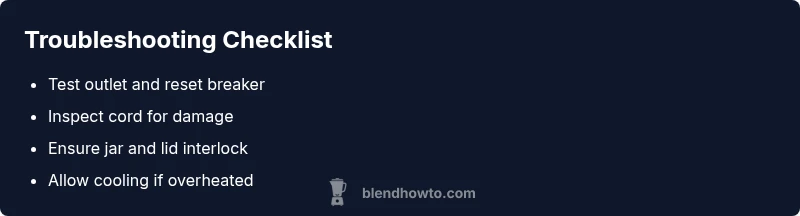
This is a practical, safety-first fix sequence for the most common reasons a blender won’t turn on. Step 1 confirms power: test the outlet with another device and reset breakers if needed. Step 2 inspects the cord for damage and replaces it if compromised. Step 3 confirms the jar and lid are seated to engage the interlock. Step 4 allows the motor to cool if it’s hot and retries. Step 5 uses any reset or overload feature per the manual. Step 6 evaluates whether professional help is needed if the unit still won’t start.
Safety tips and warnings
Always unplug before inspecting or touching any internal parts. Do not operate a blender with a damaged cord or if you smell burning. Do not attempt to open a sealed motor housing or perform soldering on live electronics. If you’re unsure about any step, contact a licensed technician or the manufacturer for service. Following these safety guidelines reduces the risk of electric shock, burns, or further damage.
Prevention and care to avoid future failures
Regularly inspect the power cord for wear, keep the interlock clean and free of residue, and avoid blending extremely thick or frozen mixtures that strain the motor. Store your blender in a cool, dry place to minimize heat damage and check the fuse or reset function if your model provides one. Keeping a simple maintenance routine reduces downtime and extends the life of your blender.
Steps
Estimated time: 30-60 minutes
- 1
Check the power outlet and circuit
Unplug the blender, move it to a known live outlet, and plug it back in. If available, test the outlet with another device. If the outlet is dead or the breaker tripped, reset the breaker or replace the GFCI as needed.
Tip: If you’re unsure about the circuit, test different outlets in your home to locate a working one. - 2
Inspect the power cord and plug
Visually inspect the cord for cracks, kinks, or exposed wires. Gently flex the cord near the plug and base to detect hidden breaks. If you find damage, replace the cord or have it serviced before attempting to power the unit again.
Tip: Never bend or modify a damaged cord; damaged cords pose shock and fire risks. - 3
Verify jar and lid interlock engagement
Remove the jar and ensure it sits securely on the base. Refit the lid tightly so the interlock mechanism recognizes proper assembly. Attempt to start with the jar removed to isolate the interlock issue.
Tip: Some models need the jar to be keyed or aligned correctly; check for misalignment even if it looks seated. - 4
Check for overheating or motor resistance
If the unit feels warm after use, let it rest for 10–15 minutes before retrying. While resting, check for any unusual noises, smells, or smoking after power-off. If the motor stalls when loading, consider skirting heavy loads or thick blends in future uses.
Tip: Avoid running the blender for long periods without breaks to protect the motor. - 5
Reset or test built-in safety features
Some blenders include an overload reset. If your model has one, follow the manual to perform the reset and retry. If there is no reset or it doesn’t fix the issue, move to professional assessment.
Tip: Consult your model’s manual before attempting resets to prevent unintended damage. - 6
Decide on repair vs replacement
If none of the above steps restore function, compare repair costs with replacement, and check warranty status. Collect purchase receipts and model information to help service providers quickly diagnose the problem.
Tip: Warranty coverage can significantly affect the value of repair versus replacement.
Diagnosis: Blender won't turn on
Possible Causes
- highPower supply/outlet fault or tripped circuit breaker
- mediumDamaged or frayed power cord
- highSafety interlock (lid/jar not seated) not engaged
- mediumThermal overload fuse activated or overheating
- lowInternal switch, motor controller, or PCB fault
Fixes
- easyReset the outlet and circuit breaker; test with another device to confirm power
- easyInspect power cord for cuts or damage and replace if needed
- easyRe-seat jar and lid firmly to engage interlock; test start
- mediumLet blender cool if it overheated, then retry; if still dead, professional service may be needed
- hardIf internal electronics are suspected, do not attempt DIY repairs; contact a trained technician or manufacturer
Frequently Asked Questions
Why won’t my blender turn on even though the outlet works?
If the outlet is functional, the issue is likely a damaged cord, a disengaged interlock, or an internal fuse. Work through power, cord, and interlock checks before considering internal repairs.
If the outlet works, the problem is usually the cord, interlock, or fuse. Start with those checks.
Can I reset a blender’s overload protection myself?
Some models include an overload reset. Refer to the manual for exact steps. If no reset exists or resetting doesn’t help, seek professional service.
Some blenders have an overload reset. If you don’t find one, or resetting doesn’t fix it, contact a technician.
What should I do if the blender overheated and stopped mid-use?
Turn off and unplug immediately, let it cool completely, and inspect for jar interlock issues or jams before trying again. If overheating recurs, stop using the unit and get it checked.
Let it cool completely, check interlock and jams, and don’t use if overheating repeats.
When should I replace my blender instead of repairing it?
If repair costs approach or exceed replacement, or if the blender is out of warranty and has repeated failures, replacement is usually the economical choice. Compare cost and reliability.
If repairs cost as much as buying a new one or it keeps failing, replacement is often best.
What if the jar interlock seems faulty?
A faulty interlock can prevent starting even when power is present. Stop using the unit and have the interlock mechanism inspected or replaced by a professional.
Interlocks failing means the blender won’t start. Get it checked by a professional.
Watch Video
What to Remember
- Test power and safety interlocks first
- Inspect cord and outlet before opening the unit
- Cool the motor if overheated, then retry safely
- Know when to seek professional repair or replacement