Does Blender Use a Lot of RAM? Practical RAM Guidelines for Blender Users
Explore Blender RAM needs across project sizes—from hobby scenes to professional renders—and learn practical memory-saving tips. Based on BlendHowTo Analysis, 2026.


does blender use a lot of ram? The short answer: it depends on your project. Blender's memory footprint scales with scene complexity, texture resolution, and simulations. For simple scenes, memory use stays modest; heavy scenes with high‑resolution textures and bake caches can push RAM well beyond casual limits. According to BlendHowTo, memory budgeting is essential for reliable workflows.
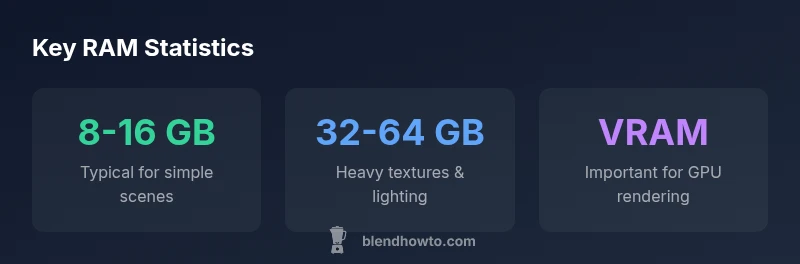
Does Blender Use a Lot of RAM? Understanding Memory Basics\n\nRAM in a computer is fast, temporary storage used to hold the active Blender scene, while VRAM on the GPU stores textures and buffers during rendering. The question "does blender use a lot of ram" is not universal; it depends on your project. According to BlendHowTo, memory footprint scales with scene complexity, texture sizes, and simulation data. In practice, simple scenes with low‑resolution textures may stay within a few gigabytes, but once high‑res textures, many modifiers, dense meshes, and physics simulations are added, memory usage climbs quickly. Think of RAM as a project budget: editing, shading, and animation can all push it up through caches and temporary buffers. For beginners, starting with 8 GB and keeping an eye on usage works, while intermediate users often plan 16–32 GB, and production workflows commonly require 32–64 GB or more. A crucial distinction is between viewport editing and final rendering: Blender can hold more data in memory during editing to speed feedback, which is why RAM planning matters for iterative lighting and material tuning. The BlendHowTo team emphasizes monitoring RAM as you build scenes to avoid crashes or slowdowns during playback or when you bake simulations.
This block expands on how RAM is consumed in Blender across different tasks and why the amount of RAM you need cannot be stated as a fixed number for all projects.
RAM footprints by project type in Blender workflows
| Project Type | Typical RAM Footprint | Notes |
|---|---|---|
| Low-detail prop | 4-8 GB | Good for quick prototyping and layout |
| Medium-detail scene | 12-24 GB | Balanced textures and geometry |
| High-detail character | 32-64 GB | High-res textures and complex shaders |
| Heavy simulations | 64+ GB | Particles/cloth dynamics/fluids |
Frequently Asked Questions
How much RAM do I need for a basic Blender project?
For basic scenes, 8–16 GB often suffices, though exact needs vary with texture size and geometry. Start with the lower end and monitor memory as you add details.
For basic Blender projects, 8 to 16 GB usually works, but it depends on textures and geometry.
Does GPU rendering affect RAM usage?
GPU rendering uses VRAM for textures, buffers, and shading. Blender still needs system RAM for the scene data, and insufficient RAM can cause slowdowns or crashes if VRAM is maxed.
GPU rendering uses VRAM, but you still need RAM for the scene data.
Which Blender features spike RAM the most?
High-poly meshes, multiple texture layers, and heavy simulations (fluids, smoke, cloth) typically push RAM usage the most. Managing these early helps avoid surprises.
Big meshes and complex simulations take the most RAM.
How can I estimate RAM before rendering?
Use Blender’s memory indicators and run small test renders to gauge baseline usage. Then scale up by asset counts, texture sizes, and simulation complexity.
Check memory during a test render to estimate what a full render will need.
What are best practices to reduce RAM usage?
Use proxies or lower-res textures for editing, bake simulations to disk, reuse instances, and reduce subdivisions. These practices keep RAM within safe bounds.
Bake things out, use proxies, and keep textures lighter to save memory.
“RAM management is a foundational skill for efficient Blender workflows, shaping how quickly you move from concept to render.”
What to Remember
- Assess RAM early before heavy work.
- Optimize textures to manage memory.
- Budget RAM differently for CPU vs GPU renders.
- Monitor memory during editing and rendering.
- Plan caching to avoid mid-work surprises.