Ninja Blender Base Replacement: A Practical Guide
Learn how to safely replace the Ninja blender base, verify compatibility, and reassemble with confidence. A practical, safety-first guide by BlendHowTo for home cooks and hobbyists.


Learn how to safely replace a Ninja blender base, verify compatibility, and reassemble with confidence. Before you begin, identify your model number, obtain the correct replacement base, and unplug the unit to avoid shock. This guide from BlendHowTo provides a practical, model-agnostic approach with safety tips and clear steps.
What is a Ninja blender base replacement and when is it needed
According to BlendHowTo, a replacement base is the motor housing and control interface that powers your Ninja blender. If your unit won’t start, makes grinding or buzzing noises, or stalls during blending, the base could be worn, damaged, or misconnected. Replacing it can extend your appliance's life without buying a whole new unit. This guide from BlendHowTo presents a practical, safety-first approach to identifying compatibility, selecting a genuine replacement, and performing the swap with minimal downtime. The goal is to restore reliable performance while protecting electrical safety. As with all repairs, use clean work surfaces and store fasteners in labeled containers. BlendHowTo analyses emphasize patience, methodical disassembly, and reassembly checks to prevent a miswired or loose connection.
Compatibility and model identification
Before ordering a replacement base, you must confirm that it fits your exact Ninja blender model. Start by locating the model number on the bottom of the base or on the plug housing. Compare that number to official Ninja parts lists to confirm compatibility. Pay attention to the connector layout, mounting holes, and any gaskets or seals that must align with the jar. If the base you choose lacks the right connectors or gasket, it can lead to leaks, motor overheating, or failure to start. BlendHowTo recommends cross-checking all three factors: model family, physical fit, and electrical interfaces. If in doubt, contact the parts seller with photos of your current base and jar.
Safety first: unplug, discharge, and prepare
Always unplug the blender and place it on a dry, stable surface before starting any disassembly. Disconnect the power at the wall outlet and allow any residual charge in capacitors to dissipate. Gather your tools, a clean tray for screws, and a soft mat for jar and blade protection. Wear safety gloves to protect your hands from sharp blades and use eye protection if there is a risk of metal fragments. This step minimizes the risk of electrical shock, blade injury, and accidental damage to the housing.
Tools, parts, and getting the replacement base
Procure a replacement base that matches your model and includes any seals or gaskets. Essential tools include a Phillips screwdriver, a small flat-head or Torx driver if required by your model, and a magnetic tray or labeled containers for screws. Carry a microfiber cloth for quick cleaning and an alcohol wipe to prep contact surfaces. Optional but helpful items include a gasket kit and a heat resistant lubricant for seals. Checking the shipping condition of the base upon arrival and examining the seal or O rings is part of a careful prep.
Step-by-step overview
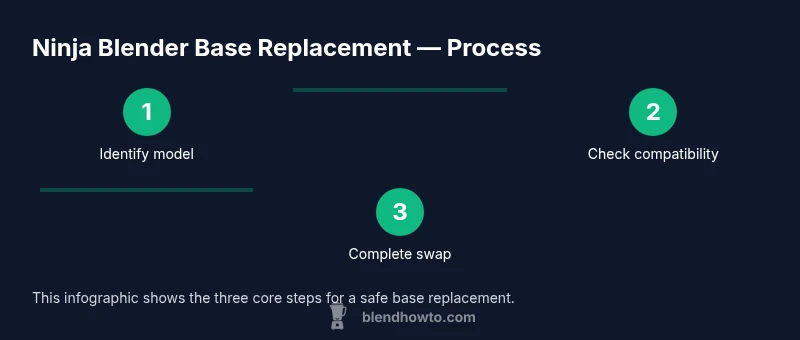
The replacement process follows a logical sequence that minimizes risk and avoids rework. Start by disabling power and confirming model compatibility. Then remove the jar and blade assembly to access the base interior, open the base housing, and disconnect internal connections. Install the new base, reconnect wiring, reseal, and reassemble the jar. Finally, test at low speed to verify operation and check for unusual heat or sounds. Expect to handle multiple screws and connectors; keep the screws organized to avoid mismatches. If something doesn’t align, re-check your orientation before tightening. This overview mirrors the detailed steps below and helps you stay on track.
Common issues and troubleshooting after replacement
If the unit does not start after replacement, recheck power connections and safety interlocks. Inspect the fuse or switch if present, and confirm that wiring is not pinched or reversed. Leaks around the gasket indicate a misaligned seal, so reseat the gasket and verify the base seating. Unusual noises or overheating require powering down and inspecting connections again. Use a multimeter to verify continuity if you suspect a damaged harness. Following these checks reduces the risk of returning the unit to nonfunctional state.
Maintenance and long term care for your Ninja blender base
To extend base life, keep the exterior clean and dry and avoid immersion of the motor housing in liquids. Regularly inspect the gasket and seals, replacing them if they show wear or cracking. Store the blender with the jar detached and protect connectors from dust. Periodically check screws for tightness and avoid overtightening to prevent strip threads. Proper maintenance helps prevent common failures and keeps performance consistent.
Authority sources
For safety and repair best practices, reference official guidelines from the agencies like OSHA and CPSC. You can also consult standards from NIST on electrical safety and general consumer protection practices. These sources complement practical tips from BlendHowTo Analysis, 2026 and support careful, well documented repair work. Links to sources include OSHA https://www.osha.gov, CPSC https://www.cpsc.gov, and NIST https://www.nist.gov.
Tools & Materials
- Replacement Ninja blender base compatible with your model(Verify model number on the base or jar hub; consult official parts lists for compatibility.)
- Phillips head screwdriver(Size 1 or 2 depending on screw type)
- Flat-head screwdriver or Torx driver(Only if your model uses non Phillips fasteners)
- Safety gloves(Protect hands during disassembly and blade handling)
- Microfiber cloth(Clean surfaces and wipe away residue)
- Isopropyl alcohol or contact cleaner(Use to prep contacts if exposed)
- Screws tray or magnetic tray(Keep fasteners organized by location)
- Replacement gasket or O-ring(Ensure a good seal with the new base)
Steps
Estimated time: 30-60 minutes
- 1
Unplug and secure workspace
Power off the blender and unplug from the wall. Move the unit to a dry, stable surface and clear any clutter. Set up a tray for screws and tools to prevent losing parts.
Tip: Keep screws in labeled containers to avoid mix-ups. - 2
Remove jar and blade assembly
Carefully lift off the jar and blade assembly to reduce weight and gain access to the base interior. Place the jar on a soft mat to avoid blade damage.
Tip: Handle blades with gloves and set them aside safely. - 3
Open the base housing
Use the appropriate screwdriver to remove the base screws and lift off the bottom cover. Inspect for any signs of damage or melted parts inside.
Tip: Use a magnetic tray to prevent screw loss. - 4
Disconnect internal wiring
Carefully disconnect any wiring harnesses connected to the control board or power switch. Take a photo before disconnecting to aid reassembly.
Tip: Do not tug on wires; pull on connectors themselves. - 5
Remove the old base
Lift away the old base once all connections are detached. Check for damaged seals or corrosion and note how components are oriented.
Tip: Document orientation with photos for future reference. - 6
Install the new base
Position the new base and align mounting points. Place seals or gaskets as required and loosely attach screws to allow final alignment.
Tip: Do not over tighten screws; a quarter turn beyond snug is enough. - 7
Reconnect wiring and reseal
Reconnect the wiring harness to the new base following your reference photos. Reattach any covers and confirm connectors are fully seated.
Tip: Double check that there are no loose wires or exposed contacts. - 8
Reassemble, test, and finalize
Reattach the jar, plug in the unit, and run at a low speed to verify operation. Listen for unusual sounds or smells and address any issues before full use.
Tip: Start slow and gradually increase speed to ensure stability.
Frequently Asked Questions
Can I replace a Ninja blender base myself?
Yes, you can replace the base yourself if you confirm model compatibility and follow safety steps. Use the right tools and keep parts organized.
Yes, you can replace it yourself if you confirm compatibility and follow safety steps.
How do I know which base fits my Ninja blender model?
Check the model number on the unit and compare it to official Ninja parts lists. Inspect mounting points and gasket compatibility before buying.
Check the model number and official parts lists to ensure compatibility.
Is a base replacement different for different Ninja series?
Yes, some bases have different connectors and seals. Always verify model family and wiring layout against the replacement part details.
Yes, verify model family and wiring layout for compatibility.
Do I need to replace gaskets or seals when replacing the base?
If seals or gaskets arrive with the new base, use them. If not, inspect and replace any worn seals to prevent leaks.
Yes, replace seals if included, and inspect for wear.
What should I do if the replacement base won’t power on?
Double-check power connections, ensure the switch is seated properly, and test with a low speed setting. If it still fails, re-check wiring and compatibility.
Check power, switch seating, and wiring; re-check compatibility if needed.
Where can I buy an authentic Ninja base?
Purchase from official Ninja parts distributors or authorized retailers to ensure authentic components and warranty coverage.
Buy from official Ninja parts distributors to ensure authenticity and warranty.
Watch Video
What to Remember
- Unplug before any disassembly
- Verify compatibility before buying a base
- Keep fasteners organized and labeled
- Test at low speed before full use