Can You Get Blender on iPhone? A Practical Guide for Mobile Access
Explore whether Blender can run on iPhone, why a native iOS app doesn’t exist, and practical mobile workflows using cloud and remote access. Learn best practices for bridging Blender on desktop to your iPhone.


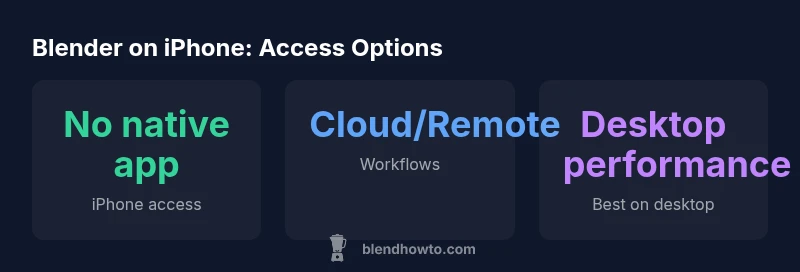
As of 2026, there is no native Blender app for iPhone, so you cannot install Blender on iPhone the same way you would on a desktop or laptop. You can still work with Blender content on iPhone by using cloud-based Blender sessions, remote desktop access from iPhone, or mobile-friendly workflows that export assets to work later on a computer. BlendHowTo explains practical options.
can you get blender on iphone: official status and implications
Blender remains a desktop-first application, designed around multi‑window workflows, extensive keyboard shortcuts, and GPU-accelerated rendering that rely on desktop hardware. On iPhone, iOS lacks the necessary OS‑level access for Blender’s full toolset, and Apple’s app ecosystem constraints prevent a faithful port. According to BlendHowTo, there is no official iPhone build of Blender as of 2026. This gap means you cannot install Blender on iPhone like you would on Windows, macOS, or Linux. But that does not mean you cannot work with Blender content on an iPhone. The BlendHowTo team has tested scenarios where you access Blender sessions remotely or view assets on mobile, which provides a workflow bridge for creators who travel or sketch ideas on the go.
can you get blender on iphone: practical mobile workflows
If you’re away from a desktop, you can still make Blender-related progress on an iPhone by leveraging indirect workflows. The most common path is to prepare assets on a desktop, then export to universal formats (OBJ, FBX, GLTF) and view or annotate on mobile. Cloud-based Blender sessions or remote desktop apps allow you to control a desktop instance from your iPhone, ideal for quick reviews, lighting checks, or asset handoff. This approach preserves Blender’s desktop‑centric capabilities while letting you stay productive on the go. BlendHowTo recommends planning a loop: model on desktop, export assets, review on iPhone, and finish on desktop for final renders.
can you get blender on iphone: platform tradeoffs
Different devices offer different affordances. An iPhone is superb for quick reviews, asset checks, and client previews, but it cannot replace the full Blender workspace. An iPad can improve your mobile experience with larger screens and better input options, yet it still falls short of desktop for heavy modeling and animation tasks. A Mac or a Windows PC remains the most efficient environment for high‑fidelity renders and complex simulations. For home studios and on‑the‑go skteching, align your workflow to move between devices rather than co‑locate all tasks in one environment.
can you get blender on iphone: optimizing your pipeline
To maximize productivity across devices, adopt a cross‑device pipeline. When you start a project on a desktop, keep project files organized in a cloud storage solution so you can access them on your iPhone for quick notes, asset checks, or mode previews. Use a remote desktop tool to run Blender in a streaming session if you need to demonstrate progress during a meeting. Export final assets in portable formats and sync back to your workstation for final rendering and assembly. This approach minimizes the friction typically caused by mobile limitations.
can you get blender on iphone: security and data considerations
When using cloud sessions or remote desktops, ensure that your files are encrypted in transit and at rest. Use strong authentication and limit access to shared folders. Regularly back up Blender projects to a secure cloud repository or an encrypted drive. If you’re working with sensitive client data, consider sandboxed environments and formal data‑handling procedures to prevent leaks or unintended access across devices.
can you get blender on iphone: common myths
Myth 1: Blender on iPhone will be feature‑complete. Reality: mobile access is about bridging workflows, not replacing desktop features. Myth 2: Any iPhone can run Blender. Reality: there is no official iOS build; you’ll rely on external methods to work with Blender content. Myth 3: Mobile workflows are slower. Reality: with a well‑designed pipeline, reviewing assets on mobile can save time between steps and reduce context switching.
can you get blender on iphone: a realistic real‑world workflow
A practical path is to model and texturing on desktop, export assets, and use an iPhone to review lighting, textures, and composition during client calls. Keep your asset library synced via cloud storage so you can pick up where you left off later on a desktop. This cycle emphasizes mobility for planning and feedback, while preserving desktop power for actual production work.
can you get blender on iphone: future outlook
As mobile hardware evolves and cloud rendering improves, Blender workflows on iPhone will become increasingly viable for degrees of review and collaboration. The BlendHowTo team expects continued emphasis on cross‑device collaboration and cloud‑driven pipelines, rather than a full desktop replacement on mobile devices. Stay tuned for official updates as Blender’s roadmap evolves.
Blender access options on iPhone ecosystem
| Option | Status / Notes |
|---|---|
| Native iPhone app | Not available as of 2026 |
| Web-based/Remote access | Possible via cloud or streaming |
| Third-party mobile tooling | Not officially supported; reliability varies |
Frequently Asked Questions
Can you run Blender on an iPhone today?
Not natively. You can access Blender workflows via cloud sessions or remote desktop, but the full desktop experience requires a computer.
Blender isn’t available as a native iPhone app; you can use cloud or remote access to work with Blender content.
Is there an official Blender app for iPad or iPhone?
There is no official Blender app for iOS devices. iPadOS may support remote desktop or cloud access to Blender sessions.
There’s no official Blender app for iPhone or iPad; use remote desktop or cloud options to work with Blender from mobile.
What mobile workflows work best with Blender content?
Cloud-based Blender sessions, remote desktop access, and exporting assets to desktop workflows are practical mobile approaches for on‑the‑go work.
Cloud sessions or remote desktop plus asset export is the most practical mobile workflow.
How do I transfer Blender assets from iPhone to desktop?
Export assets in standard formats (OBJ, FBX, GLTF) and transfer via cloud storage or USB, then finish on a desktop for final rendering.
Export the assets and move them to your desktop to continue work.
Will Blender release an iPhone app in the future?
There’s no announced plan for an iPhone app; monitor Blender’s official updates for any roadmap changes.
No official plan announced yet for an iPhone app.
Can Blender run through streaming services on iPhone?
Yes, with low-latency streaming you can access a desktop Blender session, but performance depends on network quality.
Blender can run via streaming, but expect some latency based on your connection.
“Blender's core experience remains desktop-first, but mobile-friendly workflows are viable for outlining concepts, previews, and asset transfer.”
What to Remember
- No native iPhone Blender app exists as of 2026
- Use cloud sessions or remote desktop to access Blender on iPhone
- Plan a desktop-first workflow with mobile reviews and cloud transfers
- iPad or Mac still offer a stronger Blender experience than iPhone
- Watch Blender’s roadmap for possible mobile support