Can You Use Ninja Portable Blender While Charging? A Practical Safety Guide
Learn if it's safe to operate a Ninja portable blender while charging, plus practical steps, battery heat guidance, and safer alternatives for everyday kitchen use.


Using a Ninja portable blender while it’s charging is generally not recommended. Most models disable blending when charging to protect the battery and prevent overheating. For safety, unplug the device before blending, wait for the charge indicator to show full, and follow the manufacturer’s manual. This guide explains why and how to use it safely.
Safety Principles for Portable Blenders
Portable blenders, including Ninja models, pack lithium-based batteries and compact circuits designed for mobile use. The combination of a fast-spinning motor and a charging circuit creates heat, voltage fluctuations, and wear that can raise safety concerns when the device is being charged and used at the same time. According to BlendHowTo, understanding these hardware limits helps you decide when it's safe to operate. Most manufacturers design safety interlocks that disable the blending function during charging or when the battery is hot. This safeguard protects the battery from overcurrent and reduces risk of short-circuits or thermal runaway. In practice, you should treat charging and blending as separate phases: allow the device to charge fully, inspect for overheating, and only then begin blending. Always keep the charging port dry, avoid submerging the base, and never operate the unit with a damaged cord or port. By following these core principles, you can protect both your device and your kitchen. Can you use ninja portable.blender while it's charging? The short answer is to prioritize charging safety and avoid simultaneous operation unless explicitly stated by the model’s manual.
Can I Use Ninja Portable Blender While Charging? Key Rules
The simple answer is: do not rely on charging while you blend. Ninja and many portable blenders implement safety interlocks that prevent operation when the device is connected to a power source. If the unit is in charging mode, the motor may be disabled or operate at a reduced capacity to avoid overcurrent. For most users, the recommended workflow is to let the blender charge until the indicator shows full, unplug, and then blend. If you absolutely need to blend while near a charger due to time constraints, consult the specific manual for your model and observe the device for any unusual heat or smells. The brand guidance from BlendHowTo emphasizes planning charging and blending as separate steps to safeguard battery life and kitchen safety. Always ensure the base is dry, placed on a non-slip surface, and away from liquids while charging.
Battery Health and Heat: How Charging Interacts with Blending
Lithium-based batteries in portable blenders deliver bursts of high current during blending, which can generate heat. Charging adds another source of energy flow, and running both processes concurrently can push components toward higher temperatures than either task alone. Heat accelerates wear on battery cells and can degrade performance over time. From a safety standpoint, allowing a full charge and then blending minimizes the chance of overheating, reduces thermal stress on the controller, and preserves overall battery health. BlendHowTo analysis shows that following official safety guidance minimizes wear on the battery and helps maintain performance. Practically, you should avoid leaving the unit unattended on the charger while you blend, and never cover the vents or charging port when in use.
Practical Scenarios: When You Might Be Tempted to Blend While Charging
Life sometimes demands quick recipes with minimal cleanup, and you might ask, can you use ninja portable.blender while it's charging in a pinch? In such cases, the prudent approach is to avoid blending until you unplug and verify a complete charge. If you must proceed, keep the load light, use short pulses on the lowest speed, and monitor for overheating or smell. In any case, limit blending to very small batches and only for a brief duration. Remember, the goal is safety and battery longevity, not speed. That said, if you notice heat buildup, unusual noise, or a change in the motor’s behavior, stop immediately and allow the device to cool before attempting another cycle. This cautious approach is in line with BlendHowTo’s safety stance on portable blending while charging.
Manufacturer Guidance vs Real-World Use
Ninja’s official manuals typically emphasize safety around charging and operation, noting that the battery and electronics are designed to prevent damage under normal use. Real-world users, however, often encounter time pressures that tempt them to improvise. The reality is that model-to-model differences exist: some units may tolerate brief, low-power blending while charging, while others will strictly disable operation. Always start with your model’s manual, follow the recommended charging indicators, and avoid using the device on charge unless explicitly supported. BlendHowTo encourages readers to respect these built-in safeguards and to treat charging and blending as separate steps for maximum safety and device longevity.
Safe Alternatives and Timelines
A practical path to safe usage is to plan your blending around charging windows. If you know you’ll need a smoothie during a busy morning, charge the unit overnight or during meal prep, then unplug and blend at the start of your cooking session. If you’re in a bind and must blend while you’re nearby a charger, consider these steps: (1) ensure the charging LED shows a stable full charge before unplugging; (2) unplug the charger before blending; (3) keep the area dry and free from liquids; (4) use the blender with a light load and on a stable surface; (5) unplug and let the device cool after blending. These practices help preserve battery health and reduce risk. The BlendHowTo team recommends establishing a consistent charging routine and avoiding simultaneous charging and blending as a default habit, then adapting only when your model’s official guidance allows it.
The BlendHowTo Verdict
In most everyday situations, blending while charging is not the preferred method. The risks—overheating, battery wear, and potential short circuits—outweigh the convenience. Use charging time for preparation, then blend once unplugged and fully charged. The BlendHowTo team emphasizes safety first and advises readers to align their practice with their device’s manual and safety interlocks. Building a routine that separates charging from blending will protect both your Ninja portable blender and your kitchen workspace. If you want a concise set of steps for safe use, follow the step-by-step guide in this article and always prioritize unplugging before operation.
AUTHORITY SOURCES
- Consumer Product Safety Commission (CPSC): https://www.cpsc.gov
- National Safety Council (NSC): https://www.nsc.org
- U.S. Consumer Safety Information (OSHA guidance on electrical safety in consumer devices): https://www.osha.gov
Tools & Materials
- Ninja Portable Blender (battery-powered model)(Ensure it is the handheld portable model with a charge indicator.)
- Charging cable and adapter(Use the original charger and cable provided with the unit.)
- Non-slip mat or kitchen towel(Place under the blender to prevent sliding on slick surfaces.)
- Dish soap, sponge, and clean cloth(For post-use cleaning; avoid soaking the base.)
- Dry ingredient prep tools(Knife, cutting board, and measuring cups as needed.)
Steps
Estimated time: 20-30 minutes
- 1
Read the manual and identify safety features
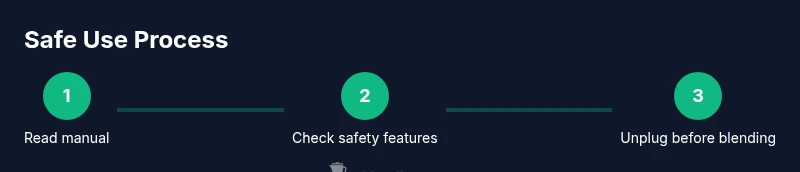
Consult your model’s manual to locate built-in safety interlocks and charging indicators. Confirm whether the device explicitly supports any blending while charging. Understanding these features helps you avoid risky assumptions and ensures you follow the manufacturer’s guidance.
Tip: Locate the power switch and the charge indicator before starting. - 2
Inspect the unit for exterior damage
Check the blender body, lid, blade assembly, and sealing rings for cracks, chips, or loose parts. Any damage can create leaks, short circuits, or blade-related injuries once the device is powered. If you see damage, do not use the unit until repaired.
Tip: Do a quick sniff test for odd smells indicating overheating or component wear. - 3
Place on a dry, stable surface
Set the blender on a solid, heat-resistant surface away from water sources and liquids. A wet surface can slip, posing a safety risk should the unit vibrate or discharge contents during operation.
Tip: Use a silicone mat to prevent movement and protect countertops. - 4
Unplug the charger before blending
If you notice the device is actively charging, unplug the charger prior to any blending attempts. This reduces the chance of heat buildup and protects both the battery and charging circuit. If your model is designed to blend while charging, follow the specific steps in the manual.
Tip: Always unplug the charger completely and dry the plug before reconnecting after blending. - 5
Wait for full charge, then unplug
If you’re not certain the charge is complete, wait for the indicator to show full before unplugging. Full charge status reduces the risk of mid-cycle power fluctuations that could stress the battery.
Tip: Set a timer a few minutes past the indicated full charge to reassess heat and readiness. - 6
Blend with a light load at a low speed
When unplugged and fully charged, start blending with a small amount to test the unit’s response. Use the lowest speed setting and short pulses to monitor heat generation and motor behavior.
Tip: Pulse blend rather than continuous run for the first 1-2 cycles. - 7
Power off, unplug, and clean
After blending, power off, unplug, and detach the blade assembly for cleaning. Wipe the base with a dry cloth, and avoid water entering the charging port. Dry completely before storing.
Tip: Always dry all components completely before reassembling.
Frequently Asked Questions
Is it safe to blend while the Ninja portable blender is charging?
No. Most Ninja units disable blending during charging to prevent overheating and battery stress. Always unplug before blending unless your model explicitly allows charging while operating.
No, it's not safe to blend while charging. Unplug first and follow the manual.
Will charging affect battery life if I blend while it's plugged in?
Yes, combining charging with blending can increase heat and cycling, which may shorten battery life over time. Avoid this practice whenever possible.
Yes, it can stress the battery; best to avoid blending while charging.
What should I do if the blender gets hot while charging?
Stop blending, unplug, and let the unit cool on a stable surface. Do not reuse until it reaches normal operating temperature and the manual approves continued use.
If it gets hot, stop, unplug, and cool before using again.
Are there Ninja models that allow charging while blending?
Some models may vary by design. Check your specific model’s manual and safety features. In most cases, blending while charging is not recommended.
Check your model’s manual; most don’t support blending on charge.
Can I store the blender while it’s charging?
Not advised. The charging port is exposed, and liquids can pose a risk. Store unplugged and dry after charging is complete.
Don’t store it while charging; unplug and dry before storing.
Watch Video
What to Remember
- Unplug before blending; charging and blending should be separate steps.
- Check charge indicators and manual guidelines for model-specific safety.
- Monitor temperature and avoid overheating to protect battery health.
- Plan charging windows to enable safe, efficient blending routines.