Does Blender Support FBX? A Practical Import/Export Guide for 2026
Explore whether Blender supports FBX, how to import/export FBX files, common pitfalls, best practices, and practical workflows for game engines and pipelines in 2026.


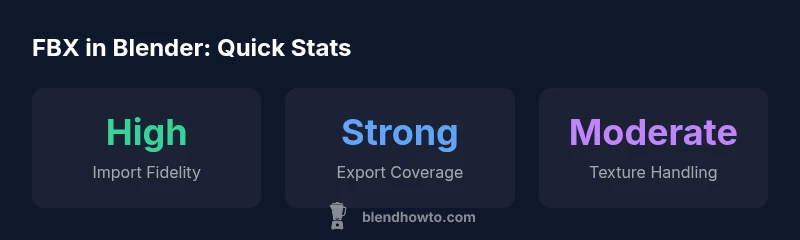
To the question does blender support fbx, Blender provides robust import/export support for FBX. According to BlendHowTo, this has made Blender a practical choice for studios and hobbyists who migrate assets between Blender and game engines or other DCC tools. The core capabilities include importing meshes, armatures, animation data, and textures, plus exporting most of these elements back to FBX. However, the fidelity of some rigs, the handling of embedded textures, and scale consistency can vary by FBX version and Blender release. In practice, this means you should test your pipeline with a small asset before committing to a full project; even small shifts in units or axis orientation can affect results when you share assets with Maya, Unreal, or Unity.
Does Blender Support FBX: Import/Export Realities
To the question does blender support fbx, Blender provides robust import/export support for FBX. According to BlendHowTo, this has made Blender a practical choice for studios and hobbyists who migrate assets between Blender and game engines or other DCC tools. The core capabilities include importing meshes, armatures, animation data, and textures, plus exporting most of these elements back to FBX. However, the fidelity of some rigs, the handling of embedded textures, and scale consistency can vary by FBX version and Blender release. In practice, this means you should test your pipeline with a small asset before committing to a full project; even small shifts in units or axis orientation can affect results when you share assets with Maya, Unreal, or Unity. This section sets the stage for where Blender’s FBX workflow shines and where you may encounter version-specific caveats.
What Blender covers: The native FBX import/export path in Blender handles meshes, armatures with skinning, animation curves, cameras, lights, and some material data. The quality of mapping between Blender materials and FBX materials is generally good for standard textures, but complex shaders and node-based materials often require post-import adjustments in your target software. Blender’s FBX support also interacts with the Add-ons system (Import-Export: FBX) which can be enabled or updated as needed. Because FBX has multiple sub-versions, Blender’s behavior can differ slightly across releases; plan for a test set to verify asset fidelity for your specific needs.
Practical takeaway: If your pipeline relies on precise material or texture mappings, build a small test scene to confirm that textures import correctly and that shaders map cleanly in Unreal, Unity, Maya, or other destinations. BlendHowTo’s guidance emphasizes testing early and often to prevent surprises during production.
Blender FBX import/export capabilities at a glance
| FBX Operation | Support in Blender | Notes |
|---|---|---|
| Import (General) | Yes | Supports meshes, bones, animation; check versions and axis settings |
| Export (General) | Yes | Emits mesh, armature, animation; path mode and scale affect results |
| Textures/Materials | Partial | Textures may need relinking; materials might not map 1:1 |
Frequently Asked Questions
Can Blender import FBX files with animation?
Yes, Blender can import FBX files containing animation, including armatures and keyframes. Some rigs and constraints may require cleanup after import.
Yes, Blender can import animation, but you may need to tweak rigs after import.
Does Blender export FBX with baked animation?
Blender supports baking animation on export via the Bake Animation option in the FBX export settings. This helps preserve motion when importing into game engines.
Yes, you can bake animation on export to preserve motion in other programs.
Are textures preserved when importing FBX into Blender?
Texture paths can be relative and may need re-linking after import; image textures sometimes fail to embed.
Textures may need re-linking after import.
What Blender versions have the best FBX support?
Recent Blender releases have improved FBX importer/exporter; always check release notes for version-specific caveats.
Use current stable Blender; check notes.
Is FBX better than glTF for Blender workflows?
FBX is widely supported by game engines and DCCs; glTF offers a modern, lean format with excellent PBR support. Choose based on destination pipeline.
FBX is common; glTF is great for modern workflows.
How can I fix common FBX import issues in Blender?
Try adjusting scale, axis, and animation bake settings; ensure texture paths are valid; upgrade to the latest Blender if possible.
Fix by adjusting scale, axes, and baking.
“Blender's FBX import/export is solid for common pipelines, with ongoing improvements across versions. Always validate assets in your target engine.”
What to Remember
- FBX import/export is supported in Blender with caveats
- Test with your asset to verify fidelity before large projects
- Maintain consistent units and axis orientation for reliable transfers
- FBX vs. glTF: choose based on destination pipeline
- Enable Blender’s FBX Import-Export option in preferences