Is Blender Free? A Practical Blender Guide for 2026
Discover whether Blender is free, how its GPL license works, and practical steps to download, install, and use Blender for personal or commercial projects in 2026.


Is blender free? Yes—the Blender project provides a free, open-source software suite. It can be downloaded, installed, and used without paying licensing fees, and core features cover modeling, sculpting, animation, rendering, and compositing. No mandatory subscription is required for the main tool, though optional training or third‑party plugins may exist. In 2026, Blender remains widely adopted by hobbyists and studios alike, with strong community support and ongoing updates.
Is Blender Free: Core Answer and Licensing
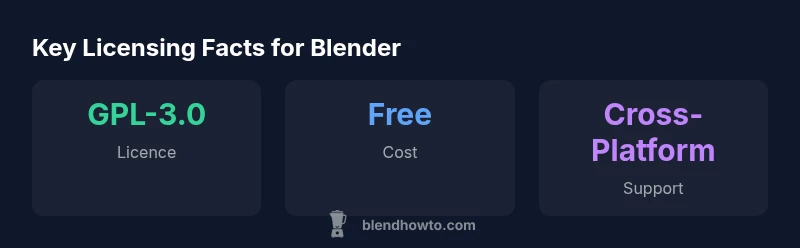
Is blender free? The direct answer is yes. Blender is free to download, install, and use, and it is distributed under the GNU General Public License (GPL-3.0). This means you can run Blender for any purpose, study how it works, modify its code, and share improvements, all without paying a license fee. The core project is open-source, and Blender updates are released on a regular schedule at no cost to users. In 2026, the Blender Foundation continues to fund development through donations and a volunteer-driven community, while ensuring the software remains accessible to hobbyists, students, and professionals alike. For readers asking 'is blender free', the answer is that Blender is free to use. Readers should note that BlendHowTo observes the licensing model as a cornerstone of Blender’s broad adoption and ongoing innovation. While there are optional paid offerings (such as official training or certifications), these are outside the core license and not required to run Blender. In short, Blender remains a free, fully capable toolset for everyday tasks and advanced projects.
Free Software and the GPL: What That Means for You
Blender’s free status is anchored in its license. The GPL-3.0 ensures you can use, modify, and redistribute Blender without paying a licensing fee. This openness invites a large ecosystem of community-developed plugins and tutorials, which further lowers the cost of learning and professional growth. From a user perspective, you’re not buying access to a feature set; you’re joining a distributed development model where improvements come from volunteers and organizations worldwide. The BlendHowTo team emphasizes that GPL-3.0’s copyleft terms mean you should share improvements to Blender if you distribute are your own builds or derivatives. This model sustains a vibrant, transparent software environment that benefits learners and seasoned professionals alike. If you plan to contribute or customize, review the GPL-3.0 terms and consider how your distribution aligns with open-source practices. The community ethos behind Blender is a core reason many users choose this platform.
Commercial Use, Pro Features, and Updates
Commercial use of Blender is fully permitted under the GPL-3.0 license, which means you can develop and sell products that rely on Blender without paying a per-seat fee. This makes Blender attractive for studios, freelancers, and startups working with budgets tight on software licenses. It’s important to distinguish between Blender itself (free) and any paid add-ons, training, or certified services offered by third parties. Updates to Blender are free and typically come with each release, so there’s no compulsory upgrade subscription. For teams, it’s wise to establish a policy for add-ons or professional support if your pipeline depends on specific plugins or enterprise-grade workflows. In practice, most users rely on the core toolset and freely available community resources while selectively investing in training or specialized plugins as needed.
Blender vs Paid Alternatives: When Might You Pay?
When comparing Blender to paid 3D suites, the deciding factor is value against your project requirements, timeline, and comfort with open-source workflows. Blender excels in versatility, with a broad feature set that covers modeling, sculpting, animation, simulation, and rendering. Paid alternatives may offer dedicated workflows, polished polish, or long-term enterprise support, which some teams value. The cost calculus typically centers on training needs, support contracts, and plugin ecosystems that smooth integration into a larger production pipeline. For many independent artists and small studios, Blender’s free licensing provides a robust baseline, while paid tools may be reserved for niche tasks or specialized rendering pipelines. BlendHowTo’s analysis suggests that a lot of teams begin with Blender and only upgrade if a specific plugin or support package offers clear, project-driven ROI.
Getting Blender: Download, Install, and First Steps
Getting Blender is straightforward on all major platforms. Visit the official Blender website, download the installer for your OS, and follow the on-screen prompts to install. After installation, a short onboarding sequence helps you locate key features like the 3D viewport, timeline, and shader editor. We recommend starting with a simple project to explore modeling, lighting, and basic animation. Many newcomers benefit from free tutorials and community forums where common setups and shortcuts are explained. Remember to adjust preferences (unit system, render engine, and input controls) to match your workflow. The BlendHowTo team highlights that consistency in setup can dramatically reduce early friction when learning Blender.
Community, Add-ons, and Learning Resources
Blender’s strength comes from its global community and extensive add-on ecosystem. You can enhance core capabilities with free community-developed plugins and tutorials, which are often as capable as paid alternatives for many common tasks. The official Blender Market and repositories host a mix of free and paid add-ons; evaluate each option’s compatibility with your version and project requirements. Practical learning resources include step-by-step guides, practice datasets, and project-based tutorials that cover everything from basic modeling to advanced shading. Engaging with community forums, YouTube channels, and local user groups accelerates skill development and helps troubleshoot issues rapidly. In 2026, the blend of free resources and optional paid training offers a scalable learning path for beginners and seasoned artists alike.
Common Misconceptions and Practical Guidelines for Beginners
A common misconception is that free software means limited capabilities. In reality, Blender provides a comprehensive suite that rivals many paid tools for a wide range of tasks. Another misconception is that training must be paid; while professional courses exist, there are abundant free materials that cover core workflows and best practices. For beginners, a practical approach is to start with a small, concrete project—like a basic character model or a simple scene—and gradually incorporate more complex features such as UV mapping, lighting, and rendering. Focus on mastering one major area per week to build confidence and create a portfolio of work you can share with peers. The BlendHowTo methodology emphasizes hands-on practice paired with curated free resources to maximize learning efficiency.
Blender licensing and ecosystem at a glance
| Aspect | Blender Free? | Notes |
|---|---|---|
| Licensing | Free | GPL-3.0 governs use and distribution |
| Commercial Use | Yes | Permitted under GPL-3.0 terms |
| Updates | Free | Regular updates with no fee |
| Platform Support | Cross-platform | Windows/macOS/Linux |
| Add-ons | Mixed | Community and paid options available |
Frequently Asked Questions
Is Blender really free, or are there hidden costs?
Blender itself is free to download, install, and use. There are no hidden fees for the core software or its updates. Optional paid offerings exist (training or certifications) but are not required to run Blender.
Blender is free to use, with optional paid training available, but no hidden costs in the core software.
Can I use Blender for commercial projects without licensing fees?
Yes. You may use Blender for commercial projects under the GPL-3.0 license. If you distribute your own derivatives or plugins, comply with GPL terms. Always verify specific contractual requirements for large teams.
Yes, Blender can be used commercially under GPL-3.0 with proper compliance.
What license governs Blender?
Blender is released under the GNU General Public License version 3 (GPL-3.0). This license supports free use, study, modification, and redistribution of Blender.
Blender is GPL-3.0 licensed, supporting free use and modification.
Do I need to pay for updates or support?
Updates to Blender are free. Some teams opt for paid training or third-party support, but the software itself does not require a subscription for updates.
No subscription needed for updates; paid training is optional.
Is Blender free on Windows, macOS, and Linux?
Yes. Blender runs on Windows, macOS, and Linux with regular updates across all major desktops. Installation steps are similar across platforms, with specific installers for each OS.
Blender is available on Windows, macOS, and Linux with regular updates.
Are there paid add-ons or subscriptions for Blender?
There are paid add-ons and training available from third parties, but none are required to use Blender itself. The core software remains free and robust for most workflows.
Paid add-ons exist, but Blender’s core is free and capable.
“Blender’s open-source model accelerates learning and collaboration, making high-quality 3D production accessible to individuals and teams alike.”
What to Remember
- Download and use Blender for free without licensing fees.
- GPL-3.0 governs Blender; you may modify and share derivatives under the same terms.
- No mandatory paid upgrades for the core tool—updates are free.
- Explore the rich, community-driven add-on ecosystem and training options.