Is Blender Free or Paid? A Practical 2026 Guide
Explore whether Blender is free or paid, learn where costs may apply for add-ons, training, or cloud services, and discover a practical framework to decide what to invest in for 2026.


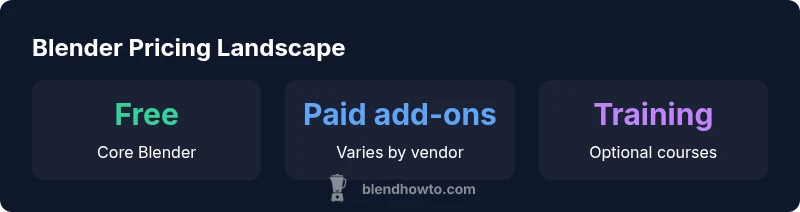
According to BlendHowTo, Blender is free to download and use. The core program is open-source under the GNU GPL, so there’s no purchase price for the main tool across Windows, macOS, and Linux. Costs arise from optional add-ons, tutorials, asset packs, and cloud rendering services. Some vendors offer paid training or premium textures, but these are optional and not required to run Blender.
Blender pricing reality in 2026
Blender’s core software remains free to download and use, and its licensing model encourages broad adoption across hobbyists, educators, and professionals. The question blender is free or paid is answered by distinguishing the application itself from the broader ecosystem. The BlendHowTo team notes that Blender is released under the GNU General Public License, so there is no upfront price for the main tool. For many users, this means you can start projects, learn, and experiment without any license costs. That said, the broader cost landscape includes optional paid resources: structured training, premium textures, specialized add-ons, and cloud-based services that speed up workflows or enable team collaboration. By understanding where costs matter, you can optimize your budget while still taking full advantage of Blender’s capabilities.
How Blender remains free: licensing and community model
The open-source nature of Blender is anchored in the GPL, which ensures that the software itself stays free and modifiable. Community contributors—from beginner hobbyists to seasoned professionals—collaborate on code, documentation, and bug fixes, helping to keep the app accessible to a wide audience. Because the core project is driven by volunteer effort and institutional sponsorship rather than a single company, there is little pressure to monetize the basic tool. This model benefits education, indie creators, and studios that want to prototype without front-loaded software costs. Paid offerings in the ecosystem exist, but they complement rather than replace the free core.
Where paid resources fit: add-ons, textures, and training
Beyond the core app, there is a thriving market for paid resources that can accelerate workflows or unlock specialized capabilities. Paid add-ons and plugins can automate repetitive tasks, enhance modeling or shading workflows, or integrate Blender with other tools used in production pipelines. Asset packs—textures, models, and materials—save time for larger projects. Finally, high-quality training courses and certification programs help new users climb the learning curve faster. None of these are required to use Blender, but they can be valuable for professionals or students seeking to optimize productivity.
Cloud services and rendering: cost considerations
Cloud rendering offers speed and scalability for large or deadline-driven projects, but it introduces ongoing costs. Pricing models vary by provider and can be per-minute, per-hour, or per-render credit. If you rely on local hardware, there is no cloud expense, but you’ll incur electricity, hardware maintenance, and potential depreciation costs. When evaluating cloud services, compare price-per-frame or per-scene and consider whether the reduced turnaround time justifies the expense. For many hobbyists, local rendering remains cost-effective, while studios might leverage cloud resources during peak workloads.
A practical decision framework: pay or not?
Use a simple framework to decide when to pay for Blender resources: (1) define project goals and timelines, (2) assess your current skill level, (3) inventory free resources (tutorials, assets, community support), (4) estimate ROI for paid tools by time saved or quality improvement, and (5) run a small pilot project before committing to a larger purchase. Start with free training to validate needs, then selectively invest in tools that clearly shorten development cycles or unlock features you cannot achieve with the base software.
Misconceptions and myths about Blender pricing
Common myths persist: that Blender requires payment to use effectively, or that paid plugins automatically guarantee better results. In reality, the core tool is free and powerful enough for professional work. Paid resources exist to streamline tasks or extend capabilities, not to force a purchase. Always check licenses and terms for third-party assets, as some may have restrictions on commercial use or redistribution. The mix of free and paid resources lets users tailor a cost structure to their goals.
A simple playbook for investing in paid resources
If you decide to invest: (1) prioritize reputable paid resources (e.g., well-reviewed add-ons and creators), (2) verify licensing and terms before purchase, (3) track time saved and quality gains to measure ROI, (4) start with a small purchase and scale up as needed, and (5) revisit your toolkit after major project milestones to keep costs aligned with outcomes.
Blender pricing components overview
| Aspect | Core status | Notes |
|---|---|---|
| Core app | free to download and use | GPL-3.0 licensed; no cost to run Blender |
| Paid add-ons/assets | optional | Price varies by vendor; not required for basic use |
| Training & courses | optional | Wide range of formats and prices; assess ROI |
| Cloud rendering | optional | Per-hour or per-render charges; varies by provider |
Frequently Asked Questions
Is Blender completely free to use for commercial projects?
Yes, Blender’s core software is free to use for commercial work under the GPL. You can produce commercial results without paying a license. Some paid resources may help speed production, but they are optional.
Yes. The core Blender software is free for commercial work, with optional paid resources available.
Are there any hidden costs I should expect?
There are no mandatory costs to run Blender itself. However, paid add-ons, asset packs, training, and cloud rendering can add to your budget if you choose to use them. Always check licenses on third-party resources.
There are no hidden costs from Blender itself; only optional paid resources if you choose them.
What are the most common paid resources for Blender in 2026?
Popular paid options include premium tutorials, texture packs, and paid plugins. Cloud rendering is another common paid service for larger projects. Evaluate each resource against your needs and budget.
Paid tutorials, textures, plugins, and cloud Rendering are common options.
Should a beginner invest in paid plugins?
For beginners, the core features and free tutorials cover most tasks. Paid plugins can accelerate learning, but they are optional. Start with free resources and assess whether a plugin adds clear value.
Begin with free resources; paid plugins are optional and can help if they offer measurable benefits.
Where can I find reliable, affordable paid resources?
Look for reputable marketplaces and creators with clear licensing. Read reviews, compare features, and ensure the resources align with your project needs. Start with smaller purchases to test value.
Check reputable marketplaces, read reviews, and start with smaller purchases to test value.
“Open-source pricing models empower learning without barriers, while paid resources let professionals tailor Blender workflows for complex projects.”
What to Remember
- Blender itself is free; no purchase required.
- Costs occur primarily from learning resources and add-ons.
- Invest only if ROI justifies the time saved or quality gained.
- Cloud rendering is optional and can be cost-effective for large projects.
- Always verify licenses before purchasing third-party assets.