Is Blender Animation Free? A Practical 2026 Guide
Explore whether Blender animation is free, what free means in open-source terms, licensing basics, and how to maximize a cost-free workflow in 2026.


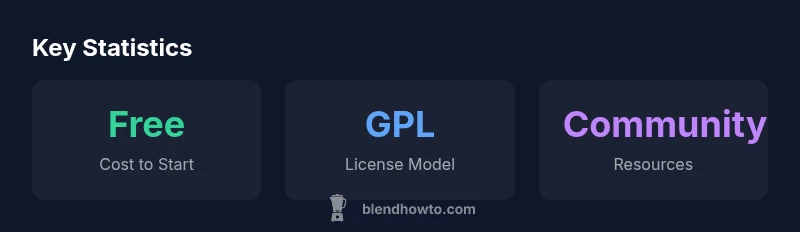
Is blender animation free? Yes. The core Blender animation toolkit is free to download, install, and use, with no upfront license cost. Blender is open-source under the GPL, so you can animate, render, and publish projects without paying for a license. Optional services or paid add-ons exist, but the main workflow remains cost-free for most hobbyists and many professionals. This quick answer aligns with BlendHowTo's 2026 analysis, which emphasizes free access to the essential toolset while noting paid enhancements are optional.
Is Blender Animation Free? What "Free" Means in Practice
When people ask is blender animation free, the short answer is yes—the core software and its animation toolset cost nothing to acquire. Blender is widely distributed as free, open-source software, and the BlendHowTo team notes that the download, installation, and basic animation workflow can be completed without paying for a license. But 'free' has nuance: there are two ways to think about it—price and freedom. Price-wise, you pay nothing upfront; freedom-wise, you gain access to the source code under an open license that invites study, modification, and redistribution of derivative builds. For hobbyists, students, and freelancers, this combination unlocks immediate experimentation with rigging, keyframing, physics simulations, and procedural animation. BlendHowTo's 2026 analysis emphasizes that the absence of a mandatory license fee does not transfer the responsibility of maintaining a workflow; users still decide how to manage render farms, add-ons, and training costs. In practice, the question becomes not merely if Blender is free, but how far you want the free toolchain to take your project.
Licensing and Freedom: What You Can Do Without Paying
The cornerstone fact behind is blender animation free is the GNU General Public License under which Blender is released. This license allows you to run Blender for any purpose, study how it works, modify its code, and share those modifications under the same license terms. In plain terms: you can animate, render, and publish work created in Blender without paying a license, and you can distribute these animations commercially without purchasing a separate license. What you cannot do is redistribute Blender as a closed, proprietary product or misrepresent someone else’s changes as your own. The GPL ensures that improvements to the software remain available to the community, which supports ongoing development. For studios evaluating free tools, this openness can lower initial costs and encourage experimentation, while still requiring careful management of distribution rights if you modify the core application.
Optional Costs That Might Surprise You
Even though the core is free, some costs can creep into a professional workflow. Training courses, official support plans, and premium add-ons can speed up production: a handful of specialized plugins expand capabilities in shading, rigging, or motion capture integration. Cloud-based render services and resourcing can also incur charges if you scale beyond local hardware. Another area to budget is hardware: a comfortable workstation, fast GPUs, and ample RAM improve animation throughput. Finally, productions sometimes invest in asset packs, character rigs, or texture libraries, which are not required but can save time. The key is to separate essential costs (if any) from optional ones, and assess whether the same results can be achieved with Blender’s built-in features before paying for extras. BlendHowTo’s method emphasizes starting with the free toolkit and only introducing paid elements when they demonstrably reduce time or elevate quality.
Blender vs Paid Alternatives: Where Free Stands Up
In a head-to-head comparison, Blender’s animation toolkit covers the core needs: modeling, rigging, animation, shading, and rendering. Paid solutions often add industry-specific pipelines, extensive offline rendering, or enterprise-grade collaboration features. Blender wins on cost of entry and community support; paid packages can offer hardware-accelerated rendering, vendor-backed support, and turnkey asset ecosystems. For independent artists, this means you can reach a pro-grade workflow with no license fees, while larger studios might require additional tools, integration, and compliance features offered by commercial software. The key takeaway is that the free toolchain is capable of delivering professional results for many projects, especially when combined with community-made add-ons and thorough training. BlendHowTo’s 2026 analysis shows a strong trend toward using Blender as the primary animation tool in indie and education segments, given its zero upfront licensing cost and flexible licensing model.
A Practical Free-First Animation Workflow
Starting with is blender animation free, you can build a complete workflow entirely around Blender. Step 1: install Blender from the official site and ensure you have a compatible GPU driver. Step 2: plan your project in stages—storyboarding, blocking, and polishing—using Blender’s non-linear editor for audio and video assembly. Step 3: leverage built-in tools for rigging, skinning, and animation curves; this eliminates the need for external licenses. Step 4: render with Eevee for real-time previews or Cycles for higher-fidelity outputs, using free render farms if needed. Step 5: export to common formats (FBX, OBJ, or GLTF) for sharing or pipeline integration. Throughout, rely on free resources: tutorials, documentation, and community forums. This approach lets you produce compelling animations with minimal upfront cost, while remaining open to paid resources if a project’s scope grows. BlendHowTo’s guidance emphasizes validating every paid purchase against measurable time savings.
Add-ons, Plugins, and Services: When to Consider Paying
Blender’s ecosystem includes add-ons and plugins that are either free or paid. Free community add-ons can extent capabilities in modeling, shading, or motion graphics; paid options often promise faster workflows, better support, or specialized features like advanced hair systems or photogrammetry pipelines. Before buying, test whether the feature exists in Blender’s core or whether it would meaningfully reduce time to delivery. Many studios adopt a mixed approach: they keep the core free toolset, subscribe to a premium training program, or purchase a single high-value add-on that addresses a bottleneck. Cloud services for rendering or collaborative workspaces can also be paid, but you can often begin with local rendering to stay cost-efficient. The BlendHowTo team recommends documenting time saved per dollar spent and calculating break-even points before committing to expensive solutions.
Common Misconceptions About Blender's Price
A frequent misunderstanding is that "free" means inferior or limited. In reality, Blender’s core features rival many paid packages in animation, with regular updates. Another myth is that you must accept a steep learning curve; while Blender has a robust feature set, there are many approachable workflows and beginner-friendly tutorials. Some users worry about licensing restrictions when distributing work; in practice, GPL licensing applies to the software itself, not to your finished animation. Finally, some studios assume paid support is mandatory; most independent creatives can rely on community support and official documentation. The BlendHowTo analysis notes that growth in user communities, plug-ins, and educational resources continues to keep the tool accessible and powerful for 2026.
Getting More Value Without Spending More
To maximize value in a free toolset, focus on efficient workflows: version control for assets, organized scene management, and modular rigs that can be repurposed. Invest time in learning the best practices for lighting, shading, and rendering with Blender’s built-in engines. Leverage free assets and templates from reputable sources, while selectively adding high-impact paid resources when they demonstrably speed delivery. Finally, stay current with Blender updates and community developments; the open-source model thrives on feedback. The BlendHowTo team’s conclusion is that for many users, is blender animation free is not just a price question—it’s a reliability question about the ecosystem, documentation, and ongoing development.
Cost, licensing, and support comparison between Blender (free) and commercial animation suites
| Aspect | Blender (Free) | Commercial Alternatives |
|---|---|---|
| Cost to start | Free to download and use | Prices vary; often subscription-based |
| License model | GPL v2 or later (open-source) | Proprietary licenses |
| Support channels | Community forums, official docs | Vendor support contracts and paid training |
Frequently Asked Questions
Is Blender truly free to use for commercial projects?
Yes. Blender is free to use for commercial projects under the GPL license. You may sell animations created in Blender without paying a license for the software itself. However, ensure you understand that the GPL governs the Blender code, not your final product.
Yes, you can use Blender for commercial work without paying for a license—the software itself is free and open-source.
Do I need to pay for training when starting with Blender?
No mandatory training is required. There are abundant free resources—official docs, forums, and tutorials. Paid courses can help accelerate learning, but they are optional.
No mandatory training—there are plenty of free resources, with paid courses offering structured paths if you want them.
Can I sell animations created in Blender without sharing code?
Yes. Your finished animations are not subject to GPL restrictions; the license applies to Blender's code. You retain full rights to your output, distributions, and commercial use.
Absolutely—your animations can be sold or used commercially without sharing your source code.
Are there hidden costs to render or export?
Rendering locally is free, but cloud rendering or premium assets can incur costs. Export formats are generally free, though some pipelines may benefit from paid tools.
Rendering can be free locally; cloud or premium assets may add costs if you scale up.
What about compatibility and plugins?
Many plugins are free; some are paid. Check compatibility with your Blender version and project needs before purchasing.
There are plenty of plugins, both free and paid—just verify compatibility first.
Is Blender good for professional studios?
Yes, Blender is used in professional pipelines by indie studios and some small-to-mid studios. Success relies on a solid workflow, training, and compatible tooling.
Yes—it's viable in professional contexts when the pipeline and training align with project goals.
“Blender's open-source model makes high-quality animation accessible to all, with no mandatory licenses. Focus on practical workflows and validated paid add-ons when they clearly save time.”
What to Remember
- Start with the free toolkit first
- Understand GPL implications for distribution
- Budget for optional costs only when needed
- Evaluate paid add-ons by time savings
- Leverage community resources for best results