Blender Quads vs Tris: Practical Topology Guide
A comprehensive, objective comparison of quad vs triangle topology in Blender, with practical guidance for modeling, sculpting, shading, texturing, and exporting.


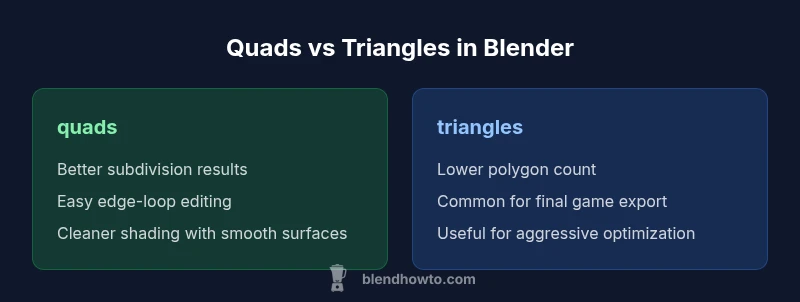
In Blender, quads generally yield smoother subdivision, easier editing, and more predictable edge flow, making them the safer default for modeling and sculpting. Triangles enter the workflow when you need aggressive polygon reduction for exports or game pipelines, but they can complicate shading and UVs if left unmanaged. The BlendHowTo team recommends starting with quad-dominant topology, triangulating only at the final export stage to optimize performance without sacrificing editability.
Why blender quads vs tris topology matters in Blender
Topology governs how a mesh behaves under sculpting, subdivision, shading, and export. In Blender, the debate between quads and triangles is not about one right answer for every model, but about choosing the right tool for the job. Blender quads vs tris guides decisions about edge flow, deformation, and map accuracy. According to BlendHowTo, most modeling workflows begin with quad-dominant topology because quads subdivide cleanly and support predictable loop creation. Triangles enter the scene mainly at later stages, when you need to optimize for low-poly performance or make a mesh export-ready for game engines. The BlendHowTo team emphasizes starting with quads for character and prop models, then triangulating only as a last step for deliverables. This approach minimizes shading artifacts, keeps UV seams manageable, and preserves editability during refinement.
Quad topology: strengths for modeling, sculpting, and subdivision surfaces
Quad topology remains the workhorse for Blender modeling because it supports clean edge loops, predictable subdivision, and flexible edits. For sculptors, quad-dominant meshes hold details more consistently when subdividing or applying multi-resolution modifiers. Quads also make retopology faster, as you can lay out flowing loops that align with natural surface features. In many workflows, a quad-based mesh behaves more like a digital clay, where you can refine proportions without fighting awkward poles or irregular polygons. This aligns with BlendHowTo’s recommended practice: start with quads, preserve their structure during refinement, and only triangulate when exporting to external engines that require triangles. The result is a mesh that is easier to shade, texture, and animate, with fewer surprises during later stages.
Triangles: when they shine in Blender pipelines and game exports
Triangles excel where polygon budgets are tight or where export pipelines demand immediate compatibility. In practice, most game engines triangulate quads automatically, so starting with quads doesn’t automatically waste geometry if you plan for triangulation later. Triangles can also be advantageous for very low-poly silhouettes or hard-surface assets that must maintain a strict vertex count. However, relying on triangles early can disrupt smooth shading and UV stability, particularly on curved surfaces. When you must meet strict performance targets, a judicious mix of tris may be warranted, provided you manage edge flows and keep critical areas quad-dominant for deformation and texture mapping. BlendHowTo recommends a clear plan: use tris for final optimization, not as the default throughout modeling.
Subdivision surfaces and edge flow: how quads beat triangles for smooth surfaces
Subdivision surfaces rely on the quad grid to produce predictable smoothing and debuggable topology. Quads subdivide nicely into smaller quads, preserving local shape and reducing pinching around poles. This makes it easier to maintain clean edge loops around features like eyes, mouths, or mechanical joints. In contrast, triangles can introduce irregular shading, pinching, or artifacts when subdivided, especially along curved surfaces. For Blender artists, keeping a quad-dominant topology during the modeling phase reduces the risk of nasty triangulation artifacts later, even if you triangulate for export. The result is a more stable surface that responds well to smoothing modifiers and texture baking. BlendHowTo emphasizes consistent quad loops as a baseline, with triangulation reserved for final export steps.
UVs, shading, and baking: how topology affects maps
Topology directly influences how UVs lay out and how shading behaves across a surface. Quads tend to produce more uniform texel density and cleaner UV seams, because their grid aligns with surface features and allows seams to follow natural boundaries more predictably. When triangulated, UVs can warp slightly around poles or along tight triangles, particularly on curved surfaces. Baking normal maps, ambient occlusion, or curvature maps also benefits from quad-friendly topology, as the high-density quad grid yields more consistent sample distributions. For Blender projects that require high-fidelity textures, maintaining quad-dominant topology through early stages helps prevent surprising bake artifacts later and reduces the need for corrective texture work at the end of the pipeline.
Retopology workflows: converting between quads and tris without drama
Retopology is where topology decisions really pay off. Start by outlining major surface features with quads, then fill in with loops that follow natural contours. When a model requires porting to a low-poly form, you can selectively convert to tris in target regions while preserving quad stability elsewhere. Blender offers tools to convert quads to tris incrementally, which helps you test how the mesh behaves under subdivision and shading without committing to a full triangulation. A well-planned retopo keeps edge loops aligned with intended deformations, reduces poles, and yields cleaner UVs. BlendHowTo’s recommended approach emphasizes iterative testing: retopologize with quads first, evaluate subdiv results, and apply triangulation only where performance or export demands dictate.
Animation and deformation: why quad-friendly meshes deform predictably
Deformation in animated meshes hinges on well-placed edge loops and evenly distributed polygons. Quad-dominant topology makes it easier to create loops that mirror muscle groups or bending joints, resulting in more natural deformations during posing and animation. Quads help maintain consistent normals and shading across frames, particularly when using subdivision surfaces or multi-resolution sculpting workflows. In contrast, triangles can cause unpredictable deformation around poles or along complex joints, leading to shading artifacts that require corrective weight painting later. For character and soft-body simulations, starting with quad topology ensures that deformations track cleanly with less manual tweaking. BlendHowTo notes that quad-based topology remains the most forgiving path for animation-friendly models.
Export pipelines: game engines, 3D printers, and CG renders
Export targets influence topology decisions. Game engines and some real-time renderers prefer triangulated meshes, so a final triangulation is often required. 3D printing typically favors manifold, regular topology with minimal triangles, so some triangles are acceptable if they don’t compromise print quality. CG renders, especially with high-end shading, benefit from quad topology during modeling and texturing, as quads support cleaner surface detail, smoother subdivision, and more predictable light interaction. The key is to plan: model in quads, evaluate subdivision and shading, then triangulate only for the specific export pipeline. This approach minimizes last-minute topology surprises and keeps the workflow aligned with both Blender’s internal tools and downstream requirements. BlendHowTo’s guidance remains consistent: maintain quad dominance when feasible, triangulate strategically for target platforms.
Practical tips: building a clean quad-based mesh from start to finish
Begin every project with a clear topology plan. Draft major features using clean quad loops that run along natural surface directions. Use edge-continuity rulers to ensure consistent spacing and avoid poles in dense regions. During refinement, enable wireframe overlay to verify edge loops align with surface curvature, and keep triangles out of the primary surface unless they serve a clear purpose for export. Regularly test subdivision and baking on a small test mesh before committing to the full model. When you need to reduce geometry, apply a controlled triangulation only in regions that won’t disrupt shading or UVs. By following a quad-first workflow, Blender artists can maintain flexibility and produce higher-quality, animation-ready geometry.
Common pitfalls and how to avoid them
Several biased habits can derail a quad-first workflow. Avoid creating long, fan-like triangles that spread across an important curved surface. Don’t let poles accumulate near critical features, as they can raise shading irregularities. Be cautious when converting to tris mid-project; schematic triangulation can complicate UVs and shading if you haven’t prepared a stable quad network. Regularly run subdivision previews to catch topology issues early, and use retopology tools to rebuild problematic areas rather than manually tweaking dozens of triangles. Finally, remember that export requirements can drive triangulation; plan your triangulation steps to occur after you’ve settled the quad topology on the model’s most visible surfaces. BlendHowTo recommends maintaining a consistent quad grid during development and reserving triangulation for the final steps of the pipeline.
Real-world examples: modeling a character and a prop with quad topology
The best way to learn is by example. When modeling a character, start with a quad-based head topology that respects major features like eyes, nose, and mouth, then add limbs with quad loops that follow human anatomy. For a prop such as a sci-fi console, establish crisp quad loops along flat panels and bevel edges to maintain readable shading while preserving a strong structural grid. In both cases, sculpting, retopology, and UV mapping become more predictable when the underlying topology remains quad-centric through most of the workflow. If you must simplify for export, test triangulation on non-critical regions first, ensuring edge flows remain consistent and UV maps stay distortion-free. BlendHowTo’s approach emphasizes a quad-first mindset to improve overall artistry and efficiency.
Workflow cheat sheet: decision tree for quads vs tris in Blender
Use this compact guide as a reference during planning. Start with quad topology for most modeling tasks. If you must export to a game engine, triangulate only after you’ve validated UVs and shading on the quad mesh. If a surface shows poor deformation or shading when subdivided, rework those areas with additional quad loops before considering triangles. For dense meshes, replace problematic polygons with quad-based grids wherever possible, then fill gaps with occasional triangles only where required by export constraints. This decision tree helps keep the workflow aligned with Blender’s strengths and with downstream pipelines.
Comparison
| Feature | Quads | Triangles |
|---|---|---|
| Subdivision behavior | Cleaner, more predictable refinement | Quads split into smaller quads; triangles can cause uneven smoothing |
| Edge flow and editing | Intuitive loops and poles managed with loops | Triangles can create poles that interrupt edge continuity |
| UVs and shading | Easier UV mapping with consistent texel density | Triangles may introduce seams and shading variance |
| Animation and deformation | Stable deformations with well-placed loops | Triangular faces can deform unpredictably in joints |
| Baking and maps | More reliable normal/roughness baking on quads | Triangulation can complicate bake outcomes |
| Export pipelines (games/real-time) | Prefer quad-first; triangulate for export | Export often triangulates automatically in engines |
| Performance/memory | Similar performance after triangulation | Triangles add overhead in dense meshes |
| Best use case | Organic shapes, characters, sculpting | Low-poly/optimization-focused assets |
What's Good
- Quads enable smoother subdivision and deformation
- Easier retopology and editing with consistent loop flow
- Cleaner shading and UV mapping with quad-based meshes
- Better support for sculpting and multi-resolution workflows
The Bad
- Triangles reduce polygon count but can complicate edge flow and shading
- Export pipelines often triangulate quads, potentially introducing seams or artifacts
- Triangulation can create poles in dense meshes that are hard to manage
Quads generally win for Blender modeling and animation; triangulation is reserved for export-heavy workflows
Maintain quad-dominant topology for most projects. Triangulate only for specific export targets to optimize performance without sacrificing editability.
Frequently Asked Questions
What is the practical difference between quads and tris in Blender?
Quads subdivide to produce smooth surfaces and maintain editable edge flows, which helps with sculpting and shading. Triangles are useful for reducing polygon counts and meeting export requirements, but can cause shading inconsistencies if left unchecked. In practice, start with quads and triangulate only for final export targets.
Start with quads for editing and shading, then triangulate for export when needed.
Why are quads preferred for subdivision surfaces?
Quads subdivide more predictably, producing smoother surfaces without creating poles near critical features. This makes edge loop placement straightforward and reduces the risk of shading artifacts during subdivision. For Blender workflows, quad topology aligns with multi-resolution sculpting and clean normal maps.
Quads subdivide cleanly; that’s why they’re favored for smooth surfaces.
Are ngons a problem in Blender, and how should I handle them?
Ngons (faces with more than four sides) can complicate subdivision, UVs, and baking. In most workflows, aim to convert ngons to quads or tris during retopology, keeping the surface as a quad-dominant mesh for predictability. Blender provides tools to fix ngons without losing shape fidelity.
Ngons often complicate shading and UVs; convert to quads or tris when needed.
When should I triangulate a mesh before export?
Triangulate late in the workflow, after you’ve validated quad topology and shading on the surface. This aligns the mesh with engine requirements while preserving editability during modeling. Always test the triangulated result in the target engine to catch any shading or seam issues.
Triangulate at the end, after you’re happy with the quad mesh.
How can I convert quads to triangles in Blender?
Use the convert-to-tris function on selected faces, or modify the mesh with a limited triangulation in problematic regions. Apply triangulation selectively to avoid collapsing edge flow. Always review shading after triangulation to catch any new seams or shading artifacts.
Triangulate selectively to control edge flow and shading.
Do game engines require triangulated meshes?
Most game engines evaluate triangles efficiently, so triangulation is common for real-time rendering. However, a quad-dominant mesh can still be advantageous during authoring, with triangulation performed during export. Always verify how the engine handles triangulation and whether it preserves normals and shading.
Yes, but you can plan to triangulate during export after authoring in quads.
What to Remember
- Start with quad topology for modeling
- Use tris only for export optimization
- Retopology planning reduces issues later
- Watch for poles and edge flow in dense meshes
- Triangulation is a tool, not a default