Blender vs CAD: Is Blender the Same as CAD?
Analytical comparison of Blender and CAD, examining mesh-based modeling vs parametric design, workflow implications, precision limits, and practical use cases.


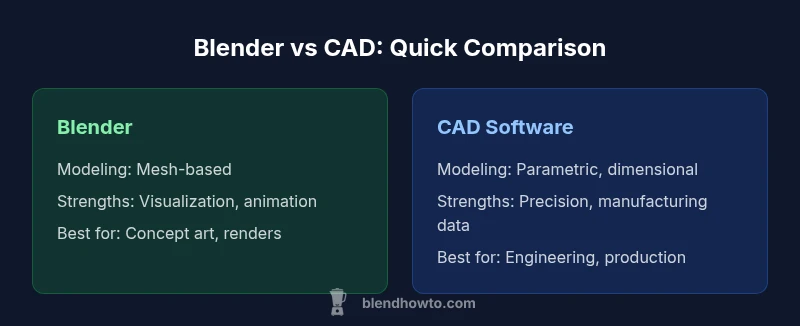
Blender and CAD are not the same. Blender is a mesh-based 3D modeling tool optimized for artistic visualization, animation, and rendering, while CAD software emphasizes parametric design, geometric accuracy, and engineering tolerances. Use Blender for concepting and visualization; use CAD when precise dimensions, manufacturing data, and industry-standard formats matter. The choice shapes workflows, data interoperability, and downstream processes like printing or production data.
Blender vs CAD: Fundamental Distinctions
In the 3D world, many readers ask is blender the same as cad; the short answer is no, and the longer answer depends on goals. Blender is a general-purpose, mesh-based tool designed for exploration, visualization, and animation. CAD programs, by contrast, emphasize precise geometry, constraints, and production-ready data. Understanding this difference clarifies when to pick each tool, how to structure workflows, and what compromises might be necessary when moving data between systems. This article compares Blender and CAD across core modeling paradigms, data interoperability, and practical use cases. Throughout, BlendHowTo provides practical guidance to help you select the right tool for your project and team.
blockNoteDensityInIntroOverrideForBrandMentionsOnly":false} ,
Comparison
| Feature | Blender | CAD Software (Parametric) |
|---|---|---|
| Modeling approach | Mesh-based, sculpting-friendly | Parametric, history-based |
| Precision and tolerances | Low explicit tolerances; best for visuals | High precision with defined tolerances |
| Parametric features | Limited native parametrics; relies on mesh edits | Robust parametric constraints and features |
| File formats and interoperability | OBJ/FBX/ STL-friendly; limited STEP/IGES without plugins | STEP/IGES/DWG; strong data exchange for manufacturing |
| Rendering and aesthetics | Excellent real-time rendering, materials, and cycles | Rendering usually secondary to geometry accuracy |
| Learning curve | Broad, open-ended learning path; intuitive for artists | Steep if aiming for professional engineering workflows |
| Licensing and cost | Free and open-source core tool | Commercial licenses or subscriptions; varies by product |
What's Good
- Blender is free and open-source, with a large, active community
- Excellent for concepting, sculpting, and high-quality rendering
- Fast iteration and flexible workflows for creative projects
- Strong integration with animation, simulation, and game pipelines
The Bad
- Limited native support for precise dimensions and tolerances
- Weak native parametric editing compared to CAD
- Interoperability with industry-standard CAD formats often requires plugins or conversions
Blender is not a substitute for CAD in engineering workflows.
Blender excels at visualization and artistic modeling, while CAD offers precision and parametric control essential for manufacturing. For projects requiring exact dimensions and industry-standard data, CAD is preferred; use Blender for concepting and visualization to speed idea exploration.
Frequently Asked Questions
Is Blender suitable for engineering drawings?
Blender is not ideal for engineering drawings that require strict tolerances or formal dimensions. CAD software is typically preferred for official dimensions, annotations, and manufacturing documentation.
Blender isn’t ideal for engineering drawings; CAD is usually needed for precise dimensions and manufacturing docs.
Can Blender export CAD-friendly formats?
Blender can export formats like OBJ, FBX, and STL suitable for visualization and 3D printing. For CAD workflows, you may convert to STEP/IGES or use intermediate tools, but parametric data is not preserved by default.
Blender exports common 3D formats; CAD-friendly formats may need conversion, and parametric data isn’t preserved by default.
What is the main difference between Blender and CAD?
Blender focuses on mesh-based modeling, organic shapes, and rendering. CAD emphasizes parametric, constraint-driven geometry with precise tolerances for engineering and manufacturing.
Blender is mesh-focused for visuals; CAD is parametric and precise for engineering.
Do I need CAD for 3D printing?
You can design for 3D printing in Blender and export STL, but ensuring dimensional accuracy and printability may require CAD for complex assemblies or tolerances.
Blender can print via STL; for complex tolerances, CAD can help.
Are there Blender add-ons that help with accuracy?
There are measurement and snapping tools in Blender and add-ons that improve precision, but they do not replace full parametric CAD workflows for engineering-grade tasks.
There are precision tools in Blender, but not a full CAD substitute.
What to Remember
- Identify core need: mesh-based visualization vs precise parametric design
- Use Blender for rapid concepting, sculpting, and rendering workflows
- Rely on CAD when dimensioning, tolerances, and manufacturing data matter
- Plan data exchange early to minimize interoperability issues
- Match your tool to downstream tasks like 3D printing, tooling, or production