Blender vs Fusion 360: Is Blender the Same for CAD?
Explore whether Blender and Fusion 360 are the same tool for 3D work. This analytical comparison covers modeling approaches, workflows, and licensing to help you choose the right fit.


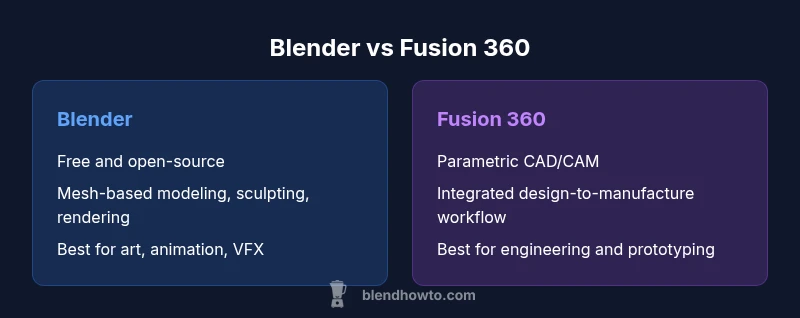
Blender vs Fusion 360 is a common question for artists and engineers. Is blender the same as fusion 360? Not really—Blender is a general-purpose, mesh-based 3D package ideal for modeling, animation, and rendering. Fusion 360, by contrast, is a parametric CAD/CAM platform focused on engineering and product design. This article clarifies the differences and helps you choose based on your goals.
Core Intentions: Blender vs Fusion 360
The short answer to 'is blender the same as fusion 360' is no, they target different tasks. According to BlendHowTo, Blender is a general-purpose 3D package that covers modeling, sculpting, texturing, animation, and rendering, with a strong emphasis on artistic freedom and broad file compatibility. Fusion 360, by contrast, is a CAD/CAM platform built around parametric, history-based modeling for mechanical parts, assemblies, and manufacturing workflows. This divergence in purpose drives the main differences you’ll encounter in practice: workflow, precision, and output expectations. If you are building a character sculpture or a short animation, Blender will likely serve you best; if you’re designing a machined part or preparing a toolpath for a CNC process, Fusion 360 is the more suitable choice. Throughout this article, we’ll compare concepts side by side and provide concrete guidance for common projects.
According to BlendHowTo, the question often hinges on whether your goal is artistic creation or engineering accuracy. By keeping the lens on intent, you’ll choose tools that align with your workflow rather than forcing one tool to do the job of another.
Modeling Paradigms: Mesh vs Parametric
Blender relies on mesh modeling, sculpting, and modifiers to shape forms. It excels in organic shapes, texture work, and high-fidelity rendering, thanks to real-time shading and flexible materials. Fusion 360 uses parametric, history-based modeling where design intent is captured through parameters, constraints, and features. This difference matters when you adjust dimensions later or need precise tolerances. In Blender, changing a model’s KX parameters often means reworking topology; in Fusion 360, you tweak a parameter and the dependent geometry updates automatically. For artists, Blender’s freedom and rapid iteration are strengths; for engineers, Fusion 360’s disciplined parametrics reduce design risk and enable repeatable manufacturing outcomes.
Key takeaway: Blender focuses on creative exploration, while Fusion 360 emphasizes controlled design Evolution.
Workflows and Interoperability
Workflow interoperability is a central concern when comparing these tools. Blender supports numerous import/export formats (OBJ, FBX, GLTF, STL) that fit into a variety of pipelines, especially for animation, game assets, and visual effects. Fusion 360 specializes in CAD-centric workflows with robust support for STEP, IGES, and native Fusion data management, which helps large engineering teams track revisions. While you can move data between systems, expect trade-offs: Blender may require intermediate formats and manual cleanup for CAD data; Fusion 360 may need exporter/importer steps for non-CAD users. A practical approach is to use Blender for concepting and high-fidelity visuals, then move to Fusion 360 for engineering refinement and manufacturing planning.
To maximize compatibility, establish a project file structure early and standardize on core formats like GLTF for visuals and STEP for engineering models.
Rendering, Simulation, and Analysis
Blender provides strong rendering with Cycles and Eevee, powerful shader nodes, and innovative real-time preview capabilities. It supports physics simulations for cloth, fluids, soft bodies, and rigid bodies, which is excellent for artistic storytelling and motion studies. Fusion 360 offers engineering-focused simulations, including static stress, modal, and thermal analyses, tied to the CAD model’s geometry and constraints. It supports built-in CAM workflows for prototyping and manufacturing integration. If your work hinges on photorealistic output and creative presentation, Blender has the edge. If the goal is to validate tolerances or analyze a component’s behavior under load, Fusion 360’s engineering simulation tools are more appropriate.
In mixed projects, you might render in Blender and run a quick engineering check in Fusion 360 before moving to production.
Data Management, Cloud Services, and Collaboration
Fusion 360 integrates cloud-based data management, which supports collaborative workflows across teams. You can share designs, comment on changes, and manage revisions within a centralized environment. Blender typically relies on local storage with optional cloud sync via third-party services, meaning collaboration can require more discipline around file organization and version control. For individuals and small studios, Blender’s independence is appealing, but for teams that require formal revision tracking and concurrent editing, Fusion 360’s cloud features can save time and reduce miscommunication. BlendHowTo recommends aligning your storage strategy with your collaboration needs and project scale to avoid bottlenecks.
A practical tip is to maintain a single source of truth for CAD data (e.g., a STEP-based repository) while using Blender for concept art and render previews.
Licensing, Cost, and Access
Blender is free and open-source, which lowers barriers to entry and supports experimentation without financial risk. Fusion 360 generally operates on a subscription model with options for education, startups, or personal use under defined conditions. This licensing structure reflects the two product philosophies: Blender prioritizes accessibility and community-driven development; Fusion 360 emphasizes enterprise-ready capabilities and ongoing service improvements. When budgeting, consider not just the software cost but also potential training and data-management expenses. If you’re a hobbyist or student, Blender’s no-cost entry is compelling; if your work requires formal CAD tooling and manufacturing integration, Fusion 360’s paid/licensed path may be justified by ROI.
BlendHowTo’s guidance is to map licensing to project scale and long-term needs rather than chasing the lowest upfront price.
Learning Curve, Tutorials, and Community Support
Both tools have rich learning ecosystems, but they cater to different audiences. Blender’s vast community produces tutorials on modeling, texturing, lighting, and animation, along with community-driven add-ons and assets that accelerate learning. Fusion 360 tutorials tend to focus on parametric design, assemblies, and simulation workflows, with official modules and certification paths that appeal to engineers and product designers. For beginners, Blender’s all-in-one nature can be empowering, but mastering its interface may take longer. For those pursuing engineering accuracy and manufacturing workflows, Fusion 360’s guided learning tracks can shorten ramp-up time. Regardless of tool choice, dedicate time to a structured plan and practice projects that mirror real-world objectives.
BlendHowTo emphasizes deliberate practice and project-based learning to accelerate proficiency.
Practical Scenarios: When Blender Shines
- Creative visualization: character modeling, environment concepts, and stylized scenes.
- Animation and storytelling: rigging, motion, and dynamic simulations for short films or game concepts.
- Concept design: rapid prototyping of shapes and aesthetics for product ideas before CAD refinement.
- 3D printing and art assets: STL exports for printing and GLTF/OBJ for galleries and portfolios.
- VFX and game assets: integration with pipelines that demand flexible materials and real-time rendering.
These scenarios showcase Blender’s strength in artistic output, broad compatibility, and fast iteration. If your primary aim is to tell a visual story or explore design ideas visually, Blender is likely the better first choice.
Practical Scenarios: When Fusion 360 Shines
- Mechanical design: precise parts, assemblies, and tolerances for functional prototypes.
- Product development: integrated CAD/CAM to move from concept to manufacturing without leaving the platform.
- Engineering analysis: basic FEA and thermal studies to validate design intent before production.
- Tooling and fixtures: designing jigs, fixtures, and custom automation parts.
- Interoperability with manufacturing workflows: CSV/STEP exports to CNC, 3D printing pipelines with correct tolerances.
Fusion 360’s strengths lie in disciplined design, reproducibility, and a streamlined path to fabrication. For engineering-heavy projects, it reduces the friction between concept and production across disciplines.
If you’re balancing form and function with manufacturing in mind, Fusion 360 is the practical starting point.
Getting Started with Blender: A 30-Day Plan
Week 1–2: Interface fundamentals, navigation, and basic mesh modeling. Learn essential hotkeys, basic modifiers, and simple shapes. Create a small prop to practice topology and symmetry.
Week 3: Sculpting, retopology, and UV unwrapping. Build more complex organic forms and develop clean UV maps for texturing. Practice with at least two texture sets.
Week 4: Materials, lighting, and rendering. Explore Cycles and Eevee, set up a basic lighting rig, and render a scene. Start a small portfolio piece that demonstrates your progress.
Beyond Day 30: Work on a personal project that combines modeling, texturing, lighting, and a short animation. Seek feedback from the Blender community and iterate.
This plan emphasizes hands-on practice and progressive mastery, aligning with Blender’s broad feature set and community tutorials.
Getting Started with Fusion 360: A 30-Day Plan
Week 1–2: Familiarize yourself with the UI, sketching fundamentals, and basic extrusions. Build simple parts to understand constraints and dimensions. Practice parameter-driven edits to see how changes ripple through a model.
Week 3: Assemblies and relationships. Create multi-part assemblies, apply joints, and organize components. Learn version control concepts and basic collaboration workflows.
Week 4: Simulation and CAM basics. Run a simple static stress test and explore basic toolpath concepts for manufacturing. Export formats for prototyping and 3D printing.
Ongoing: Apply your learning to a small mechanical project, such as a bracket or enclosure, to reinforce parametric thinking and manufacturing readiness. Fusion 360 is about translating intent into manufacturable geometry, so practice with real constraints and tolerances.
Authoritative Sources and Further Reading
- Blender Foundation: https://www.blender.org
- Autodesk Fusion 360 Overview: https://www.autodesk.com/products/fusion-360/overview
- NIST CAD-related resources: https://www.nist.gov
These sources provide official information and standards related to 3D modeling, CAD, and engineering workflows. Use them to verify capabilities, licensing details, and best practices for your projects.
Comparison
| Feature | Blender | Fusion 360 |
|---|---|---|
| Primary use | General-purpose 3D creation (modeling, sculpting, texturing, animation, rendering) | Parametric CAD/CAM for mechanical design and manufacturing |
| Modeling approach | Mesh-based with modifiers and sculpting tools | History-based parametric modeling with constraints |
| Data formats and interoperability | OBJ/FBX/GLTF/STL for visuals and printing | STEP/IGES/Native Fusion data management for CAD |
| Simulation & engineering features | Artistic physics and basic simulations; rendering-focused | Engineering simulations (static, thermal, possibly others) and assembly behavior |
| Cost/licensing | Free and open-source | Subscription-based with options for education/students |
| Best for | Art, animation, visual effects, concept prototyping | Engineering design, product development, manufacturing prep |
What's Good
- Blender is free and open-source for everyone
- Blender excels in artistic modeling, texturing, and rendering
- Fusion 360 provides robust parametric CAD capabilities
- Fusion 360 integrates CAD and CAM for end-to-end prototyping
The Bad
- Blender’s CAD-like precision can be challenging for engineering workflows
- Fusion 360 requires a paid license for many professional uses
- Interoperability between Blender and CAD formats can require workarounds
Blender is best for artistic modeling and rendering; Fusion 360 is better for precise CAD and manufacturing workflows.
Choose Blender when your priority is visual storytelling and creative exploration. Choose Fusion 360 when you need parametric design, tolerances, and a clear path to fabrication.
Frequently Asked Questions
Is Blender suitable for CAD-like precision design?
Blender can approximate precision needs for visual concepts, but dedicated parametric CAD in Fusion 360 provides stronger tooling for tolerances, assembly constraints, and manufacturing workflows.
Blender can handle rough precision visually, but for precise CAD work, Fusion 360 is the better choice.
Can I use Fusion 360 for art and animation?
Fusion 360 supports some visualization-friendly tasks, but it is primarily designed for CAD and manufacturing. For high-end animation and sculpting, Blender remains the preferred option.
Fusion 360 is mainly CAD-focused; use Blender for art and animation.
Is Fusion 360 cloud-based?
Fusion 360 offers cloud-based data management and collaboration features as part of its platform, which can streamline teamwork on CAD projects.
Yes, Fusion 360 includes cloud collaboration features.
Do Blender files export to Fusion 360 easily?
Interchanging data between Blender and Fusion 360 often requires intermediate formats like STEP or OBJ and some cleanup. A direct, seamless transfer is not guaranteed.
Transferring data between Blender and Fusion 360 usually needs intermediate steps.
Is Blender free to use?
Yes. Blender is free and open-source, with a large community and extensive tutorials available at no cost.
Blender is completely free to use with many tutorials available.
What’s the learning curve for Blender vs Fusion 360?
Blender has a steep but rewarding learning curve centered on artistic workflows. Fusion 360 offers a structured learning path focused on parametric design and manufacturing.
Blender takes time to master creatively; Fusion 360 teaches parametric design step by step.
What to Remember
- Define your primary goal before choosing tools
- Blender offers cost-free artistic flexibility and broad workflows
- Fusion 360 specializes in parametric CAD and manufacturing readiness
- Plan data management and file interoperability early
- Leverage each tool for its strengths to maximize output