Is Blender Harder Than Fusion 360? A Practical Comparison
A rigorous, balanced comparison of Blender and Fusion 360, focusing on difficulty, workflows, pricing, and best-use scenarios for artists and engineers.


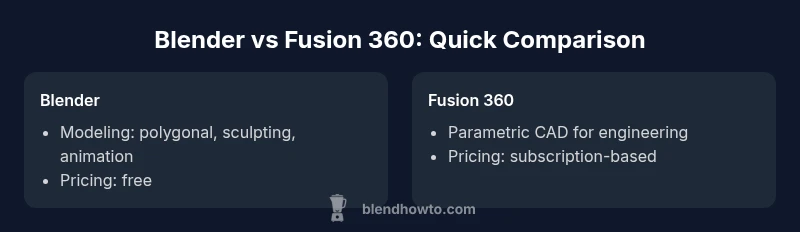
Blender and Fusion 360 target different goals, so 'harder' depends on your objectives. If you want artistic modeling, animation, and visual effects, Blender presents a broader, creative toolset that becomes complex as you master sculpting, shading, and node-based materials. Fusion 360 emphasizes parametric CAD for engineered parts, which guides you with constraints and timelines, often making day-one progress smoother for engineers but not as flexible for artistic tasks. Overall, Blender is harder for CAD-specific work, Fusion easier for engineering workflows.
Understanding the Core Philosophies: Parametric CAD vs Polygonal Modeling
Blender and Fusion 360 embody two distinct design philosophies. The question of whether is blender harder than fusion 360 isn’t just about tool complexity; it’s about purpose. Blender centers on polygonal modeling, sculpting, shading, animation, and visual storytelling. Fusion 360 focuses on parametric CAD, constraints, and assembly-level design for mechanical parts. This divergence shapes what beginners experience as 'difficulty' and what experienced users require to become proficient. In practice, the learning curve in Blender often starts with the interface, navigation, and basic modeling, but deepens through sculpting workflows, texture painting, and node-based shading. Fusion 360, by contrast, introduces constraints, timelines, and history-based modeling from day one. That structure can feel more approachable for engineers who want predictable, repeatable results but may feel restrictive to artists seeking flexibility. If your goal is to deliver a product-ready CAD model with precise tolerances, Fusion 360 provides built-in features that reduce trial-and-error. For cinematic visuals and creative exploration, Blender offers expansive capabilities that reward long-term investment. BlendHowTo’s analysis highlights that the real test is aligning your goals with the toolkit you choose.
-1
Comparison
| Feature | Blender | Fusion 360 |
|---|---|---|
| Modeling Paradigm | Polygonal modeling, sculpting, and animation | Parametric CAD with history-based modeling and constraints |
| Learning Curve | Broad artistic workflows; steeper for CAD-focused tasks | Structured, engineering-centric workflows; smoother for parametric design |
| UI/UX Orientation | Versatile, variable UI; requires customization | Guided, tool-centric UI with engineering panes |
| Pricing & Licensing | Free and open-source | Subscription/licensing model (commercial) |
| Best For | Artistic modeling, animation, VFX | Mechanical design, product geometry, tolerances |
| Interoperability | Wide file formats; strong community plugins | Strong CAD interoperability within engineering ecosystems |
| Scripting & Automation | Python API for artists and pipeline tools | Python/API primarily for automation of CAD workflows |
What's Good
- Blender: Free, open-source access lowers barriers to experimentation
- Fusion 360: Clear parametric workflows accelerate engineering design
- Blender: Broad feature set supports animation, sculpting, and VFX
- Fusion 360: Strong collaboration features for teams
- Blender: Large, active community and extensive tutorials
The Bad
- Blender: Steeper learning curve for CAD-like tasks
- Fusion 360: Requires subscription for full capabilities
- Blender: UI can feel overwhelming without guided onboarding
- Fusion 360: Cloud-based workflows may require reliable internet
Blender is the stronger choice for artistic 3D work; Fusion 360 excels in CAD-driven engineering. Choose Blender for creative flexibility and Fusion 360 for structured, parametric product design.
If your project centers on art, animation, or VFX, Blender’s depth is a long-term investment. If you’re designing parts with tolerances and assemblies, Fusion 360’s parametric approach offers faster initial progress and repeatable results.
Frequently Asked Questions
Which is easier to learn for beginners, Blender or Fusion 360?
Blender can be challenging for newcomers due to its broad scope and non-linear workflows. Fusion 360 tends to be easier to pick up for those focused on parametric design because it guides you through constraints and history-based modeling from the start. Short courses and structured tutorials help both paths, but your prior experience with CAD or art will tilt the balance.
Blender is powerful but complex for beginners; Fusion 360 offers a gentler entry for engineering tasks.
Can Blender replace Fusion 360 for product design?
Blender can model product shapes and visuals, but it lacks built-in parametric constraints and tolerancing features that CAD tools like Fusion 360 provide. For purely visual prototypes, Blender is excellent; for engineering-ready designs with precise specs, Fusion 360 or similar CAD tools are more appropriate.
Blender isn’t a full CAD replacement for engineering design.
Does Fusion 360 support sculpting or mesh editing?
Fusion 360 includes sculpting tools, but they are more limited and specialized compared with Blender’s robust sculpting and sculpt-to-molygon pipelines. If you need advanced organic modeling, Blender remains the stronger option.
Fusion 360 has some sculpt features, but Blender handles sculpting far better.
Are there free alternatives to Fusion 360 for mechanical CAD?
There are free CAD options like FreeCAD and other community tools, but they may lack Fusion 360’s integrated workflow and cloud collaboration. For budget-conscious teams, comparing features and licensing is essential to choose the right tool.
There are free CAD options, but Fusion 360 often offers a more complete engineering package.
What file formats do Blender and Fusion 360 export best for manufacturing?
Blender exports common formats like OBJ, FBX, and glTF suitable for visualization and animation pipelines. Fusion 360 focuses on CAD-centric formats like STEP, IGES, and native Fusion 360 files for manufacturing workflows. Check target CNC or CAM software compatibility when deciding.
Blender is strong in visuals; Fusion 360 shines in standard CAD exports for manufacturing.
Is there a recommended hybrid workflow between Blender and Fusion 360?
A practical approach is to design the core mechanical geometry in Fusion 360 to leverage parametric control, export to STEP, and then bring it into Blender for rendering, animation, or concept visualization. For iterative changes, consider re-importing updated CAD data to maintain consistency across stages.
Use Fusion 360 for CAD; Blender for visuals and presentation.
What to Remember
- Define your goal before choosing.
- Blender excels in creativity and visual work; Fusion 360 thrives in engineering CAD.
- Expect a steeper ramp-up in Blender for CAD tasks; Fusion 360 offers smoother start for engineering.
- Consider hybrid workflows: model concept in Blender, then refine in Fusion 360.
- Budget and licensing matter: Blender is free, Fusion 360 may require ongoing payments.