Blender vs FreeCAD: A Practical Comparison for Artists and Engineers
A comprehensive, objective comparison of Blender and FreeCAD, highlighting target users, modeling paradigms, formats, and workflows to help you pick the right tool for artistic creation or engineering design.


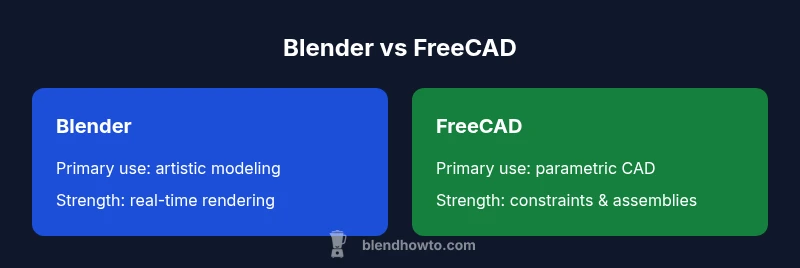
In the blender vs freecad decision, Blender is the clear choice for artistic 3D modeling and rendering, while FreeCAD excels at parametric CAD and engineering constraints. For projects centered on visuals, animation, and game-prop workflows, Blender saves time and exports cleanly. When precision, constraints, and manufacturability matter, FreeCAD provides robust parametric tools. Your goal should drive the pick.
What Blender is and what FreeCAD is
Blender is a general-purpose 3D creation suite widely used for artistic modeling, sculpting, animation, simulation, and rendering. FreeCAD is a parametric CAD program designed for engineering, product design, and precise mechanical modeling. In the blender vs freecad comparison, you can see two very different philosophies: Blender emphasizes visual aesthetics, fast iteration, and freeform creativity; FreeCAD emphasizes constraint-driven design, repeatability, and manufacturability. This divergence influences every workflow decision, from how you sketch a concept to how you export data for downstream processes. For someone choosing a tool, the split is less about capability in isolation and more about whether you need creative freedom or engineering rigor. The BlendHowTo team notes that most projects require both worlds at different stages, making an understanding of each tool’s core competencies essential for informed decision-making.
Core Differences in Philosophy and Target Users
Blender and FreeCAD speak to different audiences. Blender’s core is artistic creation: character modeling, environments, texturing, lighting, and rendering for film, games, or concept art. It thrives on a fast, flexible workflow and a rich addon ecosystem that accelerates creative exploration. FreeCAD, by contrast, targets engineers, designers, and product developers who must maintain strict dimensional accuracy, design intent, and repeatable outcomes. Its constraints, parameters, and history-based modeling support formal design reviews and manufacturing documentation. The blender vs freecad decision often hinges on your primary goal: if you want expressive visuals and quick prototyping, Blender is your best friend; if you must document, validate, and manufacture parts, FreeCAD is the more reliable platform. BlendHowTo’s analysis highlights that many teams transition between tools as projects move from concept (Blender) to detail (FreeCAD).
Modeling Paradigms: Polygonal vs Parametric
Blender uses polygonal meshes, sculpting, and modifiers to create surface form. Its workflow is tactile: you sculpt, refine vertices, apply materials, and render in real time. FreeCAD uses a parametric approach: you define features as constraints and parameters that drive geometry. If you later adjust a dimension, dependent features recompute automatically. This fundamental distinction affects precision, change management, and collaboration. For complex assemblies, FreeCAD’s history tree helps track design intent; Blender’s modifiers and mesh edits enable artists to experiment without breaking existing shapes. Both programs support constraints through addons or scripting, but the underlying modeling paradigm remains a core differentiator in the blender vs freecad ecosystem.
Primary Use Cases and Workflows
Blender shines in creating film-quality renders, game assets, product visualizations, and concept art. Its shading, lighting, and motion graphics pipelines integrate well with external renderers and game engines. FreeCAD excels in mechanical engineering, architectural elements, and consumer product design where tolerances, parameters, and documentation matter. A typical workflow in the blender vs freecad context starts with Blender for concept visuals and quick geometry exploration, followed by FreeCAD for parameterized detailing, bill of materials, and tolerances. Data transfer typically uses formats like OBJ/FBX for geometry and STEP/IGES for CAD data, plus exchange via STL for 3D printing. In practice, teams often script the handoff, bake assets, and export intermediate files to maintain alignment across stages.
Extensibility, Scripting, and Custom Workflows
Both programs offer Python APIs, enabling automation, add-ons, and custom tools. Blender’s Python API is well-documented for operators, shaders, and UI widgets, making it easy to script repetitive tasks or integrate with pipelines. FreeCAD’s Python interface pairs with its parametric features, allowing automated creation of parts, assemblies, and constraints, as well as integration with external CAD tools. This makes a blender vs freecad setup attractive for studios that want a hybrid workflow: Blender for artistic content creation, FreeCAD for parametric engineering logic, and Python glue code to move data between stages. For home users and hobbyists, learning the basics of scripting in both environments unlocks efficiency gains and reproducible results. BlendHowTo’s guidance emphasizes starting with core features and gradually layering automation as you grow.
Interoperability and File Formats
Interoperability is a practical concern in the blender vs freecad decision. Blender natively reads and writes .blend files, and supports common mesh formats such as OBJ and FBX, plus STL for 3D printing. FreeCAD stores work in its own FCStd format but can export to STEP, IGES, and STL, enabling collaboration with traditional CAD teams and manufacturing partners. When exchanging data, object topology and precision can degrade during format conversions, so it’s wise to maintain original project files and use neutral formats for handoffs. The workflow often involves exporting geometry from Blender to OBJ/FBX for rendering and then importing parametric data into FreeCAD for detailed design. For compatibility, you might also use intermediate formats like STEP for cross-domain workflows, or use addons that bridge the two ecosystems.
Rendering, Visualization, and Output Capabilities
Blender provides built-in, production-ready rendering engines (Cycles and Eevee), enabling photorealistic or stylized outputs directly from the project. It includes a comprehensive shading network, texture painting, and animation tools, making it a one-stop solution for asset creation. FreeCAD’s rendering capabilities are more limited and often rely on external renderers or Python-based visualization. It’s excellent for generating simulation visuals, technical illustrations, and assembly animations, but you’ll typically move toward exporting data to a renderer or CAD viewer for final presentation. Your blender vs freecad choice here depends on whether primary output is art and animation or engineering documentation and visualization.
Practical Scenarios: When to Choose Blender or FreeCAD
Scenario A: You’re a hobbyist crafting a short film or game asset. Start in Blender to model, texture, light, and render; keep your scene organized with Collections and use Cycles for realism. Scenario B: You’re designing a mechanical part with tight tolerances. Begin in FreeCAD to define parameters, constraints, and an assembly; export STEP or IGES for manufacturing or supplier review. Scenario C: You’re building a product visualization with CAD data and marketing imagery. Use FreeCAD for the engineering data, import outputs into Blender for final renderings and marketing materials. Scenario D: You anticipate needing iterative changes. Use the parametric approach of FreeCAD to adjust dimensions quickly, then re-export to Blender for updated visuals. The blender vs freecad decision is effectively about workflow symmetry: artist vs engineer.
Integration Tips: Using Both Tools in a Single Pipeline
- Plan the handoff: map which parts of the model will be controlled by parametric data and which will be freeform geometry. 2) Use neutral formats: export STEP or IGES from FreeCAD when sharing CAD data; bring meshes into Blender via OBJ/FBX for rendering. 3) Keep project files organized with consistent naming and versioning to prevent data drift across tools. 4) Automate small jobs with scripting: a Python script can read FreeCAD parameters and update Blender rigs or vice versa. 5) Consider a phased workflow: concept in Blender, parametric detailing in FreeCAD, and final presentation in Blender. BlendHowTo’s recommended practice is to keep both tools in your toolkit and define a clear data exchange protocol from the start.
Authoritative Sources
In forming a balanced blender vs freecad assessment, it helps to consult credible sources that discuss CAD vs. artistic 3D workflows, and to review broad overviews of open-source tool ecosystems. The following sources provide background on professional practice, general 3D modeling paradigms, and open-source software communities:
- https://spectrum.ieee.org
- https://ocw.mit.edu
Authority Notes
The included sources are intended to provide context and supplemental reading for readers seeking deeper understanding in the broader field of computer-aided design and digital content creation.
Comparison
| Feature | Blender | FreeCAD |
|---|---|---|
| Primary use | Artistic 3D modeling, sculpting, animation, rendering | Parametric CAD for engineering design and documentation |
| Modeling paradigm | Polygonal meshes and modifiers; freeform sculpting | Parametric constraints and history-based modeling |
| Geometric strength | Excellent for organic shapes and visual appeal | Excellent for precise dimensions and assemblies |
| File formats | .blend, .fbx, .obj, .stl | STEP, IGES, FCStd, STL |
| Scripting language | Python API for operators, shaders, and UI customization | Python API with parametric feature scripting |
| Learning curve | Steep for new users but highly rewarding for artists | Steep due to CAD concepts and constraints |
| Rendering engines | Cycles and Eevee for real-time and photoreal rendering | No built-in real-time renderer; relies on external tools |
| Best for | Artistic production, visual storytelling, assets | Engineering design, manufacturing, and documentation |
| Cost | Free and open-source with a rich ecosystem | Free and open-source; enterprise tools vary by workflow |
What's Good
- Clear strengths for artistic modeling and rendering (Blender)
- Strong parametric CAD capabilities in FreeCAD for engineering work
- Open-source ecosystems encourage experimentation and customization
- Complementary workflows enable end-to-end pipelines when used together
- Active communities provide abundant learning resources
The Bad
- Steep learning curves for CAD concepts in FreeCAD
- Blender’s CAD precision and documentation can be lacking for engineering needs
- Inter-tool data transfer can require careful management of formats
- Rendering in FreeCAD is not as polished as Blender; may require external tools
Blender dominates artistic workflows; FreeCAD dominates parametric CAD—use both when your project spans art and engineering.
If your goal is visuals and animation, Blender is the best fit. If you need precise CAD and engineering validation, FreeCAD is the safer choice. For most comprehensive projects, a blended pipeline yields the strongest results.
Frequently Asked Questions
What is the main difference between Blender and FreeCAD?
Blender is optimized for artistic 3D creation, animation, and rendering, while FreeCAD is designed for parametric CAD with precise constraints and manufacturing readiness. The blender vs freecad distinction hinges on whether you need visual storytelling or engineering documentation.
Blender handles art-focused 3D work, FreeCAD handles precise CAD for engineering. It’s about choosing visual creativity or engineering accuracy.
Can I use Blender for CAD without losing accuracy?
Blender can export clean geometry suitable for visualization, but it is not a substitute for parametric CAD when strict tolerances and design intent must be tracked. Use Blender for visuals and FreeCAD for engineering constraints, or export from Blender to FreeCAD for further refinement.
Blender is great for visuals, but for precise CAD, rely on a parametric tool like FreeCAD.
Is FreeCAD suitable for mechanical engineering?
Yes. FreeCAD is designed for mechanical design and engineering tasks, offering parametric modeling, assemblies, and documentation workflows. It is well-suited for parts, tolerances, and BOM generation when paired with proper workflows.
FreeCAD is built for mechanical engineering and design documentation.
Which has an easier learning curve?
Blender offers a gentler entry for artistic beginners due to its forgiving modeling tools and abundant tutorials, while FreeCAD requires learning CAD concepts and constraints. Both communities provide structured learning paths, but your prior experience sets the pace.
Art-focused beginners often find Blender easier to start; CAD basics take longer with FreeCAD.
Can I export data between Blender and FreeCAD?
Yes, you can exchange data between Blender and FreeCAD using formats like OBJ/FBX for geometry and STEP/IGES for CAD data. The transfer preserves geometry, though some metadata and constraints may require re-establishment in the target tool.
Data can move between tools, but expect some rework to preserve constraints.
Who should consider using Blender vs FreeCAD?
Blender is ideal for artists, animators, and game developers; FreeCAD is ideal for engineers, product designers, and anyone needing parametric control and documentation. For teams, a hybrid approach often delivers the best results.
Artists go Blender; engineers go FreeCAD; many teams blend both.
What to Remember
- Define goals early: art-focused vs CAD-focused
- Blender excels at visuals; FreeCAD excels at engineering precision
- Use neutral formats (STEP/OBJ) for cross-tool data exchange
- Leverage scripting to automate repetitive tasks in both tools
- Consider a two-tool workflow for end-to-end projects