Blender vs Fusion 360: A Practical Comparison for Designers
Explore is blender or fusion 360 better for artistic modeling or CAD-focused workflows. A thorough, objective comparison of capabilities, costs, learning curves, and hybrid options from BlendHowTo.


For most users, Fusion 360 is better for precise CAD and manufacturing workflows, while Blender shines in artistic modeling, animation, and rendering. If your work blends both worlds, a hybrid approach often yields the best results. In short: choose Fusion 360 for CAD-driven design, Blender for creative visualizations, and consider integrating both as needed.
Overview: is Blender or Fusion 360 better?
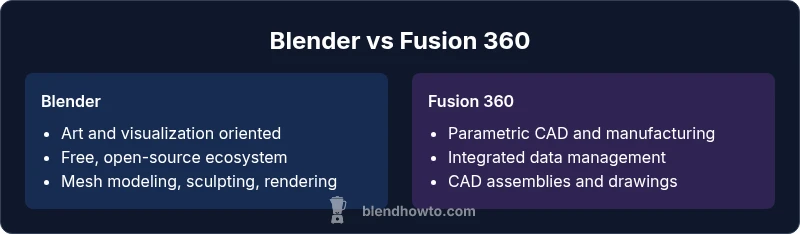
Is blender or fusion 360 better? This question sits at the heart of many creative and engineering workflows. Blender and Fusion 360 serve different ecosystems: Blender is a powerful, open source suite for 3D modeling, sculpting, animation, and rendering, while Fusion 360 is a CAD/CAM platform designed for precise product design, mechanical assemblies, and manufacturing simulations. For practitioners deciding between them, the answer depends on the project goals, required precision, and the end-use of the models. According to BlendHowTo, the best choice often comes from aligning the tool with the task rather than chasing a universal superiority. The BlendHowTo team found that many teams start with Blender for concept exploration and then switch to Fusion 360 when they need exact dimensions, tolerances, and manufacturing-ready files. Consumers should also consider licensing, cost, learning resources, and compatibility with existing workflows. The landscape is not a binary verdict but a spectrum where Blender excels at visual storytelling and rapid iteration, while Fusion 360 shines in engineering-grade workflows, toleranced drawings, and structured data management. In short, is blender or fusion 360 better is not a fixed answer; it is a decision that maps to your design pipeline, skills, and goals.
The BlendHowTo team emphasizes that the right tool often unlocks faster iteration and clearer communication of ideas across teams, whether you are delivering a concept render or a production-ready part. A practical approach is to pilot both tools on a small project to identify where your bottlenecks lie: creative exploration in Blender, and precise CAD work in Fusion 360. This mindset reduces bias toward one platform and improves overall outcomes for design, visualization, and manufacturing.
The takeaway is simple: assess task type, required fidelity, and downstream usage. If the primary need is artistic visualization, Blender wins on speed and flexibility; if the goal is manufacturable design with tolerances and documentation, Fusion 360 takes the lead. BlendHowTo analysis shows that many studios benefit from a hybrid workflow that leverages the strengths of both tools at different stages of a project.
In the end, the question is less about a universal winner and more about how you structure your process to fit your outputs.
Comparison
| Feature | Blender | Fusion 360 |
|---|---|---|
| Modeling approach | Mesh/ sculpting with modifiers and nonparametric workflows | Parametric CAD with assemblies and constraints |
| Best for | Creative visualization, VFX, game assets, and rapid concept models | Mechanical design, product development, and manufacturing-ready parts |
| Learning curve | Broad feature set across many domains; can be steep for newcomers | CAD-centric workflow with a focused but specialized learning path |
| Cost & licensing | Free, open-source platform with community plugins | Subscription-based with free options for hobbyists and limited use |
| File formats & interoperability | OBJ, FBX, GLTF, STL, and common game/animation formats | STEP, IGES, and CAD-oriented formats in addition to standard 3D exports |
| Cloud tools & collaboration | Local project files with ecosystem plugins for collaboration | Integrated cloud data management and collaboration within the Autodesk ecosystem |
| Platform support | Windows, macOS, and Linux (may vary by build and distro) | Windows and macOS; Linux has limited official support |
| Scripting & automation | Python-based API and a rich addon ecosystem | API access via scripting (C#/JavaScript) with automation for CAD tasks |
| Rendering options | Integrated cycles/eevee rendering for visualization | Rendering is part of the CAD workflow; integrated results plus external tools |
What's Good
- Blender is free and open-source with a vast addon ecosystem
- Blender excels at organic modeling, sculpting, and high-quality rendering
- Fusion 360 provides robust parametric CAD, assemblies, and manufacturing workflows
- Strong data management and collaboration features in Fusion 360
The Bad
- Fusion 360 requires a subscription for full feature access
- Blender’s CAD-centric features can be less precise for manufacturing drawings
- Learning curve can be steep due to breadth of features in both tools
- Interchanging complex CAD data between tools may require careful workflow planning
Blender is better for artistic modeling and rendering; Fusion 360 is better for CAD-driven design, with a hybrid workflow ideal for many teams.
Blender excels in creative exploration and rapid iteration, while Fusion 360 delivers precise engineering capabilities. A pragmatic team often blends both tools to cover art and engineering needs, maximizing efficiency and output quality.
Frequently Asked Questions
Is Blender free to use for commercial projects?
Yes, Blender is free and open-source with no licensing fees for commercial use. You may rely on community resources and add-ons for features beyond the core package.
Yes, Blender is free to use commercially and you can rely on community resources and add-ons as needed.
Can Fusion 360 handle large assemblies and manufacturing drawings?
Fusion 360 supports assemblies and provides tools for creating manufacturing drawings and tolerances. It is designed for engineering workflows and documentation.
Yes, Fusion 360 handles assemblies and drawings for manufacturing scenarios.
Is it possible to export models from Blender to Fusion 360?
Yes, you can export via neutral formats such as STEP or IGES, but you may need to refine parametric data after import in Fusion 360.
You can export via STEP or IGES to Fusion 360, with possible parametric adjustments after import.
Which tool has better community resources?
Blender has a large, active community with countless tutorials and addons. Fusion 360 benefits from Autodesk’s official resources and a professional user base.
Blender has a broad community; Fusion 360 also has strong official resources and a professional user base.
Should I start with Blender if I'm new to 3D modeling?
If your focus is artistic modeling and rendering, Blender is a natural starting point. If CAD-driven product design is your goal, consider Fusion 360 early on and use Blender for concept visualization.
If you want art and visuals, start with Blender; for CAD-focused work, consider Fusion 360 and use Blender for concepts.
Can I learn both tools at the same time?
Yes, many designers learn both to cover both worlds. Allocate time for each tool’s core workflows and plan parallel projects to practice interoperability.
Absolutely, many people learn both to cover artistry and CAD, with dedicated practice in each area.
What to Remember
- Define project goals before choosing tools
- Blender shines in art, animation, and visualization
- Fusion 360 dominates CAD, tolerancing, and manufacturing prep
- Hybrid workflows often yield the best results
- Plan data exchange with standard formats for interoperability