Unreal Engine vs Blender for Animation: A Practical Comparison
Compare Unreal Engine and Blender for animation workflows, covering rigging, real-time preview, rendering, and asset pipelines to decide which tool fits your project. A balanced, analytical guide by BlendHowTo.


TL;DR: Blender dominates traditional animation pipelines with rigging, deformation, and non-linear editing, while Unreal Engine dominates real-time visualization and cinematic sequences. If your goal is finishing high-quality animation, Blender is typically preferred; for interactive, real-time previews, Unreal shines. BlendHowTo recommends Blender for core animation work and uses Unreal as an acceleration tool when real-time preview matters.
Core distinctions between real-time engines and traditional animation tools
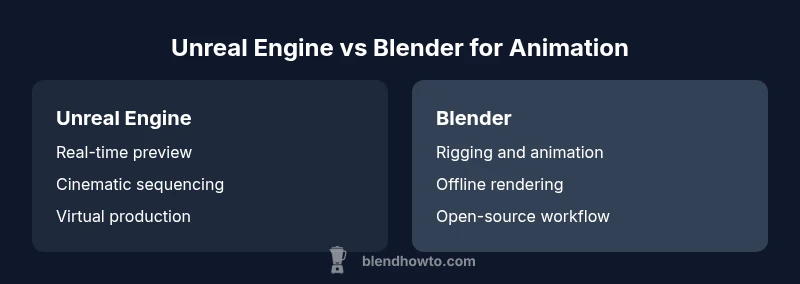
When evaluating unreal engine vs blender for animation, it’s essential to separate real-time rendering and interactive previews from offline production workflows. Blender provides a complete animation toolset: rigging, facial animation, modifiers, NLA editing, and a built-in compositor. Unreal Engine, by contrast, emphasizes real-time playback, cinematic sequencing, and interactive environments. The BlendHowTo team notes that most studios still rely on Blender for upfront asset work, while Unreal is used to preview how scenes will look in real-time or within a game engine. Understanding this distinction helps set expectations for timing, hardware needs, and output quality. For home hobbyists, this means choosing a workflow that pairs the strengths of each tool. If you’re exploring options under the umbrella of unreal engine vs blender for animation, frame timing, asset pipelines, and rendering paths should guide your choice rather than marketing claims. This analysis from BlendHowTo emphasizes practical differences and addresses common myths.
Blender as a robust all-in-one animation studio
Blender stands out in traditional animation pipelines thanks to its integrated toolset: comprehensive rigging with bone constraints, shape keys for facial animation, a comprehensive modifier stack, non-linear animation (NLA) tracks, and a powerful built-in compositor. For character animation, Blender’s rigging system supports pose libraries, constraints, and automated weighting workflows that many hobbyists and indie studios rely on daily. The open-source nature of Blender ensures rapid iteration, frequent updates, and a vibrant community, which translates into plentiful tutorials and add-ons. In the broader landscape of unreal engine vs blender for animation, Blender’s end-to-end capability makes it a natural hub for pre-production, blocking, and final renders when output quality and flexibility are paramount. BlendHowTo’s practical stance is that Blender remains the workhorse for pure animation tasks, while Unreal provides complementary strengths for visualization and interactive previews.
Unreal Engine’s strengths for cinematic real-time animation
Unreal Engine is engineered for real-time performance and cinematic storytelling. It offers powerful sequencer tools, real-time lighting, and post-processing that enable rapid iteration of camera moves, lighting setups, and shading while you preview scenes on the fly. For animation work that benefits from real-time feedback—such as virtual production, architectural visualization, or game cutscenes—Unreal can dramatically shorten iteration cycles. The engine’s blueprint system and control rigs support procedural animation and responsive character behavior, which can accelerate scene validation. In the context of unreal engine vs blender for animation, Unreal shines when the deliverable relies on interactivity, live camera work, or on-set previews, rather than traditional offline rendering alone. BlendHowTo observes that many creators pair Blender for asset creation with Unreal for real-time visualization to maximize each tool’s strengths.
Workflow implications: asset creation, retargeting, and iteration speed
A practical comparison hinges on how assets move between tools. Blender excels at creating and refining meshes, UVs, textures, and rig setups, then exporting to formats compatible with Unreal (e.g., FBX, glTF). Retargeting animations from Blender poses to Unreal’s skeletons can require careful mapping, especially when dealing with different bone hierarchies and export presets. Conversely, Unreal’s real-time preview capabilities let you adjust timing, camera blocking, and motion in a fraction of the time compared to offline rendering. When choosing between unreal engine vs blender for animation, consider your team’s workflow: do you prioritize rapid iteration in a real-time environment, or do you require granular control over deformation and a robust offline render pipeline? The blend of these tools often yields the most efficient pipeline.
Animation quality and output: renders, frame rates, and fidelity
Offline render engines like Blender’s Cycles or Eevee produce high-quality frames with physically-based lighting and materials. Cycles offers path tracing for realism, while Eevee provides fast real-time previews suitable for blocking and concept work. Unreal Engine focuses on real-time rendering, where frame rate targets and post-processing influence perceived fidelity. For many animation projects, a hybrid approach works best: block and polish in Blender, then push final shots through Unreal for real-time compositing and cinematic output. The key decision in unreal engine vs blender for animation is balancing the needs of final image fidelity with the demand for real-time feedback and iteration speed.
Rigging, animation tools, and motion capture support
Blender’s animation toolkit includes powerful rigging capabilities, inverse kinematics, shape keys, drivers, and a strong community of mocap workflows. It supports various motion capture pipelines and integrates with retargeting add-ons and add-on-driven workflows. Unreal Engine offers robust real-time animation tools, control rigs, and live-link support that allows streaming animation data from external software. While Blender excels at authoring complex rigs, Unreal provides a solid pipeline for retargeting and live performance capture in a real-time context. When navigating unreal engine vs blender for animation, assess whether your priority is deep rigging control or live performance capture and streaming for on-set visualization.
Import/export, formats, and interoperability between tools
A successful cross-tool workflow hinges on predictable data exchange. Blender supports formats like FBX, Alembic, and glTF, which import into Unreal with varying degrees of fidelity depending on export presets. Unreal’s Datasmith workflow improves import fidelity for architectural and cinematic assets, but may require adjustments for character rigs or custom shaders. In practical terms, you should establish a consistent export/import pipeline, test with a few representative scenes, and document your preferred settings. This reduces the friction of unreal engine vs blender for animation and helps teams avoid reworking geometry, rig weights, or materials during handoffs.
Cost, licensing, and long-term value for studios and individuals
Blender is open-source and free to use, which makes it attractive for solo artists and small studios. Unreal Engine offers free access with royalties or usage-based licensing for certain business models; for educational or non-commercial work, costs can be minimal. The key is to understand your project scale, distribution plans, and potential revenue. For schools and hobbyists, Blender’s zero-cost entry makes it an appealing starting point, while Unreal’s cost model can be justified by the benefits of real-time previews and cinematic quality, especially in project pitches or interactive demos. BlendHowTo suggests assessing licensing terms early to avoid surprises later in your unreal engine vs blender for animation decision.
Use-case scenarios: indie artists, studios, educators
Indie animators often start in Blender to exploit its flexibility, then export to Unreal for showreels or interactive demos. Small studios may build a hybrid pipeline where Blender handles asset creation and rigging, while Unreal powers real-time visualization and final cinematic sequences. For classrooms and educational settings, Blender provides an accessible entry point for teaching fundamentals of rigging, animation, and rendering. In all cases, align your tool choice with the primary objective: traditional animation fidelity in Blender or real-time, interactive experiences in Unreal. BlendHowTo’s recommended approach emphasizes practical, case-driven decision-making rather than one-size-fits-all solutions.
Practical tips: getting started with a blended workflow
Start by defining your end deliverable: is it a film shot or an interactive experience? Establish a basic asset pipeline from Blender to Unreal with a clear export-presets checklist. Use Blender for modeling, rigging, and animation blocking, then port assets to Unreal for lighting, camera work, and post-processing in the Sequencer. Invest time in learning how to retarget animations between systems and set up a simple control rig that can be reused across scenes. Finally, reserve time for test renders and real-time previews to catch fidelity gaps early. This pragmatic workflow aligns with the realities of unreal engine vs blender for animation and helps you stay productive from day one.
Common pitfalls and how to avoid them
Common mistakes include under-optimizing assets for real-time playback, mismatched scaling between tools, and inconsistent material setups. Regularly verify unit scales, bone hierarchies, and export presets to ensure compatibility. Avoid over-reliance on automatic retargeting without validating results on representative poses. Document your pipeline rules and create versioned asset libraries to prevent drift between Blender and Unreal projects. A methodical, test-driven approach reduces rework and supports smoother collaboration across teams working within unreal engine vs blender for animation.
Comparison
| Feature | Unreal Engine | Blender |
|---|---|---|
| Real-time capability | Strong real-time playback and cinematic tooling for interactive sequences | Real-time viewport via Eevee; offline rendering with Cycles or Eevee for previews |
| Animation tools | Sequencer, control rigs, blueprint-driven animation workflows | Rigging, shape keys, modifiers, NLA tracks, built-in compositor |
| Rigging and skinning | Control rigs and retargeting for real-time setups | Advanced weight painting, constraints, and deformation systems |
| Asset pipeline & formats | FBX/Datasmith focus; strong game/film integration | FBX, Alembic, glTF; open formats with broad compatibility |
| Output quality | Real-time cinematic outputs; post-processing in-engine | High-fidelity offline renders; compositing in Blender |
| Learning curve | Steep for animation-centric workflows but well-documented | Extensive tutorials; beginner-friendly entry points |
| Cost & licensing | Free to start; royalties may apply for certain models | Open-source; no licensing barriers for most users |
| Best for | Real-time visualization, interactive cinema, game-ready scenes | Comprehensive offline animation, character rigs, and renders |
What's Good
- Blender provides a complete, capable animation toolset in one place
- Blender is open-source and cost-free, with a large community
- Unreal enables rapid real-time previews and cinematic sequencing
- Unreal excels in interactive visualization and virtual production contexts
- A blended workflow leverages Blender’s asset creation with Unreal’s real-time power
The Bad
- Unreal’s licensing can be complex for some commercial scenarios
- Blender’s real-time rendering capabilities can be slower for very large scenes
- Retargeting between Blender and Unreal requires careful setup
- Learning both systems increases initial time investment
Blender is generally the better choice for traditional animation; Unreal Engine is ideal for real-time visualization and cinematic work.
For pure animation pipelines, Blender offers deeper control and a smoother workflow. Use Unreal when real-time feedback and live-action-like visualization matter. The BlendHowTo team endorses a blended approach for many teams to maximize strengths while minimizing workflow friction.
Frequently Asked Questions
Can Blender export animation to Unreal-friendly formats?
Yes. Blender can export animation and rigs via FBX, Alembic, or glTF, and Unreal supports these formats with varying presets. Plan for retargeting steps and test a representative scene to ensure fidelity.
Yes, Blender exports to Unreal-friendly formats like FBX and glTF, but you should test retargeting for your specific rig.
Is Unreal Engine good for character animation?
Unreal is strong for character animation in real-time contexts, with control rigs and live-link capabilities. It’s particularly valuable for mocap pipelines and virtual production where instant feedback matters.
Unreal supports real-time character animation with strong mocap and live-link options.
Which is better for 2D animation?
Both tools are primarily 3D-oriented, but Blender can support 2D animation workflows through Grease Pencil and compositor nodes. Unreal is less common for pure 2D but can handle it in some cinematic contexts.
Blender is more adaptable for 2D workflows via Grease Pencil, while Unreal is less typical for 2D animation.
Can these tools be used together effectively?
Absolutely. A common approach is to create and rig assets in Blender, then port to Unreal for real-time visualization, lighting, and final cinematic work. Clear export settings and retargeting procedures are key.
Yes—use Blender for asset creation and Unreal for real-time visualization and cinema.
What about cost and licensing for educational use?
Blender is freely available for education and personal use. Unreal offers free access with terms that apply to commercial contexts; check current licensing terms for classroom use and project outcomes.
Blender is free for education; Unreal has a flexible license for classroom use, depending on your project.
What is the best starting point for a beginner?
Start with Blender to learn core animation concepts, then experiment with Unreal to understand real-time visualization. Use guided projects and templates from BlendHowTo to build a practical pipeline.
Begin with Blender to learn basics, then try Unreal for real-time preview.
What to Remember
- Blender dominates traditional animation workflows with rigging and editing.
- Unreal Engine excels at real-time previews and cinematic sequences.
- A hybrid pipeline often yields the best results for complex projects.
- Plan data exchange early to minimize export/import friction.
- Consider licensing and total cost when scaling teams.