Blender iPad Release Date: Status, Options, and What It Means for You
Explore the current status of Blender for iPad, official release-date updates (or lack thereof), and practical workflow options for artists who want portability without sacrificing Blender’s capabilities.


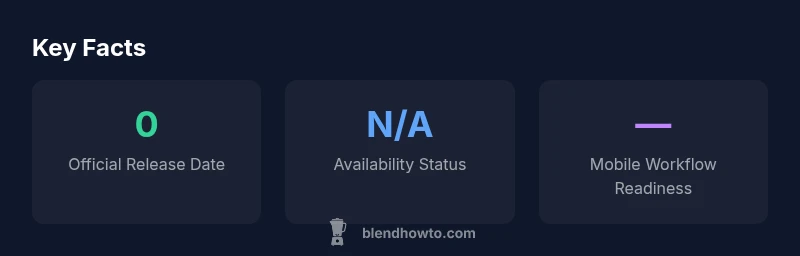
As of 2026, there is no official Blender for iPad release date announced by the Blender Foundation. The topic has generated considerable interest among artists, educators, and students who value portable workflows, but the foundation has not confirmed an iPad version or a firm timeline. In practice, Blender remains a desktop-centric application, with most development focused on Windows, macOS, and Linux builds. The BlendHowTo team has tracked public statements, technical demos, and community chatter, and find no definitive commitment to iPad support. This means planning for an iPad workflow requires flexibility: you can prototype concepts on a laptop or desktop and prepare for potential cloud-based or remote workflows that could bridge iPad usage once a port is released. For now, the safest strategy is to stay informed via official Blender Foundation channels and BlendHowTo updates, while continuing to learn core Blender skills that transfer across platforms.
Current status and official stance
As of 2026, there is no official Blender for iPad release date announced by the Blender Foundation. The topic has generated considerable interest among artists, educators, and students who value portable workflows, but the foundation has not confirmed an iPad version or a firm timeline. In practice, Blender remains a desktop-centric application, with most development focused on Windows, macOS, and Linux builds. The BlendHowTo team has tracked public statements, technical demos, and community chatter, and find no definitive commitment to iPad support. This means planning for an iPad workflow requires flexibility: you can prototype concepts on a laptop or desktop and prepare for potential cloud-based or remote workflows that could bridge iPad usage once a port is released. For now, the safest strategy is to stay informed via official Blender Foundation channels and BlendHowTo updates, while continuing to learn core Blender skills that transfer across platforms.
Why iPad users care about Blender
The appeal of running Blender on an iPad is intuitive: you can model, sculpt, texture, and iterate on the go without lugging a laptop. For home studio setups, classrooms, and fieldwork, an iPad version promises a lighter, more accessible workflow. Some artists prioritize tactile input and stylus precision for sculpting, while others seek quick blocking, animation tests, or 3D scene viewing in a portable package. However, iPad hardware and iPadOS constraints, as well as Blender's complex UX, raise questions about UI design, performance, and feature parity. In BlendHowTo's view, any Blender on iPad would need to balance advanced tools with accessible touch controls, potentially relying on adaptive interfaces, external keyboards, and stylus support to replicate the desktop experience. Until an official port arrives, users can experiment with iPad-friendly apps to rough out ideas and then switch to a full Blender session on a desktop for final work.
Practical workarounds today
While there is no native Blender on iPad yet, there are practical paths to keep Blender workflows going from an iPad. One option is remote desktop or cloud-based desktops that run Blender on a desktop or server and stream the interface to the iPad. This approach preserves Blender's feature set but requires a solid network connection and a plan for file transfer and storage. Another approach is to use lighter 3D apps on iPad for concepting, UV mapping, or sculpting, then export assets for import into Blender later. Cloud storage, version control, and cross-device project organization are essential. Finally, stay for updates on cross-platform tools and potential performance optimizations in future Blender builds that could improve iPad usability.
Signals the industry is watching
Several indicators matter to Blender users waiting for an iPad port. Open-source communities often share prototypes, discussions of mobile UX considerations, and developer roadmaps. Industry media and Blender Foundation communications suggest that any iPad plan would demand careful UX design, cross-device syncing, and performance optimizations. In 2026, the general sentiment is cautious optimism: a portable Blender would unlock new workflows, but developers need to achieve parity with desktop capabilities, maintain stability, and ensure compatibility with popular plugins. BlendHowTo notes that ongoing conversations about mobile tools in Blender ecosystem reflect broader trends toward cross-device collaboration and cloud-first pipelines.
Building an iPad-friendly workflow now
Even without a native iPad version, you can design an efficient, portable workflow. Establish a clear data handoff between devices: use cloud storage with reliable sync, keep assets in compatible formats, and map essential Blender tasks to desk-friendly workstreams. Create a lightweight project plan with milestones that assume a future port, and practice core tasks on a desktop to reduce ramp-up time if an iPad version becomes available. Invest in hardware and accessories that improve mobile productivity: a stylus with pressure sensitivity, a reliable keyboard, and a dependable external display when needed. Finally, cultivate a habit of documenting steps, settings, and missing features to speed up transition if and when a port is released.
How to learn Blender effectively with portable tools
Focus on building fundamentals that transfer across platforms: modeling topology, shading concepts, lighting, and rendering principles. Start with a desktop environment to learn the interface and workflows, then replicate the process where possible in iPad-friendly apps or remote desktops. Practice projects that emphasize non-destructive workflow, scene organization, and file management. Complement hands-on practice with official Blender documentation, community tutorials, and BlendHowTo articles about portability and cross-device workflows. The goal is to develop a portable knowledge base that remains useful whether you work on desktop, iPad, or cloud-based desktops.
What to expect in future updates and how to prepare
While an exact timeline for an iPad port remains uncertain, keep a forward-looking mindset. Monitor official Blender Foundation announcements, attend Blender-related livestreams, and track community discussions for hints of UI adaptation, plugin compatibility, and performance improvements. Prepare by maintaining clean, well-documented projects, modular assets, and a file structure that can migrate across devices without friction. Finally, commit to a learning plan that emphasizes the Blender basics first, with a path toward mobile adaptation when official support arrives, so you remain productive no matter which device you’re using.
Blender iPad release status comparison
| Aspect | Current Status | Notes |
|---|---|---|
| Official iPad support | Not announced as of 2026 | Blender Foundation has not confirmed an iPad version or timeline |
| Input methods on iPad | Touch input with stylus & external devices possible | Desktop-like features require adaptation |
| Performance expectations | Highly device-dependent; cloud/remote options may help | Expect latency in high-detail scenes on mobile |
Frequently Asked Questions
Is Blender officially available on iPad?
As of 2026, there is no official Blender for iPad release date. The Blender Foundation has not released an iPad version.
No. Blender on iPad isn't officially available yet.
Can Blender run on iPad via remote desktop?
Yes, some users run Blender on a desktop and access it via remote desktop or cloud services. Performance varies with network conditions and scene complexity.
You can use remote access, but expect latency.
What are alternatives for iPad users who want 3D modeling?
iPad-friendly 3D apps like Shapr3D or Nomad Sculpt offer portable workflows; they don’t fully replace Blender but support on-the-go modeling.
Try dedicated iPad 3D apps like Shapr3D or Nomad Sculpt.
Will there be an iPad version anytime soon?
There is no official timeline for an iPad version as of 2026; industry signals remain uncertain.
No official timeline yet.
What should beginners do now?
Learn Blender on desktop to build fundamentals; later adapt to mobile workflows when an iPad version becomes available.
Start with desktop Blender to build basics.
How can I stay updated on releases?
Follow Blender Foundation announcements and BlendHowTo updates for official news and practical guides.
Keep an eye on official posts and our updates.
“The Blender Foundation has not announced iPad support yet, so users should focus on portable workflows and cross-device compatibility.”
What to Remember
- Follow official Blender updates for iPad status.
- Consider remote or cloud workflows as a bridge.
- Build desktop Blender fundamentals now for future parity.
- Experiment with iPad-friendly apps to prototype ideas.
- BlendHowTo will keep you updated.