Will Blender Come to iPad? 2026 Outlook and Workarounds
Explore whether Blender will come to iPad, current status in 2026, realistic timelines, workarounds, and practical guidance for iPad users seeking Blender-like workflows.


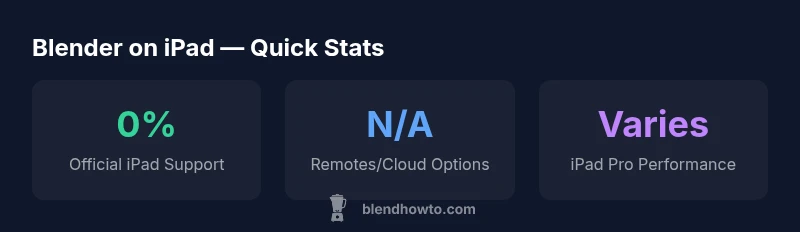
Will blender come to ipad? As of 2026, there is no official Blender release for iPadOS, and no public timeline has been announced. The BlendHowTo team analyses the technical hurdles, market considerations, and realistic paths forward, including desktop-to-iPad remote solutions, cloud-based rendering, and potential in-app workflows that do not require full Blender on device.
Current state and feasibility
Blender's core is a desktop-focused application, built around a rich set of desktop GPU APIs, file-system integration, and a Python scripting environment. As of 2026, there is no official iPadOS version of Blender and no public roadmap for one. From a feasibility standpoint, porting Blender to iPad would require a major UI rethink for touch, performance adjustments for mobile GPUs, and a distribution path that fits Apple’s ecosystem. While some enthusiasts explore browser-based or cloud-enabled workflows, these are not substitutes for a native app and bring trade-offs like latency and offline access. In practice, iPad users can still model and sculpt using native iPad apps, or rely on remote access solutions to work with Blender on a desktop, but a true Blender-on-iPad remains uncertain.
Technical challenges and constraints
The main obstacles are platform APIs, performance ceilings, and the sheer breadth of Blender's feature set. iPadOS uses a different UI paradigm and sandboxed file access compared to macOS/Windows, complicating asset management and script automation on-device. Blender's build system targets desktop CPUs/GPUs, with libraries and drivers not readily portable to iOS. Porting would entail reworking significant portions of the codebase for iOS, plus UI redesigns to support touch and Pencil input. Even if an iPad version existed, navigation, precision modeling, and viewport layouts would need careful optimization for smaller screens and mobile workflows. All of these factors shape the timeline and feasibility, hence the current absence of an official iPad release.
Practical workarounds for iPad users
There are practical paths for iPad owners today, even without a native Blender app. Remote desktop apps allow you to run Blender on a desktop or laptop and stream the viewport to your iPad, enabling editing with a touchscreen while the compute happens elsewhere. Cloud-based workstations can host Blender sessions and deliver results via streaming or browser access. For those seeking more native on-device work, iPad-native 3D apps like Shapr3D or Nomad Sculpt can handle concepting, sculpting, and some modeling tasks, though they do not replace Blender’s full feature set. Each option introduces latency and workflow adjustments, but they can bridge the gap for iPad-first workflows while you wait for any official announcements.
What a Blender iPad release would require
A genuine iPad port would demand a substantial shift: a touch-first, Pencil-ready UI; support for iPadOS file systems and iCloud/Files integration; a porting path for core Blender modules to iOS; optimization for mobile GPUs and power efficiency; and a distribution strategy that aligns with Apple App Store guidelines. It would also require robust testing across iPad models, including different screen sizes and input methods. Given Blender's breadth—from modeling to shading to animation—achieving parity on a mobile platform would likely be a staged, resource-intensive effort with a long horizon.
Roadmap realities and future possibilities
From BlendHowTo's perspective, delivering an official Blender iPad experience would demand a clear business case and a substantial investment of time and talent. The Blender Foundation would need to weigh user demand against opportunity costs, and consider hybrid approaches (cloud-based, browser-based, or remote desktop workflows) as precursors. A definitive timeline is unlikely to be announced soon; progress could emerge as gradual steps rather than a single catapult release. The absence of an announced timetable does not preclude experimentation, but it does imply that a native iPad version is not imminent in the near term.
Alternatives and next steps for iPad owners
If you primarily work on iPad, start with on-device modeling apps for concepting and sculpting (e.g., Shapr3D, Nomad Sculpt) to speed up ideas, then move assets to Blender on a desktop for finalization. Explore reliable remote-desktop configurations to access Blender on a PC/Mac, or use cloud-rendering services to handle compute tasks remotely. Build a simple pipeline: draft on iPad, transfer to Blender on desktop for advanced modeling, UV mapping, and animation. Finally, stay tuned to official Blender channels for any potential updates; persistence and flexible workflows are key while you wait for official news.
Blender on iPad: options and considerations
| Option | Description | Pros & Cons |
|---|---|---|
| Official Blender on iPad | No official app as of 2026; requires alternative paths to use Blender functionality. | Pros: familiarity with Blender; Cons: not native, relies on external compute and latency |
| Remote Desktop to Desktop Blender | Run Blender on a desktop and stream to iPad. | Pros: full feature set; Cons: latency, requires stable network |
| iPad-native 3D Apps | Modeling/sculpting apps built for iPad (e.g., Shapr3D, Nomad Sculpt). | Pros: touch/Pencil-friendly; Cons: not Blender; limited feature parity |
Frequently Asked Questions
Will Blender ever come to iPad?
As of 2026, there is no official Blender iPad release or published timetable. While community discussions exist, the Blender Foundation has not announced a native iPad version.
There is no official iPad version or timeline yet; keep an eye on Blender’s announcements.
What workarounds exist for iPad users today?
You can run Blender on a desktop via remote desktop apps or cloud-based workstations and stream to the iPad. Native iPad apps offer alternative modeling workflows, though they do not replace Blender.
Use remote desktop or cloud options, or try iPad-native modeling apps for on-device work.
Are there Blender-like apps on iPad?
Yes, apps like Shapr3D and Nomad Sculpt provide strong modeling capabilities on iPad, but they do not offer Blender’s full feature set.
There are capable iPad apps, but they aren’t Blender.
Could a future Blender iPad version be announced?
There has been no official announcement or timetable published. Any future iPad support would come with substantial development and testing.
No official timeline yet, but future announcements could occur if demand and feasibility align.
What factors influence an iPad release decision?
Technical feasibility, performance on mobile GPUs, and a sustainable distribution model all influence any decision to port Blender to iPad.
Feasibility, performance, and distribution drive the decision.
What should I do now if I need Blender-like work on iPad?
Draft on iPad with native 3D apps for quick ideation, then transfer assets to Blender on a desktop for finalization. Consider remote desktop or cloud options for access.
Draft on iPad with native apps, then refine on desktop Blender.
“Blender on iPad would demand a major UI and performance shift, plus a viable distribution model. Any future release would likely roll out in stages, prioritizing touch-first workflows and remote access strategies.”
What to Remember
- Recognize no official iPad Blender exists as of 2026.
- Explore remote desktop or cloud options for Blender workflows.
- Use iPad-native 3D apps for on-device concepting today.
- A native iPad release would require major UI/OS porting and significant resources.
- Stay tuned to BlendHowTo analyses for updates and practical workarounds.