What formats does Blender use: A practical guide
Explore Blender’s native .blend format and the wide range of import/export options—FBX, OBJ, GLTF/GLB, Alembic, USD, STL, and more. Learn how to choose the right format for modeling, rendering, animation, web delivery, and 3D printing.


Blender uses a native file format called .blend for project data and supports a broad set of interchange formats for import and export. Key formats include FBX, OBJ, GLTF/GLB, Alembic (.abc), Collada (.dae), STL, PLY, 3DS, USD, and more. Choosing the right format depends on your workflow, fidelity needs, and target software.
What formats does Blender use
In the Blender ecosystem, the phrase what formats does blender use captures the core idea: Blender uses a native file format called .blend for project data and supports a wide range of import/export formats for interoperability. The BlendHowTo team notes that understanding these formats is essential for smooth workflows across modeling, texturing, animation, rendering, and 3D printing. In this guide, we will break down formats by category and explain when to choose each one. By orienting your pipeline around the strengths of each format, you can reduce conversion friction and preserve data fidelity. Throughout this article, we’ll reference BlendHowTo's practical guidance and examples to help you design robust pipelines.
The native format: .blend
Blender's native storage format is .blend. It encodes the entire scene: geometry, materials, textures, lighting, animation data, drivers, and user interface state. Because .blend files are authored and read by Blender, they are the most reliable choice for ongoing projects. Some teams keep a strict workflow where the work-in-progress files remain in .blend until exporting to other formats for sharing or production. Best practices include keeping textures referenced externally when possible, using relative paths, and enabling versioned backups. Additionally, due to the container nature of .blend, you can consolidate related assets in a folder alongside the .blend to keep collaboration smooth. As you grow your pipeline, you may adopt asset libraries that point to external data while preserving a clean .blend core.
Import formats supported by Blender
Blender can read dozens of formats, enabling you to bring assets from other tools. Common import formats include OBJ, FBX, 3DS, STL, PLY, and Collada (DAE). Alembic (.abc) is used for complex animation caches and simulations, and USD can be ingested for modern pipelines. When importing, you may need to adjust scale, orientation, and normals, and you may choose to apply transforms or re‑map materials to match Blender's material system. Note that some formats carry only geometry; others transfer textures and materials with varying degrees of fidelity. To minimize surprises, test a sample asset in a dedicated scene first and compare with the source software to identify any gaps in textures or shading.
Export formats in Blender
Export options enable you to share projects with different pipelines. The most common export formats are FBX and OBJ for meshes, GLTF/GLB for web and real-time rendering, and USD for large, complex pipelines. For animation, Alembic (.abc) is commonly used to transfer caches between software. STL is widely used for 3D printing, while PLY can be useful for point cloud data. Each format has trade-offs: GLTF preserves PBR materials and compact file sizes; OBJ often lacks full material data; FBX can be vendor‑specific and occasionally bloated. When exporting, consider what your recipient can open, whether textures should be embedded, and whether the target platform supports the chosen format. A practical tip is to export a small representative scene to verify compatibility before migrating a whole project.
Choosing formats by use-case: practical guidance
Different production scenarios favor different formats. For 3D printing, export to STL or OBJ with unit scale verified. For game engines and real-time visualization, GLTF/GLB is preferred for its balance of fidelity and speed. For traditional arch‑viz or film, FBX and Alembic provide robust animation and cache support; USD is increasingly favored in large pipelines because it captures complex scenes consistently. If you’re sharing assets for review or continued editing, exporting to OBJ or FBX provides broad compatibility with many tools. Finally, keep a plan for texture management: some formats export textures as separate files while others can embed textures; define a folder structure that your team can rely on.
Blender formats quick reference
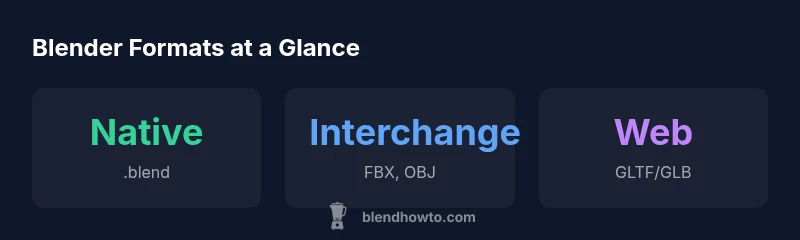
| Format Type | Example Formats | Typical Use |
|---|---|---|
| Native | .blend | Project work in Blender; stores full scene data |
| Interchange - Mesh | FBX, OBJ | Asset exchange with other software and game engines |
| Web/Real-time | GLTF/GLB | Web delivery and real-time rendering |
| Animation Caches | Alembic (.abc) | Transfer caches between tools |
Frequently Asked Questions
What is the native Blender file format?
The native Blender file format is .blend, which saves the entire scene including geometry, materials, lighting, animation data, and more. It is best for ongoing Blender work and collaboration.
Blender's native file format is .blend and is ideal for saving ongoing Blender projects.
Can Blender export to FBX and OBJ?
Yes. Blender can export to common formats like FBX and OBJ for asset exchange with other software and game engines. Be mindful of material transfer and scale differences.
Blender can export to FBX and OBJ for cross‑tool workflows.
Is GLTF/GLB good for the web?
Yes. GLTF/GLB provides efficient, web-friendly 3D models with good material support and fast loading, making it a preferred choice for web apps and real‑time viewers.
GLTF or GLB is usually the best pick for the web.
Does Blender support USD?
Blender includes USD support for interoperable pipelines, enabling complex, cross‑tool scenes to move between applications smoothly.
Blender supports USD for interoperability.
What about 3D printing formats?
For printing, STL is a standard choice, with OBJ also used in some workflows. Ensure correct scale and units before printing.
Use STL for most 3D printing needs.
Can Alembic be used for animations?
Alembic (.abc) is widely used to transfer animation caches and simulated data between software, preserving animation timing and geometry.
Alembic is great for animation caches between tools.
“Formats define how information travels between tools; choosing the right format saves time and preserves data fidelity.”
What to Remember
- Master the native .blend format for ongoing projects
- Choose GLTF/GLB for web and interactive apps
- Use Alembic for animation caches and large scenes
- Export with USD for modern, cross‑tool pipelines
- Verify textures and scales after each format transfer