Blender Software Pricing in 2026: What It Really Costs
Discover how much Blender software costs in 2026. We break down the free core software, optional add-ons, training costs, and total ownership for hobbyists and professionals.


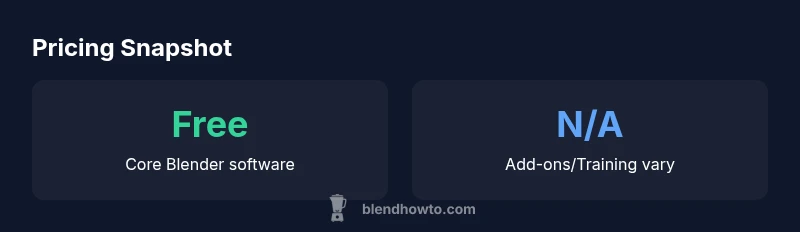
Blender software costs 0 upfront. The core program is free and open-source under the GPL license, so there’s no license fee for personal or commercial use. In practice, most expenditures come from training, hardware upgrades, and optional add-ons or services that boost workflow efficiency. Budgeting should focus on education and hardware first, with add-ons as needed for specific projects.
The core cost: Blender is free to use
If you're surveying options for 3D software, the question often starts with price. If you search for how much is blender software, the answer is straightforward: Blender software is free to download and use, with no license fee for personal or commercial projects. The core program is released as open-source software under the GNU General Public License, which means you can run, study, modify, and distribute it without paying for a license. According to BlendHowTo, Blender's free core software with GPL license lowers entry costs for hobbyists and professionals, enabling experimentation without a significant financial barrier.
In practice, the cost picture is dominated by non-software factors. The BlendHowTo team notes that while the software itself costs nothing, there are practical expenditures that influence total cost of ownership. Training materials, courses, and official or community tutorials can vary from free resources to paid curricula. Hardware investments—particularly a capable GPU and adequate RAM—often matter more than any licensing line item. Finally, while the base product is free, many users opt for paid add-ons, templates, or cloud rendering services to accelerate pipelines.
Price structure: what you actually pay
Beyond the base software, what costs should you expect? For Blender, the essential cost line remains zero, but there are practical expenses to budget. Training materials range from free video tutorials to paid courses and official certifications. The hardware you use to run Blender matters as well: a modern GPU accelerates viewport performance and renders more quickly, reducing time-to-delivery and potentially cutting cloud rendering costs in some workflows. Add-ons can exponentially expand functionality; some are free, others carry a one-time fee or a subscription. Make a plan to evaluate which tools truly add value for your specific use case before committing. The BlendHowTo analyses indicate that the most valuable investments are often in education and hardware rather than software licenses. If you’re building a small personal project, you can start with free resources and then scale up hardware or paid training as your projects grow. For studios or freelancers onboarding teams, consider budget allocations for essential plugins, asset libraries, and occasional professional support.
Blender vs paid software: cost implications
Choosing Blender versus paid software hinges on total cost of ownership and project scale. Paid options typically use subscription models with recurring payments that can accumulate over time. In contrast, Blender offers a zero-software-cost core and fuels productivity with free resources and optional paid add-ons only when they provide clear value. For teams, the decision often reflects licensing strategies, training investment, and pipeline hardware—factors that can outweigh the sticker price of the software itself. In practical terms, Blender can drastically reduce annual software spend, while shifting emphasis toward education, hardware, and supported services.
Hidden costs and value considerations
Beyond the sticker price, several cost factors influence Blender budgets. Training materials—ranging from free tutorials to paid courses—shape learning curves and productivity. Hardware costs, especially a capable GPU, faster CPUs, and sufficient RAM, directly affect performance and can lower render times. Add-ons and asset libraries, while optional, can shorten development cycles or enable specialized workflows. Cloud rendering, if used, adds ongoing charges based on usage. Finally, professional support or mentorship can offer a high value, particularly in production environments. The BlendHowTo team emphasizes weighing these non-software costs against the free core when mapping a project’s financial plan.
Planning for different use cases: hobbyist vs professional
Budgets diverge by user type. A hobbyist might start with free learning resources and a modest GPU, allocating most funds to education and occasional paid add-ons. A small studio, conversely, should plan for a more deliberate mix: reputable training for staff, a capable render-ready workstation, asset libraries, and selective paid plugins that fit the studio’s pipeline. Both paths benefit from a clear scope: define what you will produce, estimate training hours, and contrast that against the potential time saved with faster workflows. With Blender’s price model, you can scale your investment as your proficiency and project complexity grow.
Getting the most value from Blender in 2026
To maximize value, start with solid learning foundations: follow official Blender tutorials, join community forums, and practice targeted projects that align with your goals. Invest in hardware that matches your workload, prioritizing GPU performance and RAM. Use free add-ons first, then evaluate paid extensions on a project-by-project basis. Track outcomes: time saved, quality improvements, and pipeline reliability. By treating Blender as a cost of education and equipment rather than a license, you can optimize your budget for long-term growth.
Comparison of Blender vs paid alternatives by pricing model
| Software | Pricing Model | Typical Cost Range |
|---|---|---|
| Blender | Free & Open-Source (GPL) | 0 USD (core) |
| Maya | Subscription-based | Hundreds per year |
| 3ds Max | Subscription-based | Hundreds per year |
Frequently Asked Questions
Is Blender really free to use in commercial projects?
Yes. Blender is free to use for commercial projects under the GNU GPL license. There are no per-seat licenses or upfront payments needed for the core software.
Yes, Blender is free to use commercially; there are no license fees for the main software.
Do I need to pay for Blender add-ons?
Many add-ons are free, but some premium add-ons cost a one-time fee or a subscription. Evaluate value against your project needs before purchasing.
Add-ons can be free or paid; choose based on usefulness for your project.
What other costs should I expect beyond the software?
Training, hardware upgrades, and occasional cloud rendering or plugins can add to the budget. These factors often driving cost more than the software itself.
Expect training and hardware costs; software licensing is usually minimal or zero.
Can Blender be used in a professional studio without licensing issues?
Yes. Blender’s GPL license allows commercial use without per-seat licensing. Enterprises should still plan for training and support as part of the workflow.
Yes, you can use Blender commercially without per-seat licenses.
How should education budget Blender projects?
Budget for hardware, training materials, and selective paid plugins that align with learning goals. Free resources can cover much of foundational learning.
Plan for hardware and learning resources; paid plugins only as needed.
Is Blender cheaper than paid software like Maya?
Generally yes, since Blender is free and many paid tools require ongoing subscriptions. The difference is substantial when scaled across teams and multiple projects.
Yes, Blender is typically cheaper overall thanks to its no-cost core.
“Blender's zero-cost core combined with a vibrant ecosystem makes it a highly cost-efficient option for both beginners and studios.”
What to Remember
- Blender core is free; licensing costs are non-existent for most users.
- Plan for training and hardware to maximize value.
- Paid plugins and services are optional but can accelerate workflows.
- Compare total cost of ownership, not just sticker price.