Glass Material in Blender: Realistic Glass Techniques
Master realistic glass in Blender with practical shader setups, lighting, and rendering tips. Learn when to use Glass BSDF vs Principled, how to tune IOR and transmission, and how HDRI lighting enhances reflections and caustics.


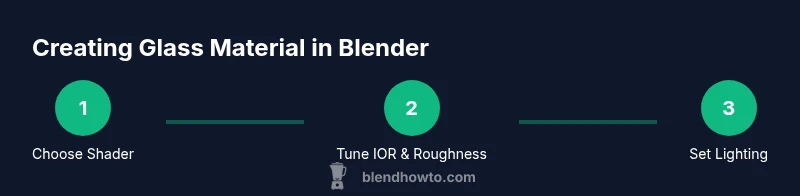
Glass in Blender relies on Transmission, IOR, and lighting. Use either the Glass BSDF or Principled shader with Transmission enabled to achieve realistic transparency, then refine roughness and color for your scene. Pair with HDRI lighting and Screen Space Reflections to reveal believable caustics and reflections across your model.
What glass material in blender means
In Blender, glass materials simulate transparent, refractive substances like ordinary window glass or crystal. The key to realism is treating glass as a dielectric with strong light refraction and limited absorption. In practice, you model a surface that allows light to pass with minimal scattering while preserving sharp reflections and clear edges. The phrase glass material in blender often appears in discussions about how to achieve authentic transparency, caustics, and color tinting under different lighting conditions. When you set up glass in Blender, you choose a shader that handles transmission and refraction, then combine it with an appropriate lighting setup. A credible glass look also depends on the environment: HDRI maps provide realistic reflections, and careful exposure settings keep highlights from washing out the material. Finally, beware of render settings that can dampen refractions, such as overly aggressive sampling or under-optimized shadow settings. With the right balance, even simple glass objects read as convincing in most scenes.
Core shader options: Glass BSDF vs Principled with Transmission
Blender offers multiple shader paths to reproduce glass. The simplest, fastest path is using the Glass BSDF node. It models ideal glass with no color tint, high transmission, and physically plausible refraction. For most scenes, this is enough when you want crisp edges and fast renders. If you need more control over tint, absorption, or layered effects, use the Principled BSDF with Transmission enabled. The Principled approach lets you adjust roughness separately from transmission, add subtle tint across different wavelengths, and combine reflective and refractive components in a single shader. When you use Principled, consider also adding a Glass BSDF as a separate layer through a Mix Shader if you want a crisp core with a milky edge. In Eevee, enable Screen Space Reflections and Refraction, and check IOR consistency. In Cycles, high sampling reduces noise in refractive areas but increases render times. Test both paths on your model to see which yields your desired balance of realism and performance.
Setting physical properties for realism: IOR, roughness, color, dispersion
The core physical properties define how light behaves in glass. The index of refraction (IOR) determines the bending of light entering the material; common glass falls in the 1.45–1.55 range. Roughness controls blurriness of reflections and edges—pure, clean glass uses very low roughness, while antique or frosted glass uses higher values. Transmission should be near 1.0 for fully transparent glass, with slight adjustments for tinted glass. Color should be kept near white unless you intentionally tint the glass for a vintage look or a colored bottle, as even small color shifts can produce noticeable tint in bright highlights. For dispersion, enable subtle color separation by adjusting wavelength-dependent absorption; or use a separate Volume Scatter for more dramatic effects. Remember to maintain adequate light interaction: a glass surface requires proper light sources from multiple directions to reveal its inner structure and lighting gradients. Finally, always compare renders against references to avoid overdoing the tint or glow.
Lighting and environment: HDRI, reflections, and caustics
Realistic glass comes to life with thoughtful lighting. An HDRI environment provides natural reflections and a broad range of light directions that interact with the glass surface. Position key lights to highlight the edge and inner structure without washing out highlights. Consider the angle of incidence: glass reveals different caustic patterns as you rotate the object, so test multiple viewpoints. Screen Space Reflections (SSR) help real-time render previews; in Cycles, ensure caustics are enabled and that light bounces are sufficient for clear glass. For tint, a soft, pale blue or green can mimic certain glasses, but avoid heavy tints that overwhelm specular highlights. Finally, balance exposure and color management to prevent clipping in bright highlights while keeping subtle gradients visible.
Rendering considerations: Eevee vs Cycles
Eevee is fast and great for quick previews, but glass often benefits from Cycles’ physically based path tracing. In Eevee, enable Screen Space Reflections, Refraction, and high sample counts to minimize noise. In Cycles, prioritize higher bounces and denoise only after sampling to preserve fine edges and caustics. If you notice noisy edges or blotchy refractions, increase sampling or use a denoiser, and consider enabling adaptive sampling. For the most realistic glass, rely on product-like textures and HDRI lighting, then compare your renders to reference photographs. Remember that transparency and caustics add render cost, so balance quality and time according to your project timeline.
Common mistakes and fixes
Common mistakes include setting roughness too high, which softens refractions; using a colored light that tints every highlight; or neglecting HDRI lighting, which makes glass look flat. Another frequent issue is not enabling absorption or dispersion when simulating colored glasses, resulting in overly neutral appearances. Fixes include reducing roughness to near-zero for clean glass, using an HDRI with a neutral balance, and fine-tuning IOR within typical ranges for clear glass. If you see halos or clipping, check the camera clipping and ensure the scene scale is correct. Finally, avoid relying on a single light source: multiple lights reveal the glass’s true behavior and its interactions with the surrounding environment.
Advanced technique: layered glass (coatings, tinted glass)
For more realism, layer glass shaders to emulate coatings, coatings like anti-scratch finishes, or tinted glass layers. A common approach is to stack a clear glass base with a tinted glass layer using a Mix Shader or Add Shader, controlling each layer’s IOR, roughness, and color. Coatings can help reduce glare and add subtle color shifts in strong highlights. When layering, ensure thickness and alignment are physically plausible to prevent unnatural refractions. In some cases, you may also simulate thin-film interference by adding small variations in the surface or using a dedicated shader setup to mimic subtle color fringes around edges. Always render test frames to verify the combined effect reads well in your scene.
Practical project: bottle, window pane, crystal
Working on a set of glass objects helps you compare different glass types in real contexts. Start with a crystal bottle: experiment with a highly refractive core, a light tint, and a bright specular edge. Next, model a window pane with a nonuniform tint that mimics real-world glass, adding edge reflection and subtle diffraction. Finally, craft a crystal prism to exaggerate dispersion: layer a faint color separation with careful lighting angles. For each project, adjust IOR, Roughness, and Transmission in small increments while observing the refractions and caustics. This iterative process builds intuition for how glass behaves under diverse lighting conditions and improves consistency across scenes.
Tools & Materials
- Blender software (3.0+ with Cycles/Eevee)(Prefer latest stable release for best shader options and denoising features)
- HDRI environment map for lighting(High-resolution HDRI to capture accurate reflections and caustics)
- Glass reference images(Useful for tint, edge sharpness, and color behavior under lighting)
- Color and density references for common glass types(Helps choose realistic IOR and absorption profiles)
Steps
Estimated time: 60-90 minutes
- 1
Create base mesh
Model or import the glass object (e.g., bottle, pane, or shard). Ensure the object has clean topology and appropriate scale in the scene. Use a simple, closed mesh to avoid streaming light through tiny gaps.
Tip: Apply a scale before shading to keep IOR consistent across transforms. - 2
Add glass shader
In the Shader Editor, add a Glass BSDF or a Principled BSDF with Transmission enabled. Route to a Material Output node and apply to the object. For layered glass, use a Mix Shader to combine base glass with a tinted layer.
Tip: Test both shader paths quickly on a test object to compare clarity and edge crispness. - 3
Tune IOR and Roughness
Set IOR near 1.45–1.55 for clear glass; reduce Roughness for sharp edges while increasing slightly for frosted or antique glass. Adjust Transmission to remain near 1.0 unless tinting is intentional.
Tip: Keep color near white unless intentional tint is desired; even small color shifts affect highlights. - 4
Configure lighting and HDRI
Add an HDRI environment map and a couple of area lights to create soft shadows and caustics. Enable Screen Space Reflections and Refraction in Eevee; in Cycles, ensure sufficient bounces.
Tip: Test from multiple angles to reveal caustics and edge highlights. - 5
Render with sufficient samples
Increase samples to reduce noise in translucent areas. Use denoising after a stable sample level, and consider progressive or tiled rendering for large scenes.
Tip: Avoid overexposure in bright highlights by adjusting exposure or tone mapping. - 6
Compare with references and refine
Render test frames and compare with real-world glass images. Fine-tune IOR, color, and lighting balance to achieve realism without over-saturation.
Tip: Document settings per object so you can reuse good configurations in future projects.
Frequently Asked Questions
What is the best shader for glass in Blender?
In most cases, Glass BSDF is the simplest and most effective for clean glass. For more complex glass with tint or layered effects, use Principled BSDF with Transmission and consider adding a second Glass BSDF layer for sharper edges. Test both to determine which suits your scene.
Usually, start with Glass BSDF for clean glass, and switch to Principled with Transmission if you need tint or layers.
Why are my glass objects not refracting correctly in Eevee?
Ensure Screen Space Reflections and Refraction are enabled, and use a suitable HDRI. Also check the material's transmission and IOR values, and keep the scene scale consistent to avoid abnormal distortion.
Enable SSR and correct IOR; use an HDRI and consistent scale.
How do you achieve colored glass without looking unnatural?
Tint the glass shader cautiously and control absorption values. Avoid over-saturating the tint; subtle color shifts can simulate real colored glass without overpowering highlights.
Tint carefully and keep the color subtle to preserve realism.
Can glass have subsurface scattering?
Glass typically doesn’t rely on subsurface scattering. Use transmission, absorption and coatings to simulate depth. If needed, you can simulate a minor scattering effect with a separate volume shader for complex looks.
Glass generally uses transmission and refraction, not SSS.
What helps reduce render noise in glass scenes?
Increase samples for the region around the refractive surface, use denoising sparingly, and ensure your HDRI lighting is not excessively bright. Proper sampling and denoise balance reduce noisy edges and caustics.
Raise samples and use denoising to clean the edges.
Do I need a special nozzle or coating for glass in Blender?
Nozzle or coatings aren’t real in Blender, but you can simulate coatings by layering shaders with slightly different roughness and IOR. This approach mimics edge highlights and surface imperfections.
You can simulate coatings with layered shaders for realism.
Watch Video
What to Remember
- Experiment with Glass BSDF and Principled paths to find the right balance of control and performance.
- IOR, Roughness, and Transmission are the core knobs for realism; tint and dispersion should be added sparingly.
- Lighting and HDRI dramatically affect glass appearance; test from multiple angles for accuracy.
- Eevee users should enable SSR and track refraction settings to avoid flat results.
- Always compare renders to real references to guide subtle adjustments.