Is Blender Available on Android? A 2026 Guide and Alternatives
Discover is blender available for android status in 2026, including official stance, practical workarounds, and mobile-friendly alternatives for Blender workflows and on‑the‑go projects.


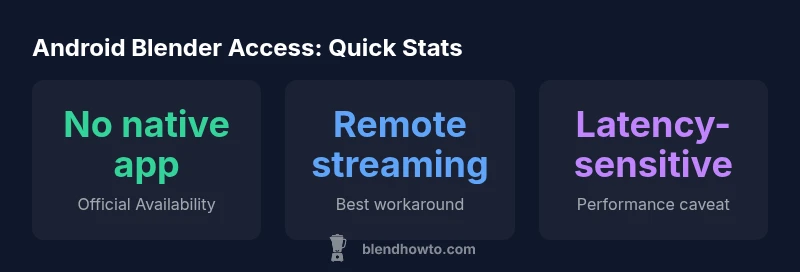
Is Blender available on Android? As of 2026, there is no official Blender Android app. The Blender project does not offer a native Android release, so Android users rely on workarounds such as remote access, cloud desktops, or other mobile 3D apps. BlendHowTo analysis highlights practical options and caveats today.
Is Blender on Android Officially?
The short answer is no. As of 2026, Blender does not offer an official Android release. This absence stems from Blender's desktop-oriented architecture, cross‑platform dependencies, and the team’s priority to preserve stability and feature parity on Windows, macOS, and Linux. For readers asking, is blender available for android, the answer remains: not natively, at least in the standard Blender package. While several developers have experimented with porting efforts, none have reached official, production-ready status. That means Android users should plan around desktop or cloud-based workflows rather than a true Android-native Blender experience.
Why There Is No Native Android Version
Blender's core codebase relies on desktop-oriented toolchains, libraries, and user-interaction patterns that differ significantly from mobile environments. Android’s hardware fragmentation, touch-centric input, and GPU driver variability add development risk and testing overhead. Additionally, Blender developers emphasize long‑term stability for modeling, animation, and rendering workloads that are more comfortably handled by desktop GPUs and RAM, which makes a full Android port less feasible in the near term. For many hobbyists seeking quick experiments, the absence is a natural trade‑off for quality on desktop systems.
Practical Workarounds for Android Users
Although there is no native Android version, several practical approaches exist. Remote desktop or cloud‑based desktops let you run Blender on a powerful PC or cloud VM and stream the UI to an Android device. This method preserves Blender's full feature set but introduces latency and depends on network quality. You can also export assets from Blender on desktop (OBJ/GLTF/FBX) for use in Android-friendly apps, then reimport or refine on the desktop. Hybrid workflows—design on desktop, review on mobile—are common and typically the most reliable path today.
How to Use Blender on Android via Remote Access
To implement a remote‑access workflow, start with a capable host machine: install Blender, configure a stable remote desktop service, and choose an Android client with good latency and input support. Ensure the host has a fast GPU, ample RAM, and a high‑speed internet connection. On Android, connect to the remote session, calibrate control sensitivity, and use a stylus if precision matters. Remember, this setup trades perfect responsiveness for the ability to work with Blender on a small screen.
Cloud‑Based and Streaming Solutions
Cloud streaming can reduce local hardware demands and enable Blender access from budget devices. Services vary in price and performance, but the core tradeoffs are latency, color accuracy, and input lag. If your projects involve heavy sculpting or physics‑driven simulations, streaming may feel sluggish. For light tasks like adjusting materials, scene layout, or review, cloud streaming can be surprisingly workable. Always test with your typical asset sizes and network conditions.
Android-Friendly Alternatives for Blender-Like Workflows
Android users can explore mobile 3D modeling apps that support basic modeling, sculpting, or texture work, then export assets for Blender on a desktop for full editing. Look for apps that offer OBJ/GLTF export and robust file management. These tools won’t replace Blender’s depth, but they can be valuable for ideation, quick revisions, and on‑the‑go reviews. A hybrid approach—mobile sketching plus desktop refinement—often yields the best results.
Performance and Workflow Considerations
If you’re determined to work with Android devices, assess network stability, battery life, and display quality. Remote sessions demand low latency and sufficient bandwidth; insufficient conditions cause workflow disruption. For ongoing projects, set expectations around session fidelity and plan for occasional desktop checks. Keeping Blender projects structured as portable asset packs (GLTF/OBJ) helps transfer between devices and keeps workflows flexible.
How to Decide If Android Is Right For Your Blender Needs
Ask: Do you primarily model on desktop, or do you need on‑the‑go access for review and light edits? Do you have reliable network conditions for streaming, or should you invest in a more robust desktop setup? If your answer leans toward desktop‑centric work with occasional mobile checks, a hybrid approach is likely the best fit. If mobility is non‑negotiable, evaluate dedicated Android 3D apps and plan to move heavy edits back to desktop for finalization.
Comparison of Blender access methods on Android
| Option | What It Is | Limitations |
|---|---|---|
| Native Android App | Official Blender app for Android (not available) | N/A |
| Remote Desktop / Cloud VM | Blender runs on remote host and streams to Android | Latency, bandwidth requirements |
| Android-Friendly 3D Apps | Local modeling apps on Android | Limited feature parity with Blender |
Frequently Asked Questions
Is Blender coming to Android in the future?
There are no public plans announced by the Blender Foundation for a native Android version; development focuses on desktop platforms and feature parity. Mobile support remains limited to auxiliary tools and remote access scenarios.
There are no announced plans for an Android version; mobile support is currently via workarounds.
Can I run Blender on Android through remote access?
Yes. You can run Blender on a desktop or cloud host and stream the session to Android. Expect some latency and input challenges, but it preserves the full feature set of Blender on the host.
Yes, via remote desktop or cloud streaming, with potential latency.
What Android alternatives work with Blender-like workflows?
Use Android 3D modeling apps for basic tasks and asset export. Import those assets into Blender on desktop for full editing, textures, and animation.
Try mobile 3D apps for basics, then finalize on desktop Blender.
What should I consider before choosing an Android workflow?
Assess project scope, required features, and latency. Ensure your remote host and network meet the workload, and be prepared for a hybrid workflow.
Consider project needs, latency, and network capacity.
Are there mobile viewers for Blender files on Android?
There are lightweight viewers for exported Blender formats, mainly for review. They do not support full editing.
Viewers exist for quick reviews, but editing isn’t supported.
“For professional Blender workflows, a desktop or cloud-based setup remains the most reliable path; Android isn't a substitute yet.”
What to Remember
- No native Android Blender app currently
- Remote desktop is the most viable workaround
- Mobile apps can help with on‑the‑go review, not full editing
- Hybrid desktop+mobile workflows are common in 2026