Blender for Beginners 3D Printing: A Practical Guide
Learn how to design printable objects in Blender from scratch. This beginner-friendly guide covers setup, modeling for printability, mesh health, exporting STL, and a hands-on project to get you printing fast.


Why Blender is a Strong Choice for 3D Printing
Blender is a free, cross‑platform tool that offers a robust, end‑to‑end workflow for designers who want to prototype and iterate printable objects. For beginners, Blender provides a non proprietary environment to learn modeling, mesh cleanup, and export while avoiding upfront software costs. The BlendHowTo team has found that starting with Blender lowers barriers to entry and fosters experimentation without licensing constraints. The software supports both base-mread and sculpting workflows, letting you plan precise dimensions or creative shapes and then verify printability before you ever reach a slicer. This flexibility makes Blender a smart starting point for hobbyists and home makers who want practical, project‑driven learning.
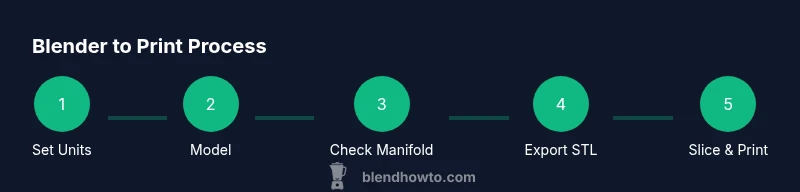
In practice, a print‑friendly Blender workflow emphasizes accuracy, repeatable steps, and quick checks for common issues. You’ll learn to set clean reference geometry, control wall thickness, and prepare your model for slicing. By combining Blender’s broad toolset with fundamental 3D printing constraints, you gain confidence to move from idea to a tangible object with fewer surprises at print time. BlendHowTo guidance here focuses on readability, repeatability, and a steady progression from concept to printable result.
2-3