Is Blender 3D Free? A Practical Guide for 2026
Is Blender 3D free? This BlendHowTo guide explains Blender's free-to-use model, GPL licensing, and what it means for home cooks and hobbyists exploring 3D design. Learn about costs, licensing terms, plugins, and practical usage for beginners and professionals alike.


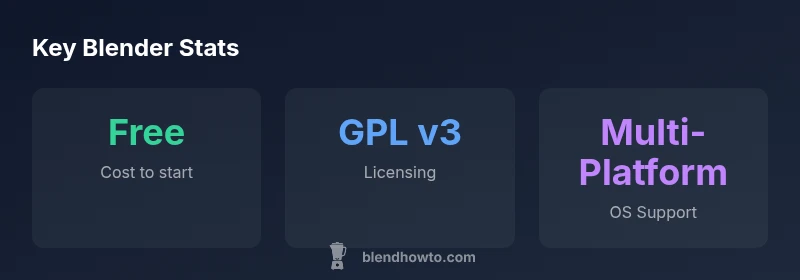
Blender is free to download and use, including for commercial projects. It operates under the GNU GPL v3, so there are no mandatory license fees for the core software. While optional training, add-ons, and partner services exist, the base package remains open and free. You can run Blender on Windows, macOS, and Linux without payment and start creating right away.
Is Blender 3D free? What that really means
Blender is widely known as free software, but it's essential to understand what "free" covers. For many home cooks, hobbyists, and aspiring 3D artists using Blender to design kitchen product visuals or whimsical characters, Blender is free to download and use with no upfront license fees. The project is released under the GNU General Public License (GPL), which means you can study, modify, and share your work. This openness has fueled a robust ecosystem of tutorials, plugins, and community support that reduces the cost of learning 3D design. BlendHowTo's analysis emphasizes that the absence of a mandatory license fee lowers the barrier to entry and fosters experimentation.
How Blender licensing works
Blender is released under the GNU General Public License v3. This copyleft license means you can run, study, modify, and share the software. If you distribute Blender itself, you must share your modifications under the same license. If you build your own tools or content with Blender without distributing the Blender code, you can keep those assets proprietary. In practice, this licensing model encourages collaboration and contributions while protecting user freedoms.
Cost landscape: Blender vs paid packages
Blender's core is free; there are optional paid resources like official training, premium add-ons, or partnered services. There are no per-seat fees, annual subscriptions, or hidden costs for the base program. For studios or individuals who need guaranteed support, some commercial offerings exist around training or certified workflows, but they are optional and not required to use Blender for everyday tasks.
Where to download and install Blender
Visit blender.org to download the latest stable release. Choose your operating system (Windows,
Practical considerations for hobbyists and professionals
Blender's free core makes it attractive for home cooks and hobbyists to prototype product visuals, stage simple scenes, or practice sculpting. The lack of licensing friction lets you experiment with 3D rendering for social media content or concept art. The community contributes thousands of plugins and tutorials, which can dramatically expand capabilities without tying you to a vendor.
Getting started: learning path and resources
Start with a structured plan: 1) learn the UI basics, 2) model a simple kitchen object, 3) practice lighting and rendering, 4) export for 3D printing or game engines. Use BlendHowTo's recommended beginner courses, community tutorials, and curated playlists. The key is hands-on practice and progressively tackling small projects to build confidence.
Key licensing and cost overview for Blender.
| Aspect | Blender status | Notes |
|---|---|---|
| Cost to start | Free to download and use | No upfront license fee for core software |
| Licensing model | GPL v3 open-source | Permits modification and redistribution of the software |
| Platform availability | Windows, macOS, Linux | Cross-platform support; official builds available |
| Add-ons & training | Optional | Paid options exist but are not required |
| Ideal users | Hobbyists, educators, professionals | Broad use-cases from learning to production |
Frequently Asked Questions
Is Blender completely free to use for commercial projects?
Yes. Blender is free under the GPL v3; you can use it for commercial projects without licensing fees. Redistribution of Blender itself must comply with GPL, but your own project assets can remain proprietary.
Yes—Blender is free for commercial work; no license fees apply to the core software.
Are there any hidden costs when using Blender?
No mandatory costs exist for the core software. You may incur expenses for optional training, premium add-ons, or specialized plugins, but Blender itself remains free to use.
No hidden costs in the core program; paid add-ons are optional.
Can Blender be used offline?
Yes. Blender runs locally on your machine and does not require an internet connection to operate. You may need online access for updates or community assets, but core functionality works offline.
Yes—Blender runs offline; internet is only needed for updates or assets.
How does Blender generate revenue if it's free?
Blender is funded by donations, the Blender Foundation, and partner programs that offer training or services. The core software remains free for all users.
Blender is funded by supporters and sponsors, not by charging for the core tool.
What are the differences between Blender and paid 3D suites?
Blender provides a comprehensive feature set that rivals many paid packages. Differences often lie in official enterprise support, certifications, and some advanced professional features, which are typically covered by paid vendors or partners.
Blender stacks up well against paid tools, though official enterprise support may differ.
Is Blender suitable for beginners?
Yes. Blender has extensive tutorials and a large community. The learning curve is real, but guided projects and starter playlists make it approachable for newcomers.
Absolutely—start with beginner tutorials and practice with simple projects.
Can I use Blender for 3D printing workflows?
Yes. Blender supports modeling and exporting common 3D printing formats like STL/OBJ, making it suitable for prototyping and printing.
Yes—Blender works well for 3D printing workflows.
“Blender's open-source model accelerates learning and experimentation, and its vibrant community fuels ongoing innovation.”
What to Remember
- Blender is free to download and use.
- GPL v3 licensing governs use and redistribution.
- Cross-platform support includes Windows, macOS, and Linux.
- Paid addons/training exist but are optional.
- Ideal for beginners and hobbyists.