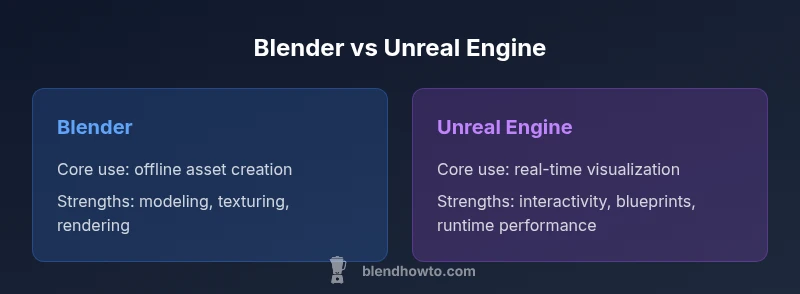
Blender vs Unreal Engine: A Practical Side-by-Side
An analytical, side-by-side comparison of Blender and Unreal Engine for 3D artists and developers, covering core use cases, workflows, licensing, and learning curves to guide tool selection.


Blender and Unreal Engine serve different core goals. Blender is a versatile offline 3D creation suite for modeling, sculpting, texturing, rigging, animation, and rendering. Unreal Engine is a real-time visualization platform ideal for interactive experiences and game development. This comparison helps you decide based on your end product, pipeline, and team skills.
Core Philosophies: Offline Creation vs Real-Time Simulation
When you ask blender or unreal engine, the decision starts with your end product. Blender functions as a comprehensive offline 3D creation suite, excelling at precise modeling, sculpting, UV mapping, texture work, rigging, animation, and high-fidelity rendering. Unreal Engine, by contrast, emphasizes real-time interactivity, live lighting feedback, and scalable visuals for interactive experiences, virtual production, and game development. The BlendHowTo team emphasizes that many projects benefit from a hybrid approach: craft assets in Blender, then import into Unreal for real-time workflows. Understanding this split helps you map your pipeline to deliverables, avoid unnecessary handoffs, and choose the tool that aligns with your output—static renders versus interactive experiences. As you proceed, consider licensing, hardware, and your team’s familiarity with each environment to ensure a smooth workflow from concept to final delivery.
Core Use Cases and Strengths
Blender shines when you need a single, cohesive pipeline: modeling, sculpting, texture painting, rigging, animation, and offline rendering. It supports cycles and eevee render engines for photorealistic or stylized results, with an extensive add-on ecosystem. Unreal Engine excels at real-time visualization, interactive assets, virtual production previews, and immersive experiences. Its real-time renderer, blueprint visual scripting, and robust asset streaming enable rapid iteration on environments, characters, and gameplay systems. For teams, the choice often isn’t binary: many studios maintain a Blender-to-Unreal workflow to keep asset creation fast while delivering interactive results. The BlendHowTo guidance emphasizes starting from the end goal—whether you need pre-rendered imagery or live, interactive scenes—to decide which tool leads your pipeline and where to invest in training and tooling.
Licensing, Pricing and Access
Blender is free and open-source, with licensing shaped by the Blender Foundation’s governance and community contributions. Unreal Engine offers a free-to-start model with licensing terms for commercial use that govern royalties and revenue-sharing in certain cases. This licensing split makes Blender ideal for solo artists and small studios looking to minimize upfront costs, while Unreal appeals to teams seeking rapid prototyping, real-time capabilities, and scalable deployment. In practice, many creators plan a blended approach: use Blender for asset creation under an open workflow, then leverage Unreal’s licensing terms for runtime distribution. BlendHowTo highlights the importance of reviewing terms early to align with project scope and revenue expectations, especially for larger prototypes or commercial releases.
Learning Curve and Onboarding
Blender bundles a wide range of tools in a single interface, which can feel overwhelming at first but rewards persistence with a consistent, capable workflow. The modeling, sculpting, UV, texturing, and animation toolkits share common paradigms, reducing the mental load once you grasp the basics. Unreal Engine introduces a shorter ramp for those focused on real-time visuals, but the Blueprint system and C++ integration add depth that can require time to master. A recommended path is to start with core concepts in Blender—modeling, UV mapping, and basic shading—and parallelly explore Unreal’s scene setup and material workflow. In both tools, investing in project-based tutorials and hands-on practice yields the fastest, most durable skill gains.
Workflow, Pipelines, and Asset Management
Ideally, your workflow minimizes data transfer friction between tools. A typical Blender→Unreal pipeline starts with polished assets in Blender, including clean topology, proper UVs, and texture maps, then exports to Unreal for material setup, lighting, and runtime testing. You’ll want consistent naming conventions, well-organized asset folders, and version control. Blender’s asset creation can feed Unreal’s real-time pipelines, while Unreal’s marketplace assets and procedural workflows can reduce manual steps in the runtime stage. BlendHowTo notes that planning asset handoffs early—what to bake, what to export, and when to optimize—reduces rework and speeds iteration across departments.
Rendering Quality vs Real-Time Interactivity
Blender’s strength lies in offline rendering quality. With Cycles or Eevee, you can push photorealistic lighting, materials, and global illumination, albeit at longer render times. Unreal Engine offers real-time rendering with sophisticated post-processing and dynamic lighting, enabling fast iteration for environments and gameplay. The trade-off is that achieving ultra-high, film-grade fidelity may still require offline rendering or hybrid approaches, while Unreal excels at believable, interactively lit scenes and responsive environments. In practice, teams often render high-quality previews in Blender, then refine lighting and atmosphere in Unreal for real-time playback and VR experiences.
Asset Pipelines: Import/Export and Compatibility
Asset compatibility hinges on proper formats and clean data transfer. Blender supports OBJ, FBX, and GLTF, among others, making it straightforward to export models, rigs, and textures for Unreal. Unreal accepts FBX, GLTF, and its native asset pipeline, with Blueprints enabling rapid prototyping of gameplay logic. Issues often arise from scale, axis orientation, or material pipelines that don’t map cleanly between tools. The best practice is to establish a strict export checklist: apply transforms, reset animations, verify pivot points, and confirm texture coordinates before import. This discipline minimizes surprises in Unreal’s material editor and lighting setup.
Performance, Hardware Requirements and Scalability
Performance characteristics differ between Blender and Unreal. Blender’s performance is heavily dependent on CPU/GPU for modeling, shading, and rendering; memory usage grows with scene complexity and high-resolution textures. Unreal Engine’s real-time rendering also relies on GPU strength, but its scene management, level streaming, and culling can dramatically affect performance in large environments. For projects with the need to run on multiple platforms or VR headsets, ensure hardware meets the combined demands of real-time interactivity and asset density. A practical guideline is to profile your scenes early on diverse hardware configurations and adjust geometry, textures, and lighting accordingly.
Cross-Platform Considerations and Collaboration
Both tools support major desktop platforms, but cross-platform collaboration requires careful versioning and asset management. Blender’s portability is a strength for teams working across Windows, macOS, and Linux, while Unreal’s cross-platform deployment includes consoles and mobile targets in many pipelines. When collaborating, maintain consistent export/import cycles, document shader and material expectations, and use shared asset libraries. This approach reduces platform-specific surprises during build and review sessions, keeping the project on a predictable schedule and budget.
Real-World Scenarios: When Blender Shines
Blender is especially strong for character modeling, sculpting, rigging, and texture painting when you want to control the entire asset creation process from a single application. It’s also excellent for generating concept art renders, animated shorts, and pre-rendered sequences that don’t rely on real-time interactivity. For solo artists and small studios, Blender’s all-in-one workflow minimizes tooling fragmentation and accelerates iteration on design ideas. BlendHowTo finds that teams often rely on Blender for first-pass assets, then port them into Unreal for interactive previews and final delivery to clients.
Real-World Scenarios: When Unreal Shines
When the goal is real-time visualization, game development, virtual production, or immersive simulations, Unreal Engine often leads the way. Its real-time renderer, dynamic lighting, and blueprint-based workflows enable rapid prototyping and collaborative iteration with designers, artists, and programmers. Unreal is particularly valuable for architectural visualization, product demos, virtual studios, and interactive media where user input or live responses are essential. In practice, many studios maintain a Blender→Unreal pipeline to balance asset quality with real-time performance while preserving a fast feedback loop for stakeholders.
Common Pitfalls and Best Practices
A common pitfall is underestimating the importance of a clean data handoff between Blender and Unreal. Poor export settings, inconsistent scales, or missing UV data can derail the pipeline. Another pitfall is over-optimizing assets for real-time before their final role is defined; a high-polygon asset intended for bake and render can become unnecessarily heavy for runtime. Best practices include establishing a documented export checklist, using consistent units and pivot points, baking textures where appropriate, and leveraging version control to track iterations. Regular reviews of asset quality, lighting setups, and scene organization help prevent late-stage rework and budget overruns.
Making the Decision: A Step-by-Step Roadmap
To decide whether blender or unreal engine is the right default tool, start with the end product and the pipeline you’ll support. List what you must deliver (static renders, interactive experiences, VR prototypes), then map each deliverable to the tool that best supports it. Create a minimal viable pipeline: model and texture in Blender, export assets to Unreal, build a simple scene, and validate performance. Iterate on the pipeline, incorporate feedback from stakeholders, and adjust licensing, hardware, and training requirements as you scale. The decision becomes a practical fit test rather than a theoretical preference.
Comparison
| Feature | Blender | Unreal Engine |
|---|---|---|
| Core use case | Offline asset creation, animation, rendering | Real-time interactive visuals, games, simulations |
| Learning curve | Moderate-to-steep; broad feature set | Moderate; blueprint/visual scripting adds depth |
| Licensing and cost | Free and open-source; community-driven | Free to start; licensing terms govern commercial use |
| Rendering vs real-time | High-fidelity offline rendering; Cycles/Eevee | Real-time rendering with dynamic lighting and post-processing |
| Asset pipelines | Modeling, texturing, rigging, animation | Importing assets for real-time shading and interactivity |
| Hardware requirements | Depends on scene; scalable from modest GPUs | Requires robust GPU for smooth real-time performance |
| Plugins & extensibility | Large add-ons ecosystem; open architecture | Blueprints, C++ extensions, marketplace assets |
| Cross-platform support | Windows/macOS/Linux; render farms | Windows/macOS/Linux; consoles/mobile packaging |
| Community & support | Vibrant open-source community; extensive tutorials | Official channels; enterprise support and partnerships |
What's Good
- Free and open-source with a robust add-on ecosystem
- Blender provides an end-to-end asset creation workflow
- Unreal Engine delivers powerful real-time interactivity and visuals
- Strong cross-platform support for both tools
- Large, active communities and ongoing updates
The Bad
- Unreal licensing can be complex for some commercial scenarios
- Blender real-time performance may lag in very large scenes
- Export/import between tools can require careful setup
- Unreal’s depth of features can overwhelm newcomers
Blender is ideal for offline asset creation; Unreal Engine is best for real-time interactive projects.
If your deliverable is a pre-rendered asset or animation, Blender is the efficient choice. For interactive visuals, simulations, or live environments, Unreal Engine provides superior real-time capability. The BlendHowTo team recommends adopting a blended workflow when possible to leverage strengths of both tools.
Frequently Asked Questions
What is the primary difference between Blender and Unreal Engine?
Blender is a comprehensive offline 3D creation package, covering modeling, rigging, animation, and rendering. Unreal Engine is a real-time engine focused on interactive visuals, gameplay, and live previews. Your choice should align with whether the final output is static or interactive.
Blender handles offline asset creation, while Unreal Engine focuses on real-time interactivity.
Can I use Blender models in Unreal Engine?
Yes. You can export models from Blender in formats like FBX or GLTF and import them into Unreal. Plan texture maps, rigging, and scale carefully to minimize issues during import.
You can import Blender assets into Unreal using standard export formats.
Is Unreal Engine costly for small projects?
Unreal offers a free-to-start model with licensing terms for commercial development. For some projects, royalties or licensing considerations apply, so review the terms before shipping a product.
Unreal is free to start, but licensing terms may apply for commercial outputs.
Which tool is better for animation?
Blender has strong animation and rigging workflows integrated with modeling and texturing. Unreal can animate with runtime systems and blueprints, but Blender remains the stronger all-around animation tool for asset creation.
Blender is the go-to for animation; Unreal handles runtime animation and interactivity.
Do both require powerful hardware?
Yes, both require capable hardware, but the demands differ. Blender benefits from strong GPUs for rendering; Unreal benefits from strong GPUs for real-time rendering and scene complexity.
Yes—both need solid hardware, especially for rendering or real-time scenes.
Are there licensing considerations when combining workflows?
Using Blender assets in Unreal typically adheres to Blender's permissive license and Unreal's commercial terms. Always review the licenses to ensure compliance when shipping a product built from assets across tools.
Yes—check Blender and Unreal licensing terms when shipping a project built with assets from both.
What to Remember
- Define the end product before choosing tools
- Use Blender for modeling and pre-rendered content
- Leverage Unreal for real-time visualization and interactivity
- Plan asset handoffs to minimize rework
- Budget licensing and hardware needs early