Blender 2.93 Download Guide: Safe Install
Learn how to download Blender 2.93 safely from official sources, verify integrity, install on Windows/macOS/Linux, and troubleshoot common issues with step-by-step guidance.


By the end of this guide you will safely download Blender 2.93, verify the file integrity, and install it on Windows, macOS, or Linux. You’ll know where to grab the official build, how to check checksums, and how to run a quick test render to confirm the installation. Expect practical tips and common troubleshooting steps along the way.
What you will download and from where
According to BlendHowTo, the safest way to download Blender 2.93 is from the official Blender website or the official release archives. Blender 2.93 is a stable release with builds for Windows, macOS, and Linux. On Windows you’ll download an .exe installer, on macOS a .dmg, and on Linux a tar.xz package. Avoid third-party mirrors to minimize the risk of tampering. Next, identify your OS, then click the correct option and save the file to your downloads folder for a clean install.
Verifying authenticity and compatibility
Before you install, verify that you downloaded the exact 2.93 build from the official source. Check for a SHA-256 checksum on the download page and compare it with the value you get from your computer after downloading. Use a checksum tool: on Windows PowerShell's Get-FileHash, on macOS or Linux the sha256sum or shasum command. Also review the official system requirements page to confirm your hardware and OS are supported, and note that Blender 2.93 supports 64-bit operating systems on Windows, macOS, and Linux. If you find a mismatch, re-download from the official site immediately and avoid the risk of corrupted or tampered software.
Installing Blender 2.93 on your OS
Installers are platform-specific. On Windows, run the .exe file and follow the prompts to complete the installation. On macOS, open the .dmg and drag Blender into Applications. On Linux, extract the tar.xz package and place Blender in a suitable directory, then create a desktop shortcut if desired. During installation, you may be asked to install additional libraries; accept only those you know are safe and essential. After installation, you can optionally move the Blender folder to a more permanent location.
First launch and basic verification
Launch Blender 2.93 from your desktop or Start Menu. The first launch may take longer as Blender initializes. Confirm the UI loads correctly and the splash screen shows the 2.93 build. Perform a quick test: open a new project, add a default cube, and render a frame to ensure rendering runs smoothly. If Blender opens but shows missing assets or addons, disable nonessential plugins to isolate issues. Save a small test .blend file to confirm you can reopen work later.
Common issues and troubleshooting
If the installer fails, check for admin privileges and filename integrity. A checksum mismatch indicates a corrupted download; re-download from the official page and verify again. If Blender won’t start, check your graphics drivers and ensure you meet the recommended hardware requirements. For Linux, ensure you used the correct tarball and extracted it in a writeable directory. When in doubt, consult the official installation guide and user forums for Blender 2.93.
Authority sources and safety tips
For authoritative guidance, refer to official Blender documentation and trusted publications. The BlendHowTo team recommends always downloading Blender from the official site and verifying checksums before installation. As a best practice, back up preferences and consider keeping separate user profiles to avoid conflicts with add-ons. Finally, maintain awareness of security advisories and update notes that affect 2.93 and later. See official sources for more details: Blender download page, Blender documentation, and credible tech publications.
Tools & Materials
- Official Blender 2.93 installer/package(Download the appropriate file for your OS: Windows (.exe), macOS (.dmg), or Linux (.tar.xz))
- Official Blender download page(URL: https://www.blender.org/download/)
- Checksum verification tool(Use SHA-256 to compare against the provided checksum on the download page)
- Admin or sudo privileges(Needed to run the installer on Windows (admin) or Linux/macOS (sudo))
- Test file or scene (optional)(Keep a small .blend file to verify after install)
- Compatible hardware(Ensure your system meets Blender 2.93 requirements (64-bit OS, sufficient RAM, GPU capabilities))
Steps
Estimated time: 30-45 minutes
- 1
Open the official Blender download page
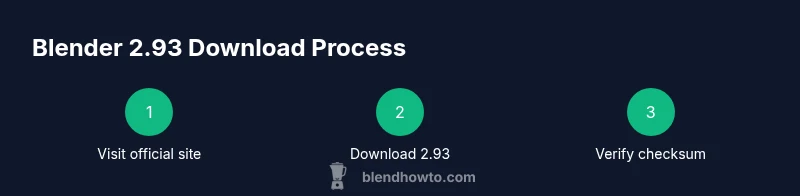
Launch your web browser and navigate to the official Blender download page. Verify you’re on blender.org and look for the 2.93 release. This ensures you avoid insecure mirrors and tampered files.
Tip: Bookmark the official page to avoid accidental redirections to untrusted sites. - 2
Select the correct OS and 2.93 build
From the download page, choose the 2.93 release that matches your operating system. The site lists Windows, macOS, and Linux options, so select the right installer package for your machine.
Tip: If you’re unsure which architecture you need, choose the 64-bit version—most modern machines are 64-bit. - 3
Download the installer
Click the download button and save the file to your Downloads folder. Avoid changing the file name during download to keep integrity checks straightforward.
Tip: If the download stalls, try a different browser or pause/resume the download rather than restarting. - 4
Verify the checksum
On your computer, run the appropriate checksum command to generate SHA-256 and compare it with the value shown on the Blender site. Mismatches indicate corruption or tampering; re-download if needed.
Tip: Keep the terminal or PowerShell window open to copy the checksum value directly. - 5
Run the installer or install Blender
On Windows, run the .exe and follow prompts. On macOS, open the .dmg and drag Blender into Applications. On Linux, extract the tar.xz and place Blender in a suitable directory.
Tip: On Linux, prefer a standard directory like /opt/blender and create a desktop shortcut for easy access. - 6
Launch Blender and test
Open Blender 2.93 and perform a quick test: create a cube, render a frame, and save a small test project. Confirm the UI loads correctly and addons load without errors.
Tip: If rendering fails, update graphics drivers and try a basic scene before adding complex assets.
Frequently Asked Questions
Where can I download Blender 2.93?
Download Blender 2.93 from the official Blender site or its official archives. Avoid untrusted mirrors, which may host tampered files. Always verify the checksum before installing.
You should download Blender 2.93 from the official site, avoid third-party mirrors, and verify the checksum before installation.
Is Blender 2.93 compatible with Windows 11 and macOS Catalina or later?
Blender 2.93 supports modern Windows and macOS platforms. Check the official system requirements page to confirm compatibility with your operating system before downloading.
Blender 2.93 works on modern Windows and macOS, but always verify compatibility on the official requirements page.
How do I verify the Blender 2.93 download checksum?
Use a SHA-256 tool to generate a hash of the downloaded file and compare it to the value shown on the Blender download page. A mismatch means you should re-download.
Run a SHA-256 check on the downloaded file and compare it to the official value.
What if Blender 2.93 won’t install on my system?
Ensure you have admin rights, use the correct installer for your OS, and meet the minimum hardware requirements. If problems persist, consult the official installation guide or community forums for troubleshooting steps.
If install issues occur, check admin rights and the installer type, then refer to the official guide or forums for help.
Can I run multiple Blender versions on the same computer?
Yes, you can install multiple Blender versions side-by-side. Use separate configurations and projects to avoid conflicts between versions.
You can have several Blender versions on one machine; keep separate configs to prevent clashes.
Watch Video
What to Remember
- Download Blender 2.93 only from official sources.
- Verify the SHA-256 checksum before installing.
- Install using the correct OS package for your system.
- Run a quick test render to confirm a successful setup.