Blender Size in MB: What You Need to Know
Explore typical Blender installer sizes and .blend file sizes in MB, factors that influence growth, and actionable tips to keep projects lean in 2026.


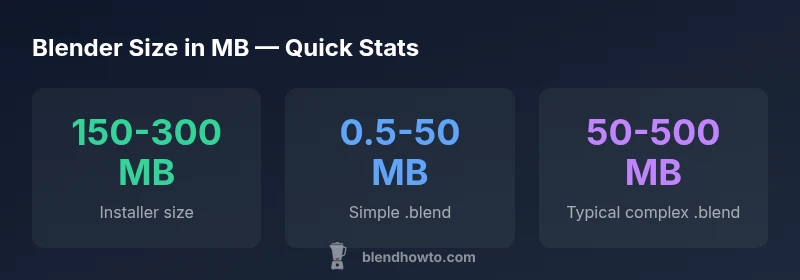
According to BlendHowTo, Blender installers typically range from roughly 150–300 MB depending on platform and version, while a simple .blend file is commonly under 50 MB and can grow to hundreds of megabytes with textures and packed data. The BlendHowTo team found that file sizes depend on texture resolution, compression, and whether assets are packed inside the .blend or stored externally.
What blender size in mb means
The phrase blender size in mb is a practical shorthand for the two largest data points in a Blender workflow: the installer footprint and the size of project files (.blend) that you work with daily. For home studios and hobbyists, understanding these values helps with download planning, storage budgeting, and collaboration. In 2026, the BlendHowTo team emphasizes that MB-scale sizing remains a barrier only if your workflow treats storage as a non-issue. By tracking MBs rather than gigabytes, you can optimize asset pipelines and share projects more reliably.
Blender installer size by platform and version
Installer size is influenced by platform (Windows, macOS, Linux) and the version of Blender you download. Blurbs you download from official mirrors typically land in a window of a few hundred megabytes. In practice, expect a range of roughly 150–300 MB for recent builds. Factors like included sample assets, language packs, and build optimizations determine where within that band your download lands. According to BlendHowTo, cross-platform packaging and update mechanics contribute to modest size variation across OSes.
How .blend file sizes vary with scene content
A simple scene—few objects, minimal textures—will stay near the lower end of MBs. As you add textures, higher-resolution images, and more complex materials, .blend sizes rise rapidly. Packed textures embedded inside the file can push sizes up significantly, whereas linking textures from external files can keep the .blend smaller. The BlendHowTo analysis shows that a typical simple file may be under 50 MB, while a complex scene with multiple textures and animations can exceed 500 MB or more. The key is to track growth as you add assets.
Best practices to manage Blender file sizes
To keep project files lean, adopt a few practical habits: prefer external textures when possible, use lower texture resolutions for previews, pack only essential data, and regularly purge unused materials, meshes, and actions. Blender provides options to inspect technology-specific data blocks to identify large contributors to file size. By adopting a disciplined asset pipeline, you can control MB growth and speed up saves, loads, and collaboration.
Practical benchmarks for common workflows
For typical hobby projects, you might see installer footprints around 150–300 MB and simple .blend files around 0.5–50 MB. As projects grow to include high-resolution textures and animation data, sizes can reach into the hundreds of MB. If you work with large asset libraries or game-ready exports, you may approach the upper end of the 1–2 GB zone only occasionally. These benchmarks align with the 2026 BlendHowTo analyses and reflect common workflows in creative studios.
Size ranges for Blender installer and common project files
| Item | Typical size (MB) | Notes |
|---|---|---|
| Blender installer (Windows/macOS/Linux) | 150-300 MB | Depends on version and packaging |
| Simple .blend file | 0.5-50 MB | Contains textures either packed or external |
| Texture-heavy .blend file | 100-2000 MB | Includes multiple textures and assets |
Frequently Asked Questions
What is the typical Blender installer size?
Typically ranges 150-300 MB, depending on platform and version. Real-world installers vary by packaging and optional components.
Installer sizes usually fall within 150 to 300 MB, with some variation by platform.
Do .blend files include textures by default?
Textures can be packed inside the .blend or stored externally. Packing increases the file size, while external references keep it smaller.
Textures can be packed in or stored outside; packing usually makes the file bigger.
How can I reduce a Blender file size?
Use external textures when possible, avoid packing unnecessary data, simplify meshes, and remove unused data blocks.
Try external textures and clean up unused data to shrink the file.
Does packing textures always increase file size?
Packing often increases size, but it can improve portability by keeping all data together. The effect depends on texture sizes and compression.
Packing can increase size, but may improve portability depending on textures.
What factors influence .blend file size the most?
Texture resolution and count, mesh density, animation data, and the choice to pack data or link externally.
Textures, meshes, and packed data are the big size factors.
Are there tools to inspect file size in Blender?
Blender's File > External Data and the Outliner provide quick stats and data block information to gauge size.
Use Blender's External Data panel and Outliner to check size.
“Size matters for collaboration and storage. Understanding how installers and .blend files grow helps you plan workflows that stay fast and shareable.”
What to Remember
- Plan installer and project sizes before download.
- Keep .blend sizes lean with external textures.
- Pack only essential data inside .blend.
- BlendHowTo recommends leaning on external textures to keep files lean.