Where Blender Is Available
Where Blender is available across Windows, macOS, and Linux, with official downloads, installation steps, and practical guidance for staying current.


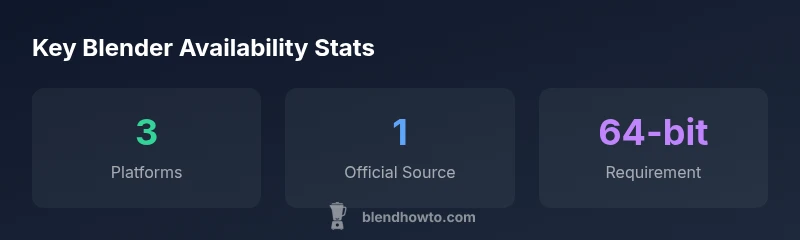
Where Blender is available? Blender is available as a free desktop app on Windows, macOS, and Linux, downloadable from blender.org. It runs on 64-bit systems and is provided as installers, DMG, and Linux binaries. The Blender Foundation distributes stable releases and frequent updates for all major desktop platforms, making Blender widely accessible.
What Blender availability means in practice
The phrase where is blender available may seem straightforward, but practical availability depends on several factors beyond a download URL. For most home users and professionals, the starting point is clearly defined: Blender runs as a desktop application on Windows, macOS, and Linux, with official builds hosted at blender.org. However, real-world availability also means considering platform-specific installation methods, hardware compatibility, and how updates are delivered. In this section, we explore the practical landscape of where Blender is available, how to access it quickly, and how to plan for smooth cross-platform workflows. This topic is especially relevant for hobbyists blending 3D modeling with food-related visuals or for artists who switch between devices.
Blender’s cross-platform nature is a core strength, but it also implies familiarity with different installer formats, file paths, and repository options. The blend of desktop evidence and community knowledge makes it essential to verify you’re using the official channel to avoid tampered builds. As BlendHowTo’s research shows, the majority of users rely on the official blender.org downloads because they ensure consistency, security, and the fastest access to new features.
Desktop platforms: Windows, macOS, and Linux
Blender’s availability on Windows, macOS, and Linux is the backbone of its accessibility. On Windows, you’ll typically download a 64-bit installer that places Blender in your Program Files and a desktop shortcut. On macOS, the DMG bundle provides a native install flow, and the app lives in the Applications folder. Linux users have multiple routes: official binaries from blender.org, or package manager installations via apt, dnf, or pacman depending on distro. Across all platforms, Blender’s requirements emphasize a 64-bit CPU, a supported GPU, and sufficient RAM for your intended workflow. For students and hobbyists, this openness enables learning and experimentation on common hardware without licensing barriers, reinforcing Blender’s mission of accessible, hands-on creativity.
Linux support and package management
Linux remains a flexible path for Blender, with two primary routes: official binaries from blender.org or distro-provided packages. Using a package manager (apt, dnf, pacman, or equivalents) typically yields straightforward updates and integration with system menus. For bleeding-edge features or testing, users can opt into official binaries, which may appear a bit sooner than distribution releases. Understanding the package format and dependencies (GL libraries, Python modules, and GPU drivers) helps prevent broken builds after updates. The Linux community often shares tips on enabling desktop integration, setting up NVIDIA or AMD GPU acceleration, and tuning performance through compositor settings. If you’re teaching Blender fundamentals, a Linux setup is a robust option that keeps costs low while preserving full feature access.
Official download and installation steps
Accessing Blender starts at blender.org, where you’ll find 64-bit installers for Windows, DMG files for macOS, and Linux binaries. The installation steps are platform-specific but generally straightforward: run the installer or mount the DMG, drag Blender into the Applications folder (macOS), or extract and run from a bin directory (Linux). After installation, launching Blender will present you with default startup scenes and the initial setup wizard. If you’re new to Blender, consider enabling the Add-ons Manager and starting with beginner tutorials to acclimate to the interface and hotkeys. Always verify the checksum when downloading to ensure your file hasn’t been tampered with during transit.
Running Blender on Chromebooks and other non-traditional devices
Chromebooks can run Blender via Linux (Beta), commonly known as Crostini, enabling a Linux environment within Chrome OS. This method lets you install Blender using Linux package managers or by building from binaries if needed. Not every Chromebook hardware configuration delivers peak performance for intense rendering, so you should check CPU, GPU acceleration (if available), and RAM limits before committing to large projects. For quick experiments or learning Blender basics, a Chromebook equipped with sufficient RAM can be a practical, affordable option. For professionals requiring consistent performance, traditional desktop setups remain preferable.
Localization, accessibility, and language support
Blender supports a broad range of languages, making it accessible to a global community of users. Language packs are usually integrated during installation, and Blender’s UI can switch languages without reinstallation. Accessibility features, including keyboard navigation and screen reader compatibility, are actively improved in releases, reflecting the project’s commitment to inclusive design. If you’re teaching Blender to beginners, enabling localization can significantly reduce cognitive load and help new users grasp concepts more quickly. Regular updates also bring better translations and more accessible documentation.
System requirements and hardware considerations
For a smooth Blender experience, ensure your system meets or exceeds recommended hardware: a multi-core CPU, 8 GB or more of RAM for complex scenes, and a capable GPU with modern OpenGL support. Blender benefits from fast RAM and solid GPU drivers, especially for viewport performance and rendering tasks. Disk space should accommodate project files, textures, and caches. If you’re migrating from another tool, allocate time to optimize scene complexity, texture resolutions, and shading settings to avoid bottlenecks on older hardware. Remember that performance scales with scene complexity, so plan projects with realistic hardware constraints in mind.
Keeping Blender updated and verifying authenticity
Staying current with Blender releases is essential to access new features, performance improvements, and bug fixes. Use blender.org’s official download pages or your distro’s update channels to manage updates. When verifying authenticity, check the file checksum or GPG signature provided on the official site. This practice protects you from compromised builds. For teams, consider a version policy that aligns with project requirements, ensuring compatibility with plugins and add-ons. Regularly review release notes to anticipate changes that could impact your workflow.
Common mistakes and best practices when installing Blender
Common mistakes include downloading from unofficial mirrors, overlooking 64-bit requirements, and skipping driver updates that enable GPU acceleration. Best practices include using the official blender.org source, verifying hashes, installing updates on a test system before production, and configuring GPU drivers for maximum viewport performance. For Linux users, learn the differences between distro packages and official binaries to choose the route that best fits your workflow and update cadence. By adhering to official sources and documented procedures, you reduce the risk of corrupted installations and compatibility issues.
Blender platform availability
| Platform | Availability | Notes |
|---|---|---|
| Windows 64-bit | Yes | Official downloads from blender.org |
| macOS 64-bit | Yes | DMG installer; App in Applications |
| Linux 64-bit | Yes | Binary or distro package (apt/dnf/pacman) |
Frequently Asked Questions
Is Blender available on Windows, macOS, and Linux?
Yes—Blender officially supports Windows, macOS, and Linux with desktop builds available from blender.org.
Blender runs on Windows, macOS, and Linux with official desktop builds.
Where do I download Blender from?
From blender.org, where you can choose the appropriate 64-bit installer or binary for your platform.
Download Blender from blender.org for Windows, macOS, or Linux.
Can I use Blender on a Chromebook or mobile device?
There is no official Blender mobile app. Chromebooks can run Blender via Linux (Beta), but performance depends on hardware.
There’s no official mobile app; Chromebooks can run Blender via Linux with varying performance.
Do I need a 64-bit OS to run Blender?
Yes, current Blender releases require a 64-bit operating system for full functionality.
Yes, you need a 64-bit OS to run Blender.
Is Blender usable offline, or does it need internet?
Blender runs offline after installation; internet is only needed for assets, add-ons, or occasional updates.
Blender works offline after you install it; internet is for assets or updates.
Does Blender support localization and multiple languages?
Yes, Blender offers localization support and language packs that can be switched in the settings.
Blender supports many languages and can switch them in settings.
“Blender's cross-platform availability is a cornerstone of its growing community, enabling collaboration across OS environments without licensing restrictions.”
What to Remember
- Download Blender from blender.org to ensure authenticity
- Blender supports Windows, macOS, and Linux on 64-bit systems
- Linux users can install via distro repos or official binaries
- Chromebooks can run Blender via Linux (Beta) with caveats
- Keep Blender updated to access new features and fixes