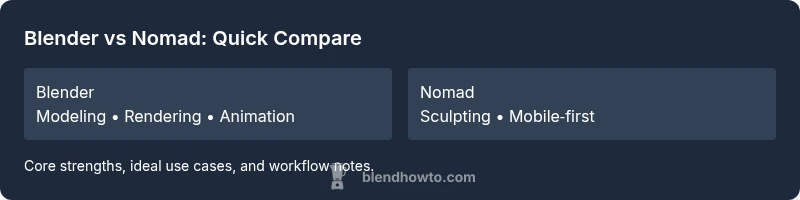
Blender vs Nomad: Which Is Better for 3D Artists in 2026
A thorough Blender vs Nomad comparison for 3D artists in 2026. Analyze modeling, rendering, animation, and workflows to decide which tool fits your needs.


If you ask is blender or nomad better for desktop 3D work, Blender generally offers a broader feature set and stronger long‑term support, while Nomad excels at portable, rapid sculpting. For most professional pipelines, Blender is the safer default; Nomad shines for quick ideation on mobile or tablet devices.
Is Blender or Nomad Better? Framing the question
For 3D artists weighing desktop power against mobile sculpting ease, the core question isn’t simply which app is best. It’s about how you work, where you work, and what you value most in a pipeline. Is blender or nomad better depends on your goals, hardware, and project scale. According to BlendHowTo, Blender’s breadth—modeling, texturing, animation, and rendering—remains the default starting point for most professionals and serious hobbyists. The BlendHowTo Team also notes that Nomad offers a compelling, painterly sculpting experience on mobile devices, which is indispensable for on‑the‑go ideation. Use cases and personal workflows often determine the winner here, not a one‑size‑fits‑all rule.
Core capabilities: modeling, sculpting, and texture workflows
Blender provides a deep, unified toolset that spans polygonal modeling, sculpting, UV mapping, texture painting, and node-based shading. Its modifier stack, vast add-on ecosystem, and non-destructive workflows support complex pipelines from concept to production. Nomad Sculpt, by contrast, centers on intuitive sculpting with responsive brushes, dynamic topology, and easy surface detail. While Nomad excels at fast, expressive forms and quick concept iterations, its room for traditional polygon modeling and heavy texture work is comparatively narrower. For users who need a single app to shape, refine, and render, Blender’s all‑in‑one approach tends to win out. For ideation and sculpture on a tablet, Nomad is a strong, delightful alternative. BlendHowTo’s analysis highlights that your choice should reflect whether you prioritise broad tool coverage or tactile, mobile sculpting speed.
Rendering, materials, and real-time preview
Blender ships with production-grade rendering options and a mature material system powered by node graphs. It supports high‑fidelity lighting, realistic shaders, and sophisticated compositing, which makes it a capable end-to-end renderer for many workflows. Nomad Sculpt focuses on real-time viewport shading and export-friendly materials rather than a full production renderer. While you can export models for external rendering, Nomad’s in-app rendering capabilities are not designed to match a desktop studio pipeline. If rendering quality and integration within a complete scene are non‑negotiable, Blender typically offers the more robust, flexible path; Nomad excels when your priority is rapid, tactile sculpting with portable access.
Animation and rigging: animation pipelines
Blender’s animation toolkit covers keyframe animation, rigging, constraints, shape keys, and playback with a comprehensive graph editor. It supports non‑linear editing, motion capture integration, and complex simulations. Nomad Sculpt does not aim to replace a full animation pipeline; it focuses on sculpting workflows with basic export options for animation up‑stream. For projects requiring character animation, camera animation, and production‑grade sequences, Blender’s pipeline is the stronger choice. For static or slowly evolving sculpt-based work, Nomad remains ideal for blocking and ideation on the go.
Performance, hardware demands, and licensing
Blender runs across Windows, macOS, and Linux with a broad hardware footprint, and its value proposition is strengthened by being free and open source. Nomad Sculpt is optimized for mobile devices and designed to deliver a smooth experience on tablets and light laptops, emphasizing portability and immediacy. The licensing story differs: Blender is free for all uses; Nomad uses a paid model with licensing terms aligned to its mobile and desktop releases. When choosing, consider your typical workstation, travel patterns, and whether you want a single desktop solution (Blender) or a mobile‑first sculpting companion (Nomad).
Workflow considerations for different user types
- Beginners: Blender provides vast learning resources and a structured path from modeling to rendering, which many new artists rely on. Nomad is appealing for those who want a low‑friction, tactile start with sculpting—especially on a tablet.
- Hobbyists: Blender’s breadth supports ongoing exploration and project diversification. Nomad offers a fast, enjoyable way to ideate sculptures and concept art while commuting or away from a workstation.
- Professional 3D artists: Blender’s production‑grade capabilities, scriptability, and pipeline integrations edge out most casual tools. Nomad can complement a professional toolset as a sketching and ideation stage or for client approvals on mobile devices.
- Educators and studios: A blended approach—use Blender for full production pipelines and Nomad for rapid concept exploration—often yields the most versatile results. BlendHowTo notes the importance of aligning tool choice with team workflows and export pipelines.
Practical decision framework: how to choose in 2026
Start with your core needs: If you require end‑to‑end production, robust animation, and a mature renderer, Blender is the safer bet. If your priority is portable ideation, quick sculpting workflows on a tablet, and offline sketching, Nomad shines. Consider a hybrid approach: use Blender for production tasks and Nomad for on‑the‑go concepts. Test both on a small pilot project to observe how your team collaborates and what export paths you require. BlendHowTo recommends a hands‑on trial period to evaluate file compatibility and learning curves before committing to a single platform.
Common pitfalls and how to avoid them
- Overestimating portability: Nomad is excellent on mobile, but desktop workflows may require adaptation. Maintain a clear export strategy and integrate with a desktop tool for final renders.
- Underutilizing Blender’s ecosystem: Don’t overlook community plugins and tutorials; they dramatically speed up learning and production. Set aside time to explore add‑ons that align with your project type.
- Underestimating learning curves: Both tools have steep arcs; plan structured training and meaningful practice projects to avoid stagnation.
- Skipping pipeline planning: Define the deliverables early and verify export compatibility to avoid rework when moving from ideation to production.
Comparison
| Feature | Blender | Nomad |
|---|---|---|
| Modeling & Sculpting | Comprehensive toolset with modifiers, sculpting, and mesh editing | Focused sculpting with intuitive brushes; full modeling is more limited |
| Rendering & Materials | Production-grade rendering with node-based shading; strong texture workflow | Real-time shading; export options; no full built-in production renderer |
| Animation & Rigging | Full animation toolkit, rigging, constraints, and simulations | Basic or absent animation workflow; primarily sculpture-focused |
| Platform & Accessibility | Cross‑platform desktop (Windows/macOS/Linux) | Mobile‑first with desktop variants; best on tablets and lighter devices |
| Pricing & Licensing | Free and open source; strong community support | Paid app/licensing; mobile‑oriented pricing model |
| Community & Documentation | Vast community, tutorials, plugins, and forums | Growing, official docs; smaller ecosystem by comparison |
What's Good
- Blender offers a comprehensive, free, cross‑platform workflow with a large ecosystem and production‑grade features
- Nomad provides portable sculpting with an intuitive interface ideal for on‑the‑go ideation
- Strong community and abundant learning resources accompany both tools, reducing ramp‑up time
- Blender’s non‑destructive, node‑based workflows enable robust pipelines across disciplines
The Bad
- Blender has a steeper learning curve for newcomers
- Nomad’s feature set is more limited outside sculpting and quick concepts
- Rendering and production pipelines are stronger in Blender than in Nomad
- Mobile‑first design means Nomad may require export steps for full production paths
Blender remains the stronger all‑around choice for most 3D artists in 2026, while Nomad serves as a powerful portable sketching tool for ideation.
If you need a complete production pipeline, Blender is the safer bet. Use Nomad as a companion for on‑the‑go sculpting and early concept work, then port assets to Blender for final rendering and animation.
Frequently Asked Questions
Which is better for beginners, Blender or Nomad?
For beginners, Blender’s breadth and extensive tutorials make it a solid starting point. Nomad offers a gentler entry to sculpting on mobile, but may require later migration to Blender for production work.
Blender is usually the safer starting point for newcomers, while Nomad is great for quick on‑the‑go sculpting.
Can Nomad replace Blender in professional pipelines?
Nomad is excellent for fast sketches and mobile ideation but does not yet match Blender’s full production toolset for modeling, animation, and rendering. Most studios use Blender as the core and supplement with Nomad for concept work.
Nomad is great for quick ideas, but Blender remains the go‑to for production pipelines.
Is Nomad available on Windows and macOS?
Nomad Sculpt and related Nomad products are primarily designed for mobile platforms, with desktop support varying by app. Check the latest official releases for platform compatibility before committing.
Nomad is mainly mobile‑focused; desktop availability depends on the current product lineup.
Which tool is better for rendering quality?
Blender generally offers superior rendering quality through advanced engines and integration with compositing. Nomad focuses on sculpting, with export paths for external rendering rather than built‑in studio‑grade rendering.
Blender wins on rendering quality and flexibility for final outputs.
How do pricing and licensing differ?
Blender is free and open source, which lowers total cost of ownership. Nomad uses a paid model, typically with licensing terms tied to mobile and desktop versions.
Blender is free; Nomad requires payment for access and updates.
What workflow would you recommend for a beginner to an intermediate user?
Start with Blender to build foundational skills across modeling, texturing, and rendering. Add Nomad for sculpting practice on mobile devices, then port relevant assets back to Blender for refinement and production.
Learn Blender first, then bring Nomad in for sculpting practice on the go.
What to Remember
- Choose Blender for full pipelines and production quality
- Use Nomad for portable ideation and sculpting on mobile
- Test both tools with a small project before committing
- Leverage Blender’s community and add‑ons to accelerate learning
- Consider a hybrid workflow to maximize flexibility