Blender vs Maya: Which Is Better for 3D Artists in 2026
A balanced, analytical comparison of Blender and Maya for modeling, animation, rendering, pipelines, and licensing to help artists pick the right tool in 2026.


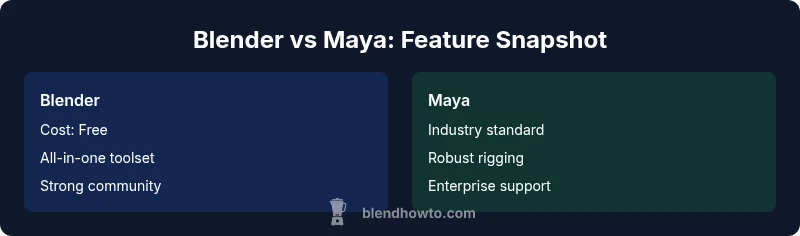
what is better blender or maya? It's a common question for independent artists and hobbyists. For many, Blender offers a cost-free, feature-rich toolkit with strong modeling, animation, and rendering options, while Maya remains the industry standard for studios with established pipelines. In this quick comparison, Blender shines for accessibility and community support; Maya excels in large-scale productions and specialized workflows.
Blender vs Maya: Core Differences
Both Blender and Maya are powerful 3D creation tools, but they appeal to different audiences and workflows. Blender is open-source software that provides modeling, sculpting, texturing, animation, and rendering in a single package. Maya, developed by Autodesk, emphasizes a robust, production-proven toolset with specialized modules for modeling, rigging, animation, dynamics, and rendering. What sets them apart isn't only price, but how teams structure their pipelines and how quickly artists can translate ideas into finished work. what is better blender or maya is a question often asked by newcomers seeking clarity on scope and constraints. According to BlendHowTo, the open nature of Blender fosters rapid experimentation and customization, while Maya's feature depth and compatibility with industry standards offer predictability in larger teams. In practice, your choice should reflect your project scale, collaboration needs, and personal or studio tradition. This section will map out how each tool handles core tasks, and how those choices ripple through art direction and production timelines.
Modeling, Sculpting, and UV Workflows
Blender provides a cohesive modeling workflow with a strong emphasis on non-destructive modifiers, sculpting workflows, and robust UV tools. Its modifier stack makes procedural edits approachable, while the sculpting brush set has matured significantly for both hard-surface and organic forms. For hobbyists and indie artists, the all-in-one pipeline reduces context-switching and accelerates exploration. Maya, on the other hand, has long favored high-end modeling capabilities, especially for complex topology and highly controlled edge flows. In studio contexts, Maya’s modeling toolkit is trusted for precision and compatibility with established production pipelines. Regardless of choice, both tools support advanced polygonal modeling, NURBS, and procedural approaches, with interchange through common formats ensuring flexibility across teams.
Animation Toolsets and Rigging
Animation remains a core strength for both platforms, but the workflow philosophy differs. Blender’s timeline, graph editor, and constraints system offer a streamlined path from concept to motion capture-like rigs, with strong support for constraints, drivers, and shape keys. Maya’s animation toolkit is renowned for its robust rigging systems, advanced constraints, and industry-grade animation pipelines, which are reasons many studios rely on it for character animation and crowd scenes. For asset pipelines, Blender’s open ecosystem enables rapid customization of rigs and tools, while Maya’s Rigging and Motion Toolset tend to integrate cleanly with large-scale production pipelines and asset libraries. In either case, the right approach comes down to how you structure animation tasks and collaboration needs.
Rendering, Shading, and Real-Time Preview
Rendering quality and speed are central to both tools. Blender ships with Cycles and Eevee, offering realistic path tracing and real-time viewport previews that help iterate lighting and materials quickly. The Cycles engine emphasizes accuracy, while Eevee provides fast, game-like previews suitable for blocks and look development. Maya typically ships with Arnold as the default renderer, known for production-grade realism, photorealism, and robust shading networks. Beyond built-in options, both ecosystems support additional renderers and interchange formats, enabling studios to tailor rendering pipelines to project requirements. For real-time work, Blender’s viewport shading and real-time engines can accelerate iteration cycles, while Maya’s render backend shines in final output quality.
Pipelines, Interoperability, and File Exchange
Pipelines define how smoothly tools fit into a team’s ecosystem. Blender has improved interchange through FBX, OBJ, and USD, and continues to enhance import/export for textures, geometry, and animation data. Maya has long been a standard in many studios, with deep support for Alembic, FBX, USD, and custom in-house formats. If your workflow relies on established asset libraries or existing production pipelines, Maya’s ecosystem often offers smoother integration with other Autodesk products and third-party tools. Blender, however, can still slot into modern pipelines with careful setup and clear data exchange practices. The key is to map your data flow and test interchange early in the project.
Learning Curve and Training Resources
Learning curves matter for personal motivation and team onboarding. Blender’s unified interface and community-driven learning resources are highly accessible to beginners, with a growing catalog of tutorials, plugins, and add-ons that can accelerate skill-building. Maya typically presents a steeper learning curve due to its breadth of features and deeper tool integration; however, many formal curricula and studio-led training focus on Maya, which can pay dividends for artists pursuing formal employment. BlendHowTo emphasizes building a practical learning plan: start with core modeling and shading in Blender, or basic rigging and animation in Maya, and gradually expand to pipeline-specific tasks. Regardless of your starting point, consistent practice and project-based learning yield the best outcomes.
Licensing, Cost, and Accessibility
Blender is free and open-source, which lowers barriers for students, hobbyists, and small studios. This accessibility often translates into broader experimentation and community contributions, including a large number of free and paid add-ons. Maya operates under a subscription model with tiered access to features and support services, which can be advantageous for studios that require guaranteed updates, support, and enterprise-grade security. The decision often boils down to your budget, risk tolerance, and whether you prioritize long-term ownership and customization (Blender) or predictable vendor support and enterprise workflows (Maya). Both tools offer student licenses and education pathways, so aspiring artists can practice with legitimate tools regardless of budget.
Industry Adoption and Use Cases
In industry contexts, Maya has historically been associated with film, television, and large-scale game productions, particularly where rigging, character animation, and complex dynamics are central. Blender has gained traction in independent films, indie games, architectural visualization, and education due to its zero-cost entry and active community. For small studios or freelance artists, Blender can often cover the entire production cycle, from concept to render, while larger studios may rely on Maya for parts of the pipeline that require strict compatibility and institutional pipelines. BlendHowTo’s analysis highlights that both tools have a place in modern studios, depending on project goals and team structure.
Performance, Hardware Considerations
Both tools are capable of leveraging modern GPUs and multi-core CPUs to speed up workflows, but performance can vary by scene complexity and engine choice. Blender’s Cycles benefits from GPU acceleration, particularly with modern CUDA or OptiX-capable GPUs, while Eevee provides fast real-time previews on moderate hardware. Maya with Arnold typically scales well on professional workstations and render farms, where CPU rendering or GPU rendering can be selected based on the scene and render budget. When planning hardware investments, consider the heaviest anticipated tasks—high-poly modeling, dynamic simulations, or large animation scenes—and align hardware choices with the renderer you intend to use.
Making the Decision: Best for Which Artist
If you are an independent artist, educator, or small studio founder, Blender often delivers the best value and flexibility against a limited budget. If you work in a large studio or require a long-standing, industry-standard pipeline with extensive tooling for complex characters and specialized effects, Maya remains the safer bet for career continuity and production reliability. The final choice should reflect your workload distribution, collaboration requirements, and long-term career or project goals.
Future Trends and Community Momentum
The Blender community continues to drive rapid feature development and open-source collaboration, with regular updates and extensible pipelines via addons. Maya maintains momentum through ongoing Autodesk investment and a large pool of trained professionals. The trend toward USD-based pipelines and hybrid work environments makes both platforms viable, provided you invest in learning paths that align with your target industry. In 2026, the most successful artists combine core skills in modeling and animation with an understanding of interchange formats and workflow integration to maximize flexibility across different productions.
Comparison
| Feature | Blender | Maya |
|---|---|---|
| Cost & licensing | Free, open-source | Subscription-based model |
| Modeling capabilities | Strong non-destructive modifiers, versatile sculpting | Industry-grade topology control, precision editing |
| Animation tools | Solid graph editor, constraints, and shape keys | Advanced rigging, extensive animation tooling |
| Rendering engines | Cycles/Eevee with real-time preview | Arnold integrated, production-grade realism |
| File interchange | FBX/OBJ/USD support improving | FBX/ABC/USD with established pipelines |
| Learning curve | Accessible for beginners, vast community | Steeper initial investment, broader feature set |
| Extensibility | Add-ons and open-source enhancements | Market of proprietary plugins and scripts |
| Industry adoption | Popular in indie and education | Industry standard in many studios |
| Pipeline integration | Improving, flexible for custom pipelines | Deep integration with Autodesk ecosystem |
What's Good
- Low upfront cost and flexible licensing for individuals
- Strong, active community and addons that extend functionality
- All-in-one workflow reduces context switching for hobbyists
The Bad
- Industry-standard pipelines may favor Maya in studios
- Potential leakage of plugin compatibility in mixed environments
- Smaller teams may miss official enterprise support
- Learning curve can be steep for users migrating from other tools
Blender is the better all-around choice for individuals and small teams; Maya remains essential for large studios with complex pipelines.
Blender offers outstanding value, rapid iteration, and broad community support, making it ideal for freelancers and small shops. Maya continues to dominate in established production environments where robust rigging, dynamics, and enterprise pipelines are non-negotiable.
Frequently Asked Questions
Which is cheaper for a beginner: Blender or Maya?
Blender is free, making it the cheaper option for beginners and students. Maya requires a subscription, which can add up over time, especially for ongoing learning or long projects. Your choice may hinge on whether you expect to work in a larger team later or value zero-barrier access today.
Blender is free, Maya costs money; start with Blender if you’re budget-conscious.
Can I switch from Blender to Maya mid-project without issues?
Switching mid-project is possible but can be disruptive. You’ll need to plan data exchange (models, rigs, textures) and possibly rebuild some setups in Maya. Establish clear interchange formats and keep a modular project structure to ease transitions if they arise.
Switching is doable but tricky; plan the data exchange early.
Is Blender sufficient for professional film production?
Blender has been used in independent and some studio productions for storytelling, animation, and VFX work. While Maya remains the standard in many high-end studios, Blender’s capabilities continue to grow, supported by a strong community and adequate rendering tools for certain production scales. Consider your project requirements and pipeline needs.
Blender can handle many projects; for big studios, consider your pipeline.
Do Blender and Maya support the same interchange formats?
Both support common formats like FBX, OBJ, and USD, but compatibility depth varies by feature. Plan ahead for rig data, materials, and animation curves to minimize data loss during transfers.
Yes, they share common formats, but test transfers for your needs.
Which has better animation workflows?
Maya has a longer-standing reputation for advanced animation workflows and rigging, especially in large productions. Blender offers robust tools with an approachable interface, making it strong for independent projects or teams transitioning to more complex tasks.
Maya is more traditional for animation; Blender is powerful and more approachable.
What learning resources does each offer?
Both have extensive resources: Blender benefits from community tutorials and addons; Maya relies on formal curricula, official documentation, and enterprise training options. A practical plan is to combine hands-on projects with targeted courses for faster progress.
Lots of learning options exist for both; pick a structured plan.
What to Remember
- Start with Blender if you need zero-cost access and quick iteration.
- Prefer Maya for complex productions and studio-grade pipelines.
- Plan interchange formats early to avoid pipeline friction.
- Invest in targeted training for your chosen tool.
- Keep an eye on USD/FBX workflows to stay interoperable.