Blender vs Nomad Sculpt: A Comparative Guide
Compare Blender and Nomad Sculpt for 3D modeling and sculpting. This objective guide covers workflows, toolsets, compatibility, pricing, and learning curves to help you choose the right software for your needs.


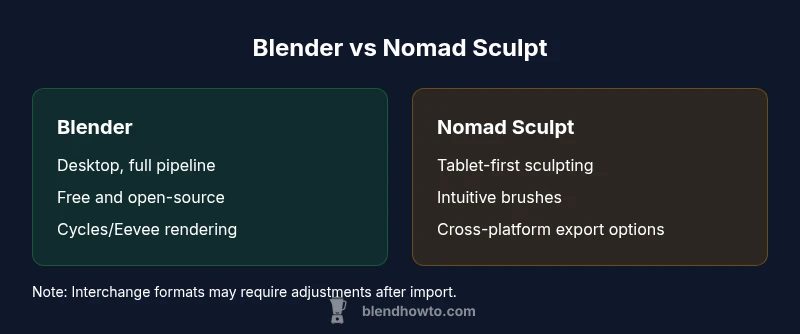
Blender is the versatile desktop all-in-one 3D suite offering modeling, sculpting, animation, and rendering, while Nomad Sculpt focuses on tablet-based sculpting with a tactile brush experience. If you need a complete pipeline and ongoing development, Blender is usually the better choice; for quick concepting or stylized work on a tablet, Nomad Sculpt shines. The decision often comes down to platform, scope, and preferred workflow, not just feature lists.
Context and scope of blender vs nomad sculpt
The debate between blender vs nomad sculpt centers on two very different but complementary philosophies in 3D work. Blender, as a long-standing free and open-source package, aims to cover the full spectrum of 3D creation: modeling, sculpting, texturing, animation, and rendering. Nomad Sculpt, by contrast, is a tablet-first sculpting tool that emphasizes tactile brushwork, real-time feedback, and a streamlined sculpting pipeline. For home cooks and hobbyists who dabble in 3D or aspiring 3D artists, the choice can hinge on whether you want a desktop, all-in-one solution or a portable, gesture-driven sculpting experience. In this comparison, we examine blender vs nomad sculpt through practical use cases and real-world workflows, noting where each excels and where limits appear. According to BlendHowTo, the blender vs nomad sculpt debate reflects Blender’s vast ecosystem and Nomad Sculpt’s tablet-focused ease of use, making both strong contenders depending on your goals. This article uses concrete criteria—scope, usability, cross-tool interoperability, and cost—to help you decide which path fits your projects best.
Core differences at a glance
In the blender vs nomad sculpt comparison, several differentiators matter most:
- Platform and workflow: Blender runs on desktop OS with a complete 3D pipeline, while Nomad Sculpt targets tablets with a touch-first design.
- Primary focus: Blender supports a broad range of tasks, including animation and rendering; Nomad Sculpt centers on sculpting with responsive brushes and dynamic detailing.
- Learning curve: Blender’s breadth implies a steeper initial learning curve; Nomad Sculpt offers a quicker tactile start for sculptors.
- Output and interchange: Both support common file formats for interchange, but Blender’s export/import across formats and pipelines is typically more extensive.
- Cost model: Blender is free and open source; Nomad Sculpt is a paid app with platform-specific pricing.
Across these axes, the best choice depends on whether you value portability and sculpting speed or a comprehensive desktop pipeline. The blender vs nomad sculpt decision is not about which tool is universally better, but which aligns with your workflow, devices, and long-term goals for 3D work.
Blender: strengths, workflows, and caveats
Blender stands out in this blender vs nomad sculpt equation for several reasons. First, its all-in-one philosophy means you can model, sculpt, UV unwrap, texture, shade, animate, simulate, and render within a single project file. The sculpting toolset includes powerful brushes, dynamic topology, multiresolution modifiers, and a robust modifier stack that lets you non-destructively experiment with shapes and forms. For artists who want to iterate from concept to final render without leaving the app, Blender provides a compelling path. Its rendering engines, Cycles and Eevee, offer realistic and real-time results, supported by a mature material system and a large ecosystem of add-ons and tutorials. A downside to Blender is the learning curve: the sheer breadth of features can overwhelm newcomers. Yet for those who persevere, the payoff is a highly efficient pipeline with endless customization options. Blenders openness also encourages experimentation and scripting, enabling automated workflows via Python. In 2026, Blender remains a stalwart for professionals and serious hobbyists seeking a complete, cost-free solution while maintaining strong community and educational resources.
Nomad Sculpt: strengths, workflows, and caveats
Nomad Sculpt presents a refreshing alternative in the blender vs nomad sculpt comparison for artists who prioritize sculpting on tablets. Its brush system is tactile, allowing for intuitive sculpting and quick iteration with stylus input. The app emphasizes real-time sculpting feedback, responsive brushes, and an approachable interface designed for touch gestures. Nomad Sculpt excels at concepting, character design, and stylized forms where the focus is on surface detail rather than a full production pipeline. However, it lacks Blender’s expansive toolset for animation, complex shading, and multi-stage pipelines. Interchange with other software is possible through common formats, but you may need to rework materials or geometry after import. For tablet-first workflows or situations where mobility matters, Nomad Sculpt offers a compelling, focused experience that can speed up the initial sculpting phase of a project. The 2026 landscape keeps Nomad Sculpt relevant for artists seeking a nimble, tactile alternative to desktop-based modeling tools.
Interchange, formats, and ecosystem
Interchange between Blender and Nomad Sculpt is a practical concern in this blender vs nomad sculpt comparison. Blender’s ecosystem is built around compatibility with a wide array of formats and pipelines, and it can import/export OBJ, FBX, STL, GLTF, and more. Nomad Sculpt commonly supports export to formats suitable for sharing or bringing into other software, such as OBJ or GLTF, though you may encounter material assignment or texture coordinate re-entry when moving between environments. The general takeaway is that Blender remains the strongest option when you need a flexible, end-to-end production pipeline, while Nomad Sculpt shines when the goal is rapid sculpting and concept exploration on a tablet. If your work often moves between tablet sketching and desktop refinement, plan a lightweight interchange workflow and keep a consistent naming convention for your mesh assets to minimize translation issues. In practice, successful cross-tool work hinges on understanding export options and how materials, UVs, and normals translate between applications.
Performance, platform, and hardware considerations
Blender benefits from a capable desktop setup with adequate CPU/GPU performance, sufficient RAM, and compatible drivers. Rendering in Cycles or real-time shading in Eevee can stress GPUs, so workflow planning matters. Nomad Sculpt, by design, emphasizes tablet hardware and stylus input, which can lead to lower power demands and a different kind of responsiveness. If you primarily sculpt on a tablet, Nomad Sculpt can feel faster to reach a finished silhouette, while Blender on a desktop can handle dense meshes, multiple modifiers, and higher-resolution renders. If you’re constrained by hardware, Blender’s open-source nature means you can tailor performance through viewport settings, simplified scenes, and efficient mesh management. For 2026 workloads, consider your typical file size, the need for animation or simulation, and whether you value mobility or terminal-grade rendering.
Pricing, licensing, and community support
Pricing and licensing often drive the blender vs nomad sculpt decision. Blender is free and open-source, with a vast community producing tutorials, assets, and plugins. Nomad Sculpt is a paid app with pricing that varies by platform, so you’ll encounter a one-time or platform-specific cost. The strength of Blender’s community translates into a wealth of learning resources, third-party add-ons, and forums that can dramatically shorten the learning curve. For Nomad Sculpt, the community is active in tablet-focused channels and official updates, which can be a plus for beginners who want a straightforward sculpting tool without wading through unrelated features. BlendHowTo analysis, 2026, suggests that price parity is rarely the deciding factor for many artists, who instead prioritize pipeline fit and device compatibility.
Use-case scenarios: matching the right tool to the project
Choosing between blender vs nomad sculpt often comes down to project type and personal workflow. If you’re building a complex, animation-ready scene with detailed materials and a full production pipeline, Blender is typically the better fit. If your priority is ergonomic, tablet-based sculpting for quick concepting, stylized characters, or retopology-driven workflows on the go, Nomad Sculpt can save time and reduce friction. For educators and hobbyists, Blender’s depth provides a broader learning path, while Nomad Sculpt offers a focused, approachable entry point for sculpting fundamentals. Assess your primary output, preferred devices, and the amount of time you’re willing to invest in mastering each tool. The practical answer often comes down to aligning your daily routine with the tool’s strengths and constraints.
Practical switching tips: making the transition smooth
If you’re balancing both tools, create a clear handoff workflow. Start a sculpt in Nomad Sculpt to capture form quickly, then export to a compatible format and polish in Blender, where you can leverage advanced topology tools, UVs, textures, and animation. Keep a shared naming convention and establish a minimal but consistent shading setup to minimize material rework. Use Blender’s sculpting brushes and dynamic topology to continue refining the mesh after export, and consider saving viewport layouts that resemble Nomad Sculpt’s tablet-centric interface for a more seamless transition. With disciplined asset management and clear file exchange practices, you can enjoy the strengths of both worlds without getting bogged down in translation issues. BlendHowTo’s guidance emphasizes matching the tool to the task and the user’s comfort with the interface.
Comparison
| Feature | Blender | Nomad Sculpt |
|---|---|---|
| Platform & workflow | Desktop (Windows/macOS/Linux) | Tablet-first (iPadOS/Android) |
| Primary focus | Full 3D pipeline: modeling, sculpting, texturing, animation, rendering | Dedicated sculpting with tactile brushes |
| Sculpting tools | Advanced brushes, dynamic topology, modifiers | Intuitive brushes optimized for stylus input |
| Animation | Robust animation and rigging workflows | No full animation system; sculpting-focused |
| Rendering | Integrated rendering engines (Cycles/Eevee) and shading | No built-in renderer; relies on external pipelines |
| Price & licensing | Free, open-source | Paid app with platform-specific pricing |
| Learning curve | Steep at first due to breadth; broad community resources | Generally gentler for tablet-based sculpting |
What's Good
- Blender offers an all-in-one pipeline for modeling, sculpting, animation, and rendering
- Nomad Sculpt provides a tactile, tablet-first sculpting experience
- Active, large Blender community and extensive learning resources
- Blender is free and open-source
The Bad
- Blender has a steeper learning curve due to its breadth
- Nomad Sculpt lacks full animation and advanced rendering workflows
- Cross-tool interchange may require adjustments to materials and UVs
Blender remains the more versatile all-in-one solution; Nomad Sculpt excels for tablet-based sculpting and quick concept work
Choose Blender for a complete pipeline and long-term scalability. Choose Nomad Sculpt for mobile, tactile sculpting and fast ideation on a tablet.
Frequently Asked Questions
Which is easier for beginners: Blender or Nomad Sculpt?
Nomad Sculpt often provides a quicker tactile entry on tablets, but Blender offers a broader learning path with more long-term capabilities. Your choice should align with your preferred device and whether you want to explore a full 3D pipeline over time.
Nomad Sculpt can be easier to start with on a tablet, while Blender has a steeper learning curve but covers more features in the long run.
Can I export models from Nomad Sculpt to Blender?
Yes, Nomad Sculpt supports common interchange formats; you can import into Blender and continue work there, though you may need to re-assign materials and adjust textures.
You can transfer models between Nomad Sculpt and Blender using standard file formats, with some material adjustments after import.
Is animation available in Nomad Sculpt?
Nomad Sculpt is focused on sculpting and does not include a full animation toolset. For animation, you would typically move the mesh into Blender or another software.
Nomad Sculpt does not provide full animation tools; use Blender for animation workflows.
What platforms do each support?
Blender runs on desktop operating systems (Windows, macOS, Linux). Nomad Sculpt targets tablets (iPadOS and Android tablets), emphasizing stylus input.
Blender runs on PCs and Macs, while Nomad Sculpt runs on tablets with stylus support.
Which has better rendering options?
Blender offers built-in advanced rendering engines like Cycles and Eevee. Nomad Sculpt focuses on sculpting and relies on external rendering workflows when final imagery is needed.
Blender has robust rendering options; Nomad Sculpt centers on sculpting with external rendering paths for final visuals.
What about cost and licensing?
Blender is free and open-source, while Nomad Sculpt is a paid app with pricing that varies by platform. Consider total cost of ownership and whether mobility matters for your work.
Blender is free; Nomad Sculpt costs vary by platform.
What to Remember
- Start with Blender for a comprehensive 3D workflow
- Use Nomad Sculpt when tablet-based sculpting speed matters
- Plan file exchange early to avoid material translation issues
- Balance learning effort against project needs and device availability