Why ZBrush or Blender: Choosing the Right Tool for 3D Artists
An analytical comparison of ZBrush and Blender for sculpting and production workflows. Learn strengths, costs, and practical scenarios to guide your choice.


Blender serves as the versatile, cost-free hub for most pipelines, while ZBrush remains the gold standard for ultra-detailed sculpting. Blender covers modeling, UVs, texturing, and animation in one tool; ZBrush specializes in sculpting with depth and brush fidelity. Choose Blender for end-to-end projects; pick ZBrush when sculpture quality is the priority.
Why the question matters for creators
In todays mixed-production environments, deciding between ZBrush and Blender is not just about feature lists: it’s about workflow, cost, and long-term scalability. The question why zbrush or blender captures a common dilemma: should you invest in a dedicated sculpting tool or embrace a flexible, all-in-one 3D package? For many home studios and hobbyists, the answer hinges on project goals and personal skill. If your priority is ultra-detailed characters or creatures, you may lean toward ZBrush; if you need rapid iteration, robust asset management, and seamless integration with rendering and animation, Blender often provides the more practical path. This BlendHowTo guide presents a clear, evidence-based comparison, with scenarios, trade-offs, and concrete recommendations to help you choose confidently.
Core strengths: sculpting detail vs generalist pipelines
The core decision between ZBrush and Blender hinges on the kind of detail you need and the breadth of your workflow. ZBrush is engineered to push ultra-faithful surface detail through specialized brushes, dynamic tessellation, and sculpting workflows that preserve mesh integrity at extreme resolutions. Blender, by contrast, is designed as an all-in-one solution that supports modeling, UV mapping, texturing, animation, and rendering within a single interface. The strength of Blender lies in its ability to support end-to-end pipelines, from initial concept to final render, without forcing a project handoff to another program. BlendHowTo analysis shows that many studios value Blender when they must manage assets, lighting, and animation in one cohesive environment, while hobbyists who focus on sculpture often reach for ZBrush to push the envelope of detail.
Tool ecosystems and licensing: cost, plugins, and updates
Licensing and ecosystem shape long-term usage. ZBrush operates on a paid license with regular update cycles and a mature sculpting plugin ecosystem that emphasizes brush fidelity and texture projection workflows. Blender is free and open-source, with a fast-moving development cycle and a large community driving tutorials, addons, and workflow optimizations. For learners and small studios, the no-cost licensing of Blender lowers barriers to experimentation and project accrual. In professional settings, this price advantage can translate into more headroom for experimentation and more opportunities to prototype concepts without upfront investment.
User interface and learning curve
ZBrush follows a specialized sculpting paradigm with a distinct UI and brush system that can feel unfamiliar to newcomers. The learning curve is steeper when the goal is high-detail sculpting with precise brush behavior and subtool management. Blender offers a broader interface and a gentler entry point for general 3D work but still requires time to master modeling, UVs, and shaders. The key is to set realistic milestones: start with simple shapes in Blender to understand topology, then layer in sculpting in ZBrush if you decide you need higher fidelity surfaces.
BlendHowTo recommends a staged approach: learn the basics of a single tool first, then evaluate whether importing supports and workflows justify cross-tool use.
Sculpting tools and workflows
ZBrush is optimized for sculpting workflows with a brush-driven approach, sculpting layers, and a focus on mesh density control. It thrives when you need to push micro-level detail and useful topology preservation for printing or close-up renders. Blender provides sculpting brushes and dyntopo-like features, which are improving rapidly but historically emphasized broader 3D workflows. The decision hinges on whether your priority is surface detail or the ability to sculpt within a broader pipeline that includes modeling, retopology, texturing, and animation in one package.
Modeling, UVs, texturing, and retopology
If you require fast, clean topology for animation-ready characters, Blender often shines with its unified toolset: modeling, retopology, UVs, texture painting, and material creation coexisting under one roof. ZBrush is superb for the initial sculpt and high-poly stage, but retopology, UV mapping, and texture baking usually occur in other tools or via dedicated workflows that connect back to ZBrush. For projects destined for game engines or film pipelines, the ability to export clean UVs and optimized topology from Blender can streamline downstream rendering and lighting workflows.
Rendering, shading, and materials
Blender presents integrated rendering engines (Cycles and Eevee) and a coherent shading workflow, enabling artists to move from sculpting and modeling to lighting and rendering in a single environment. ZBrush, while excellent for sculpting, often relies on external renderers and compositing to reach final look. This separation can affect iteration speed, but it also affords specialized control over surface microdetails and displacement maps. For production, consider how your final render pipeline aligns with your chosen toolset and whether you value integrated shading or dedicated renders.
Performance considerations and hardware needs
High-detail sculpting in ZBrush benefits from fast RAM access and efficient multi-core handling, while Blender benefits from GPU-accelerated rendering and denser scene management. Both tools can be tuned for performance with proper hardware choices: a capable GPU, a solid CPU, and ample RAM will improve viewport responsiveness and rendering times. If your projects frequently exceed millions of polygons, ZBrush’s density handling can be advantageous, but Blender’s generalist performance with proper optimization also remains competitive in many production scenarios.
Workflow scenarios: practical use cases
For character studios prioritizing sculpting fidelity, a hybrid approach is common: sculpt in ZBrush to maximize detail, then export to Blender for retopology, UVs, and animation. For independent artists or smaller studios, Blender offers an all-in-one path that reduces handoffs and simplifies file management. When you need photoreal rendering in a single environment or you want to leverage a large addon ecosystem, Blender’s path becomes particularly attractive. BlendHowTo consistently sees users achieving strong results by blending both tools where each excels.
Integration with other software and plugins
The ecosystem around each tool influences daily productivity. ZBrush excels with plugins that streamline texture maps, surface detail, and asset bearing; it is often used alongside Maya, 3ds Max, or Blender for different pipeline stages. Blender’s broad addon catalog includes retopology helpers, texture painting tools, and render optimizations, with strong community participation. For teams, the ability to exchange assets via standard formats (OBJ, FBX, USD) and maintain consistent scales is essential to reducing friction across tools.
Getting started: learning paths and resources
Begin with Blender if you want to establish a solid foundation in modeling, UVs, texturing, and rendering. Then, if you find you need extraordinary sculpting fidelity for characters or creatures, introduce ZBrush into your workflow. There are abundant free and paid tutorials, community forums, and structured courses for both tools. BlendHowTo recommends setting explicit learning goals, such as “master Blender basics in 4 weeks” followed by a dedicated 4–6 week ZBrush sculpting track, to avoid feature fatigue and ensure progress.
Comparison
| Feature | ZBrush | Blender |
|---|---|---|
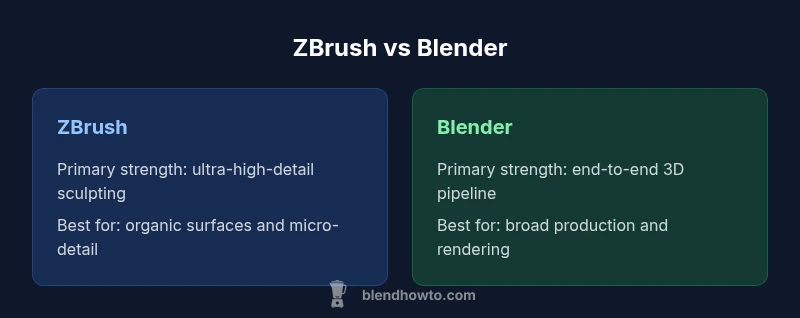
| Primary strength | Ultra-high-detail sculpting and brush fidelity | All-in-one 3D suite: modeling, UVs, texturing, animation, rendering |
| Best for | Detail-focused sculpture and organic forms | Generalist production, rapid iteration, and pipelines |
| Cost & licensing | Paid license with updates | Free and open-source; community-driven updates |
| Learning curve | Steep for sculpting-centric workflows | Moderate; broad feature set requires time |
| Export options | Proprietary ZTL/OBJ workflows; strong texture transfer | Standard formats (OBJ/FBX/GLTF) and USD workflows |
| Rendering integration | Often external renderers; high detail in isolation | Integrated Eevee/Cycles; end-to-end rendering within Blender |
| Community & resources | Mature sculpting-focused ecosystem | Large, multi-topic community with broad tutorials |
What's Good
- Blender is free and open-source, reducing upfront costs
- Blender provides an end-to-end workflow (modeling, UVs, texturing, animation, rendering) in one app
- ZBrush delivers unrivaled sculpting detail and brush fidelity
- Strong community and plugin ecosystem for sculpting and asset creation
- Blender’s rapid update cycles keep tools current
The Bad
- ZBrush requires a paid license and has a steep learning curve
- ZBrush can be overkill if your work is mainly generalist 3D
- Blender sculpting tools, while strong, may not match ZBrush at extreme poly counts
- Inter-tool handoffs can add steps in hybrid pipelines
Blender wins as the generalist; ZBrush remains the specialized sculpting leader
Choose Blender for broad 3D production, from modeling to rendering. Add ZBrush when your work demands the highest-detail sculpting possible, and use the strengths of each tool to complement your pipeline.
Frequently Asked Questions
Can I use ZBrush and Blender together in a single project?
Yes. You can sculpt in ZBrush and export assets to Blender for retopology, UVs, textures, and animation. Use consistent scales and formats (OBJ/FBX) to maintain alignment across stages.
Yes—sculpt in ZBrush and finish in Blender for a complete production flow.
Is Blender sufficient for professional studios without ZBrush?
For many studios, Blender provides a robust end-to-end workflow, especially for modeling, animation, and rendering. Some studios still use ZBrush for detailed sculpting when required by the project brief.
Blender can handle most pipelines; some teams add ZBrush for extra sculpting detail.
Which tool should a beginner start with?
A Blender-focused start helps you learn core 3D concepts in a single environment. You can add ZBrush later if you decide you need deeper sculpting detail.
Start with Blender to learn the basics; you can add ZBrush later for more detail.
Do both programs support 3D printing workflows?
Yes. Both export OBJ and STL formats suitable for 3D printing, with ZBrush excelling in fine surface detail and Blender handling print preparation workflows.
Both work well for 3D printing with standard formats.
What are the licensing differences?
Blender is free and open-source, with community-driven updates. ZBrush is a paid tool with a commercial license and separate update cycles.
Blender is free; ZBrush requires a paid license.
What to Remember
- Define your primary goal before tool choice
- Blender offers end-to-end workflows at zero upfront cost
- ZBrush excels at ultra-high-detail sculpting
- Hybrid pipelines can leverage both tools strategically
- Plan for interoperability when combining tools