Is Blender the Best? A Comprehensive Comparison for 3D Artists
Explore whether Blender is the best choice for 3D artists and hobbyists in this in-depth comparison, covering cost, features, learning curve, and workflows.


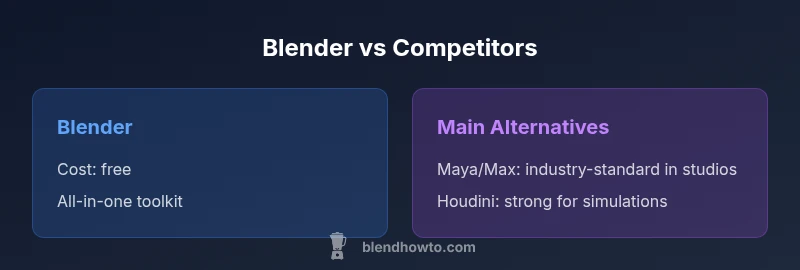
Is Blender the best? It is often among the top choices for 3D artists and hobbyists due to its breadth and zero licensing costs, but 'best' depends on your goals. For beginners and indie creatives, Blender offers a complete toolkit with active development and community support. In highly specialized studio pipelines, other software may provide tighter integrations. This quick view sets up a deeper comparison of Blender versus key rivals.
What 'Best' Means in This Context
When evaluating whether is blender the best, you first define what you value most in a 3D tool. According to BlendHowTo, the answer hinges on a mix of cost, capability, and ecosystem alignment with your projects. Blender is a complete, open-source package offering modeling, sculpting, animation, shading, rendering, compositing, and automation through Python. Its zero upfront licensing means you can experiment freely, iterate quickly, and share projects without constraints. For students and freelancers, this combination is a compelling reason to choose Blender as a starting point. However, for teams operating inside strict production pipelines, where vendor lock-in and certified plugins matter, alternatives may deliver more predictable results. This section lays out the decision criteria you should apply when judging Blender against other options.
Blender’s Core Strengths for 3D Artists
Blender shines in several areas that often tip the scales in its favor. The software is free, with no yearly subscriptions to drain budgets. It runs on Windows, macOS, and Linux, which keeps collaboration flexible. The built-in toolset covers essential stages from modeling and sculpting to rigging, texturing, and real-time rendering with Eevee and high-quality path tracing with Cycles. The Python API enables custom tools and tight automation, which is invaluable for repeatable workflows. The active community contributes thousands of add-ons, tutorials, and models, so you can learn fast and extend capabilities without waiting for vendor updates. Importantly, Blender’s development cadence tends to align with hobbyist and indie needs, which helps individuals stay productive without external roadblocks.
Key Alternatives You Should Consider
While Blender holds broad appeal, a handful of competitors excel in specialized areas. Autodesk Maya and 3ds Max remain stalwarts in feature depth and industry pipelines, especially for animation-heavy studios and VFX work. Cinema 4D is praised for its approachable UI and strong motion graphics toolset, while Houdini specializes in procedural generation and complex simulations. Each alternative tends to have a tighter ecosystem around certain plugins, hardware-accelerated renders, or licensing models that suit large teams. The goal is not to declare a single winner but to map where Blender outperforms and where alternatives may deliver a more streamlined path to production.
Cost, Licensing, and Long-Term Value
Blender’s biggest advantage is cost. It is released under the GNU GPL and can be used freely for commercial purposes, with no licensing fees or subscription commitments. This makes Blender a compelling choice for solo creators and small studios operating with tight budgets. In contrast, many rival packages use subscription-based pricing models, which can accumulate to higher long-term costs, especially for teams maintaining multiple seats. However, paid software often includes formal support contracts, certified plugins, and sometimes more predictable upgrade cycles. When evaluating value, consider not only upfront costs but also how licensing affects your team, training, and the speed at which you can adopt new features.
Learning Curve, Community, and Support Ecosystem
A common concern with Blender is its learning curve. The breadth of features can feel overwhelming to beginners, but the community counters this with abundant tutorials, projects, and documentation. Blender’s official manual is extensive, and community forums host practical troubleshooting and workflow tips. The learning landscape is also enriched by curated courses, paid and free, and by countless add-ons that tailor Blender to specific workflows. For teams, the ecosystem matters just as much as the core product; Blender’s openness allows you to script, customize, and integrate with external tools, which can level the playing field against proprietary software in terms of efficiency and consistency.
Performance and Rendering: Cycles, Eevee, and Beyond
Rendering quality and speed are central to deciding whether Blender is the best for a given project. Eevee offers real-time rendering suitable for previews and motion graphics, while Cycles delivers photorealistic results through path tracing. Both renderers benefit from GPU acceleration and modern hardware, though performance depends on scene complexity and material setups. Blender also supports external engines via standard formats like Alembic or USD, enabling studios to plug in alternative renderers if required. The choice of renderer often determines perceived quality and iteration speed, especially in tight production timelines.
Integration into Pipelines: Export, Import, and Plugins
Production pipelines rely on robust asset exchange, file formats, and plugin availability. Blender supports common formats such as FBX, OBJ, GLTF, and USD, enabling collaboration with other tools. The Python API and a thriving add-on ecosystem allow for automation and customization, which can be crucial for complex rigs or data-driven workflows. When comparing Blender to other software, consider how easily your team can integrate asset creation, animation, and rendering into existing systems. If your pipeline centers on vendor-specific plugins or strict certification, some rivals may offer smoother onboarding.
Real-World Scenarios: When Blender Is the Best Choice
Blender is often the best choice for solo artists, small studios, educators, and students who value cost savings and flexibility. It’s also ideal when rapid prototyping, experimentation, or learning multiple disciplines (modeling, sculpting, animation, and rendering) is the goal. For projects that demand deep specialization, such as high-end VFX simulations, or where existing licenses and training have already locked in certain software, Blender may be a strong but not exclusive option. In educational contexts, Blender’s accessibility makes it an excellent teaching tool that exposes learners to a complete production workflow without barriers.
When You Might Prefer Alternatives
There are situations where alternatives can be the better choice. If your team relies heavily on a vendor ecosystem with strict support SLAs, or if you require certain proprietary simulation features, you may find competitors more reliable. Large studios often standardize on software with long-standing pipelines, extensive certified plugins, and dedicated support. For artists seeking a shorter ramp to production, a more targeted tool—such as Cinema 4D for motion graphics or Houdini for procedural generation—can reduce time-to-delivery and increase consistency across teams.
Practical Guidance for Beginners and Intermediates
A practical path to decide if Blender is the best fit involves hands-on testing. Start with a small project: model a simple scene, texture it, rig a character, light it for a render, and animate a short clip. Use official Blender tutorials and BlendHowTo’s practical guides to compare workflows side-by-side with an alternative tool of your choice. Keep a checklist: ease of learning, required time to reach a usable result, quality of the output, availability of essential plugins, and how well you can reproduce your target pipeline. Document your findings in a simple spreadsheet and rotate through three different project types across weeks to understand how each tool handles real-world tasks.
How to Start a Personal Evaluation Plan
To decide if Blender truly fits your needs, set up a structured evaluation over 6-12 weeks. Define project goals, such as a short animation, a product render, and a character workflow. Track learning time, rendering speed, and output quality. Compare Blender’s built-in capabilities to a chosen rival for each goal. Record observations, gather feedback from peers, and adjust your plan based on hands-on results. A disciplined approach helps you avoid hype and ensures you choose a tool that reliably supports your creative process.
Feature Comparison
| Feature | Blender (software) | Maya | 3ds Max | Cinema 4D | Houdini |
|---|---|---|---|---|---|
| Learning curve | moderate to steep, depending on goals | steep, highly feature-rich | steep, traditional UX | moderate, friendly interface for motion work | steep, procedural complexity |
| Cost Range | free | subscription-based | subscription-based | subscription-based | subscription-based |
| Core strengths | all-in-one toolset; open-source; Python scripting | deep animation and rigging; industry standard | robust modeling; architectural visualization strength | motion graphics focus; ease of use | procedural workflows; strong simulations |
| Best For | indie artists; learning environment; flexible pipelines | large studios; feature animation; pipelines | broadcast, architectural visualization; quick renders | motion graphics; branding; quick concept work | procedural generation and complex simulations |
| Rendering Options | Cycles/Eevee; GPU accelerated rendering | Arnold-based; industry-proven | V-Ray/Corona and more; strong renderers | Built-in; strong for motion graphics | Mantra (legacy) / Solaris; powerful simulations |
What's Good
- Zero upfront license cost with Blender
- Broad all-in-one toolset in a single package
- Large, active community and rapid updates
- Open-source with flexible scripting and customization
The Bad
- Steeper learning curve for beginners
- Industry-standard pipelines may prefer vendor-locked tools
- Large feature set can feel overwhelming to new users
Blender is the best all-around option for many users; the choice depends on goals and pipeline needs.
Blender excels for budget-minded individuals and full-stack production testing. If your work demands specialized tools or strict vendor ecosystems, consider alternatives on a project-by-project basis.
Frequently Asked Questions
Is Blender free to use for commercial projects?
Yes. Blender is released under the GNU GPL, which allows commercial use without licensing fees. You can sell outputs created with Blender without restrictions on distribution of the software itself.
Yes—it's free to use for commercial work; no license fees required.
Is Blender good for beginners?
Blender can be challenging at first due to its breadth, but it also provides an enormous pool of free tutorials and a friendly learning community. With steady practice and guided projects, beginners can reach functional proficiency quickly.
Yes, with time and the right tutorials.
Can Blender handle advanced simulations like fluids and hair?
Blender includes robust built-in simulation tools for fluids, smoke, and hair. For some industries, specialized third-party tools may still be preferred, but Blender’s simulations cover most standard needs.
Yes, Blender supports advanced simulations, though some advanced cases may use external tools.
How does Blender compare to Maya for animation?
Maya remains a industry-standard in many studios with mature animation toolsets and pipelines. Blender offers competitive animation features, strong rigging, and a more approachable cost structure, making it popular among indie studios and educational settings.
Maya is widely used in studios; Blender is a strong, cost-effective alternative.
Which is best for real-time rendering?
Blender’s Eevee provides real-time rendering that’s suitable for previews and iteration, while Cycles delivers higher fidelity. For simply fast previews, Blender is competitive; for ultra-real-time needs, other engines may be preferred.
Blender offers strong real-time preview via Eevee.
What platforms does Blender support?
Blender runs on Windows, macOS, and Linux, ensuring broad compatibility for individual artists and teams.
Blender runs on Windows, macOS, and Linux.
What to Remember
- Assess your project goals before choosing a tool
- Blender offers a cost-free, comprehensive workflow
- Consider pipeline requirements and plugin availability
- Test performance and rendering early in your process
- Leverage community resources to accelerate learning