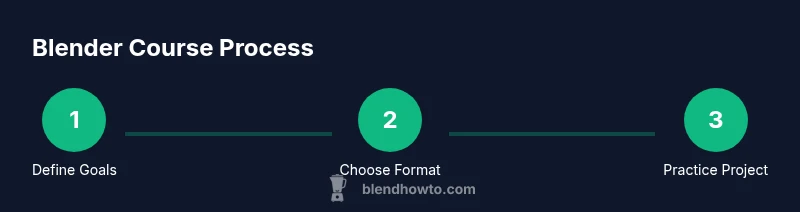
Blender Course: A Practical Guide for Beginners
Discover how to choose and complete a Blender course with practical steps, from prerequisites to portfolio-ready projects. BlendHowTo guides you through the process.


Learn how to select a Blender course that fits your goals, set up a productive workspace, and complete a beginner project. You’ll understand course formats, prerequisites, and timelines, then follow a guided plan to build steady 3D skills. This quick answer points you to the full step-by-step instructions in the article.
What You'll Learn in a Blender Course
A comprehensive Blender course covers the core pipeline from concept to render: modeling, sculpting, texturing, lighting, animation, rigging, and final rendering. In practical terms, you’ll learn to navigate the Blender interface, manage scenes, and apply non-destructive workflows using modifiers and collections. According to BlendHowTo, a solid Blender course starts with fundamentals and a beginner-friendly project, so you can apply concepts as you learn. You'll finish with a portfolio piece and a clear path for next steps in your learning journey.
Understanding Course Formats
Blender courses come in several formats: self-paced online modules you can complete on your own schedule; cohort or classroom-style formats with set timelines; and live streams or hybrid formats that mix real-time instruction with recorded content. Self-paced formats suit busy calendars but require stronger self-discipline. Cohort formats boost accountability and peer support, while live formats offer immediate feedback. For beginners, a blended approach—structured content with regular check-ins—often yields the best results. BlendHowTo observes that choosing a format aligned with your routine increases consistency and progress.
Prerequisites and Setup for Blender
Before you start, ensure your hardware and software meet Blender’s baseline needs. A modern computer with a stable internet connection and the latest Blender release is usually sufficient for beginners. Install Blender from the official site, and verify your GPU drivers for smoother viewport performance. Create a quiet workspace or headset-friendly setup to reduce distractions. Having a basic understanding of navigation (orbit, pan, zoom) can accelerate your early lessons and prevent frustration.
Choosing the Right Blender Course
Selecting the right Blender course involves evaluating the syllabus, length, and level, plus who teaches it and what projects are included. Look for courses that cover core areas (modeling, UVs, texturing, lighting, animation) and provide hands-on projects you can showcase. Check for supportive communities, feedback mechanisms, and clear milestones. Compare price ranges and time commitments, and favor programs with a structured learning path and explicit outcomes to ensure you’re progressing toward a portfolio-worthy result.
Working Through a Lesson: a Practical Example
Imagine a beginner-friendly lesson that guides you through modeling a simple mug. You start by blocking the basic shape with primitive objects, then refine the form with subdivision surfaces, apply a ceramic texture, set up a basic lighting rig, and render a clean image. This sequence reinforces essential Blender skills while delivering a tangible artifact. Throughout, you’ll practice non-destructive workflows, label your nodes, and save a versioned file to track changes. This concrete workflow demonstrates how theory connects to a real-world result.
Practical Projects to Build Your Portfolio
Projects that showcase your growing proficiency are key to a Blender course. Ideal starting projects include a low-poly chair, a textured cup, or a simple environment prop. As your confidence grows, tackle more advanced tasks like procedural textures, basic rigging, and simple character poses. Build a portfolio as a curated set of renders, turntables, and wireframes. Document your process notes, challenges, and decisions to help future employers understand your thinking and problem-solving abilities.
Common Challenges and How to Overcome Them
Many beginners feel overwhelmed by Blender’s interface. Start with a focused learning path, practice core tools daily, and avoid multitasking between too many topics. Performance issues often stem from large scenes or high subdivision levels; use viewport simplification and optimize textures. Keep a clean workspace, save frequently, and rely on versioned backups. When you hit a plateau, switch to a guided project to reframe concepts and regain momentum.
How to Stay Motivated and Build a Learning Routine
Consistency beats intensity. Schedule short, regular sessions (e.g., 25–45 minutes, five days a week) and pair each session with a concrete goal. Use a learning journal to track progress and reflect on what worked. Mix theory with hands-on practice, and celebrate small wins such as completing a project phase or rendering a clean image. A supportive community or study buddy can help sustain momentum and accountability.
Next Steps After Finishing a Blender Course
After completing a course, pursue higher-level topics like advanced shading, rigging, and particle effects. Continue practicing by reworking your projects with new techniques or by creating a small portfolio of diverse scenes. Join Blender communities, participate in challenges, and seek feedback from peers. Planning a long-term learning roadmap helps you advance from beginner to intermediate and beyond.
Tools & Materials
- Computer or laptop with internet access(Stable connection; capable of running Blender smoothly)
- Blender software (latest stable release)(Install from Blender’s official website; ensure you meet minimum system requirements)
- Headphones or quiet workspace(Helps maintain focus during long sessions)
- Notebook or digital notes app(Use for jotting goals, shortcuts, and workflow notes)
- External storage (optional)(Back up projects and assets for portfolio)
Steps
Estimated time: 18-24 hours
- 1
Define your Blender course goals
Clarify what you want to achieve with Blender (e.g., modeling basics, texturing, simple animation). Write SMART goals and map them to a course syllabus so you can measure progress.
Tip: Document your goals in a single page and refer to them weekly to stay aligned. - 2
Choose course format and syllabus
Evaluate whether you prefer self-paced study, a cohort, or live sessions. Review the syllabus to ensure it covers modeling, texturing, lighting, and rendering with hands-on projects.
Tip: Check for a project you’ll build that you can add to your portfolio. - 3
Prepare workspace and install Blender
Set up a dedicated workspace and install the latest Blender release. Verify your graphics drivers and practice basic navigation before starting the course.
Tip: Create a clean file structure (projects, assets, renders) from day one. - 4
Create a learning plan with milestones
Break the course into weekly milestones and assign focused practice blocks. Schedule time for note-taking and review after each lesson.
Tip: Use a calendar reminder to lock in your study sessions. - 5
Complete a guided project
Finish a beginner project from the course, following the step-by-step instructions. Take notes on any questions you have or techniques you want to revisit.
Tip: Render multiple views (wireframe, solid, shaded) to understand how materials affect appearance. - 6
Review feedback and iterate
Review instructor or peer feedback, apply changes, and re-render. Update your portfolio with progress copies to demonstrate improvement.
Tip: Keep versioned saves to compare before/after edits.
Frequently Asked Questions
What is a Blender course and what does it cover?
A Blender course is a structured learning path that covers modeling, texturing, lighting, animation, and rendering. It typically includes hands-on projects and feedback to help you build a portfolio.
A Blender course is a structured learning path covering modeling, texturing, lighting, animation, and rendering with hands-on projects.
Do Blender courses require prior experience?
Many beginner courses start from scratch and assume no prior Blender knowledge. Some programs pair beginners with foundational modules before moving to advanced topics.
Most beginner Blender courses start from scratch and don’t require prior experience.
Is Blender free to learn?
Yes. Blender is free and open-source software, which makes it accessible for learners to practice without licensing costs.
Blender is free and open source, great for learners on any budget.
How long does a typical Blender course take?
Course lengths vary, from a few hours for quick introductions to several weeks for comprehensive curricula. Check the syllabus for exact timelines.
Blender course lengths vary—from a few hours to several weeks depending on depth.
What should I do after finishing a Blender course?
Review your projects, polish your portfolio, and pursue more advanced topics like shading, rigging, or particle effects to continue growing.
After a course, refine your portfolio and move on to more advanced Blender topics.
Watch Video
What to Remember
- Define clear Blender course goals
- Choose a format that fits your schedule
- Prepare your Blender setup before starting
- Complete guided projects to build a portfolio
- Continue learning with progressively advanced topics