Blender or Cinema 4D: A Thorough Side-by-Side Comparison
An analytical, side-by-side comparison of Blender and Cinema 4D, covering licensing, workflow, modeling, rendering, animation, plugins, and use-case guidance to help you choose the right 3D tool for your projects.


When choosing between blender or cinema 4d, start with cost, goals, and workflow. Blender is free, open-source, and versatile for modeling, rendering, and animation, making it ideal for hobbyists and independent artists. Cinema 4D emphasizes polished workflows and motion graphics integration, often preferred in studios with established pipelines. For many writers and hobbyists, Blender is the practical starting point, while Cinema 4D suits professional motion graphics workflows.
Blender vs Cinema 4D: Core Philosophies
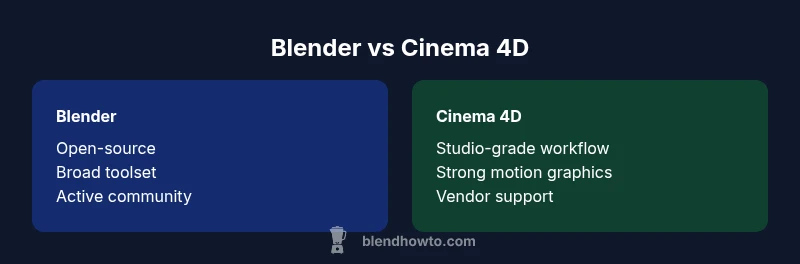
The core difference between Blender and Cinema 4D is not just features; it’s philosophy. Blender operates as a free, open-source tool that evolves through community collaboration and transparent development. This makes it highly adaptable for a wide range of tasks—from sculpting and modeling to VFX and game asset creation. Cinema 4D, by contrast, is a commercial product built around a polished, studio-grade workflow intended to streamline complex motion graphics and broadcast production. This distinction shapes everything from onboarding and UI to availability of specialized tools and extensions.
According to BlendHowTo analysis, the decision often hinges on cost tolerance, the importance of rapid workflow in production pipelines, and your preference for customization versus stability. If your goal is broad experimentation, rapid prototyping, and ongoing learning, Blender offers a lower barrier to entry with a large global community. If your work depends on a tried-and-true motion graphics pipeline and dependable vendor support, Cinema 4D delivers a proven workflow and optimized integrations.
For readers comparing blender or cinema 4d, consider where you want to invest time and money. Blender’s community-driven development means frequent updates and an ever-expanding feature set, but you may encounter a steeper learning curve for some advanced tasks. Cinema 4D’s structured updates and official support paths reduce uncertainty at the cost of licensing fees and vendor-led decision making.
paragraphsCountodownnapor}`,
Comparison
| Feature | Blender | Cinema 4D |
|---|---|---|
| Modeling capabilities | Comprehensive mesh modeling with sculpting, modifiers, and flexible Boolean tools | Polished polygon modeling with strong, producer-friendly workflows; solid parametric options |
| Rendering options | Cycles and Eevee with real-time preview and path tracing | Robust native tools complemented by strong support for third-party renderers |
| Animation workflow | Nonlinear animation, graph editor, and extensive rigging tools | Industry-grade animation suite with streamlined motion-graphics pipelines |
| Extensibility & plugins | Open-source, Python API, vast addons | Rich plugin ecosystem with stable integrations and official support |
| Learning resources & community | Huge, active community; extensive free tutorials | Structured learning path with professional resources and tutorials |
| Cost & licensing | Free to use; ongoing community contributions | Paid licensing or subscription; strong vendor support |
What's Good
- Blender is free and open-source, with a large, active community.
- Cinema 4D offers polished workflows and strong motion graphics integration.
- Both have extensive plugin ecosystems and cross-platform support.
- Blender’s rapid development cycle accelerates experimentation and learning.
- Cinema 4D provides stable, production-ready pipelines and vendor-backed support.
The Bad
- Blender can present a steeper initial learning curve for some users.
- Cinema 4D licensing can be expensive for individuals or small studios.
- Industry-wide pipelines may favor established software, impacting collaboration with others.
- Blender's interface can be overwhelming for absolute beginners without guided learning.
Blender is the more versatile, cost-effective choice for most users; Cinema 4D excels in motion graphics-focused workflows and studio pipelines.
Opt for Blender if budget, broad toolsets, and rapid learning are priorities. Choose Cinema 4D if your work centers on motion graphics and a stable, production-ready environment with strong vendor support.
Frequently Asked Questions
Which is easier for beginners, Blender or Cinema 4D?
Blender has a larger learning curve at first due to its breadth, but with guided tutorials and a huge community, beginners can progress quickly. Cinema 4D tends to feel more approachable for beginners who want a clear, professional workflow and structured learning material.
Blender can be challenging at the start, but there are many beginner-friendly resources. Cinema 4D often feels more approachable for those aiming to jump into production-ready workflows.
Can you import Blender models into Cinema 4D seamlessly?
Yes, both tools support common interchange formats such as OBJ and FBX, which allow transferring models. For more complex assets, some adjustments may be needed to materials and rigs.
You can export models from Blender and import into Cinema 4D using standard formats; some tweaking may be required.
Is Blender suitable for professional film pipelines?
Blender is increasingly used in professional contexts, especially for previsualization, VFX, and indie projects. Cinema 4D remains a staple in studios that require highly polished motion graphics workflows and strong vendor support.
Blender is viable for professional projects, but Cinema 4D often fits studios with established pipelines better.
Does Cinema 4D support Python scripting?
Yes, Cinema 4D has a mature Python API, enabling automation, custom tools, and pipeline integration. Blender also supports Python scripting, offering comparable extensibility.
Both tools support Python for automation and scripting.
Which tool has better rendering speed and quality out of the box?
Rendering speed and quality depend on your hardware, scenes, and chosen engines. Blender’s Cycles and Eevee provide strong results, while Cinema 4D integrates well with external renderers and production workflows.
Rendering performance depends on your setup and render engines; both can produce excellent results with proper optimization.
What to Remember
- Assess licensing needs and budget before choosing.
- Blender offers wide versatility suitable for many tasks.
- Cinema 4D shines in motion graphics and production pipelines.
- Evaluate learning resources and team familiarity with each tool.
- Plan for plugin ecosystems and rendering options to fit your workflow.