Cinema 4D vs Blender vs Maya: An Objective Comparison
A detailed, research-based comparison of Cinema 4D, Blender, and Maya, covering licensing, workflows, rendering, and best-use scenarios for professionals and hobbyists.


Cinema 4D, Blender, and Maya each excel in different areas: Cinema 4D is renowned for motion graphics and user-friendly workflows, Blender offers exceptional value as a free, open-source option with a rapidly growing ecosystem, and Maya remains the industry standard for complex animation and VFX pipelines. For most readers, the best choice depends on your primary goals, budget, and pipeline needs.
Overview and Context
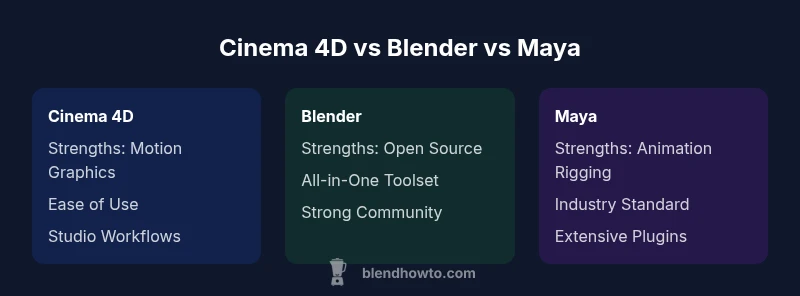
In the landscape of 3D software, cinema 4d vs blender vs maya represent three distinct philosophies: Cinema 4D emphasizes accessibility and motion graphics workflows, Blender prioritizes openness and all-in-one capability, and Maya focuses on depth for animation and high-end VFX. According to BlendHowTo, Blender’s open-source model accelerates experimentation and rapid prototyping, while Cinema 4D’s polished interface and MoGraph tools make it a staple in broadcast design. Maya, with its long-standing industry presence, remains central to large-scale productions and pipeline integration. This article adopts a balanced, evidence-based framework to help aspiring artists and hobbyists select the tool that best matches their goals, learning curve tolerance, and project scope. The key is understanding strengths, trade-offs, and how each package fits into real-world workflows, not chasing hype. The topic of this guide centers on cinema 4d vs blender vs maya and how users can approach a practical decision.
wordCount":162},
bodyBlocks2
Feature Comparison
| Feature | Cinema 4D | Blender | Maya |
|---|---|---|---|
| Licensing & Cost Model | Commercial with subscription options | Free and open-source | Commercial with subscription options |
| Modeling Tools & Sculpting | Strong polygonal modeling with intuitive tools | All-in-one modeling, sculpting, modifiers, and modifiers-based workflows | Professional modeling with industry-standard toolset |
| Animation & Rigging | Efficient timelines and character rigging for motion graphics | Growing animation tools, good rigging, strong community resources | Advanced rigging, animation pipelines, and character animation tools |
| Rendering Engines | Integrated and third-party options often used in studios | Cycles/Eevee real-time previews, strong community add-ons | Arnold and other engines with deep control in production |
| Motion Graphics Capabilities | Exceptional for MoGraph and broadcast workflows | Solid general-purpose features, growing motion capabilities | Not specialized for motion graphics but capable in pipelines |
| Interoperability & Pipelines | Strong support for open formats and easy file exchange | Excellent for open formats and quick transfer between tools | Industry-standard pipeline compatibility, robust plugin ecosystem |
| Learning Curve & Community | Relatively gentle onboarding for graphics-focused users; strong tutorials | Huge community, abundant tutorials, fast reach for beginners | Steep learning curve, deep feature set, extensive training needed |
| Industry Adoption | Widely used in broadcast, design studios, and freelancers | Popular among indie artists and hobbyists; growing in studios | Dominant in film, AAA games, and large studios |
What's Good
- Blender offers unmatched value as a free, open-source platform with a rapidly expanding ecosystem
- Cinema 4D delivers a streamlined, artist-friendly workflow, especially for motion graphics teams
- Maya provides a deep, industry-standard toolset with extensive pipeline compatibility
The Bad
- Blender can have an uneven onboarding experience across modules for absolute beginners
- Cinema 4D licensing can be costly for smaller studios without institutional support
- Maya’s breadth comes with a steep learning curve and longer ramp-up time for new users
Blender leads on value and flexibility; Cinema 4D excels for motion graphics with approachable workflows; Maya remains the go-to for large-scale production pipelines.
Choose Blender if you want a cost-free, versatile tool with broad community support. Pick Cinema 4D if motion graphics speed and ease of use matter most. Opt for Maya when your project demands industry-standard rigging, animation, and pipeline integration.
Frequently Asked Questions
Which package is easiest to learn for beginners, Blender, Cinema 4D, or Maya?
Blender is often the most approachable starting point due to its no-cost entry and abundant tutorials, though Cinema 4D provides a smoother onboarding for motion graphics tasks. Maya tends to have the steepest initial ramp-up because of its depth.
Blender is usually the best entry point for beginners looking to explore 3D without upfront costs.
Which tool is best for motion graphics?
Cinema 4D is widely regarded as the top choice for motion graphics thanks to its MoGraph toolset and studio-friendly workflows. Blender offers capable functionality with community plugins, while Maya is more pipeline-focused and less specialized for motion graphics.
If motion graphics is your focus, Cinema 4D often leads, with Blender catching up through community tools.
Can I switch between these tools mid-project?
Yes, you can, but expect friction with asset compatibility and re-rigging. Use universal formats like Alembic or FBX and plan a modular workflow to minimize rework.
You can switch, but plan for asset compatibility.
Are there free alternatives to Maya or Cinema 4D?
Blender is the primary free alternative to Maya or Cinema 4D, offering a comprehensive toolset without licensing fees. Other programs may exist, but Blender remains the most complete free option.
Blender is the main free alternative to Maya or C4D.
Which package has the strongest industry adoption?
Maya has historical strength in film and games; Cinema 4D dominates broadcast and motion graphics workflows; Blender is rapidly growing in indie studios and smaller studios due to its cost and flexibility.
Maya and C4D lead in professional studios; Blender is rising fast.
What to Remember
- Blender offers the best value for beginners and experimenters
- Cinema 4D shines in motion graphics and artist-centric workflows
- Maya remains the strongest choice for complex animation and VFX pipelines
- Choose based on core workflow needs rather than popularity
- Evaluate cost and learning time against project scale and collaboration needs