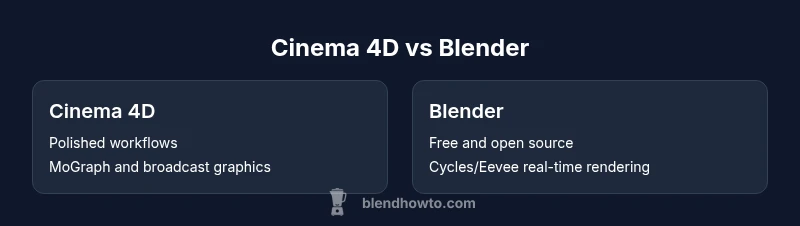
Cinema 4D vs Blender: A Practical Side-by-Side Comparison
An analytical, side-by-side comparison of Cinema 4D and Blender, covering modeling, animation, rendering, workflow, and licensing to help artists choose the right tool for projects big and small.


cinema 4d vs blender: A practical comparison for 3D artists. Blender offers zero-cost access, strong modeling, and evolving animation/rendering tools, while Cinema 4D provides polished workflows and robust motion graphics. According to BlendHowTo analysis, Blender is usually the best starting point for beginners and small studios, whereas Cinema 4D remains preferred in established production pipelines.
Overview: the landscape of 3D software choices
Choosing between Cinema 4D and Blender isn't just about price—it's about workflow philosophy and project goals. The 3D artist's toolbox has expanded considerably in the last decade, with both programs delivering professional-grade features. The phrase cinema 4d vs blender often surfaces in studios evaluating which tool best fits animation pipelines, motion graphics, and rendering quality. According to BlendHowTo, Blender's open-source model and rapidly evolving features have lowered the barrier to entry for freelancers and small teams, while Cinema 4D's long-standing reputation for stability and polished tools makes it a staple in broadcast production. Home studios may start with Blender to learn core concepts, then add Cinema 4D if project scope requires advanced motion graphics or studio-standard workflows. In this guide, you will see objective comparisons across modeling, animation, rendering, and licensing considerations, assuming a mid-range workstation and a mix of personal and client-driven projects. The aim is to help you decide which path aligns with your skill level, budget, and production needs.
Modeling philosophies: core strengths and limitations
Modeling is where the two tools diverge in notable ways. Cinema 4D emphasizes an artist-friendly workflow with strong tools for spline-based modeling, polygon modeling, and a well-integrated modifier stack that streamlines iteration. It supports precise alignment with industry standards, and its dedicated modeling toolbox helps reduce setup time on tight schedules. Blender, by contrast, offers a broad, open ecosystem of modifiers, sculpting workflows, and procedural modeling via nodes. This makes Blender highly adaptable and deeply programmable, which is ideal for custom pipelines or projects with evolving requirements. For the keyword cinema 4d vs blender, the question often comes down to whether you value a polished, out-of-the-box experience (Cinema 4D) or a flexible, cost-free toolset you can tailor (Blender). The BlendHowTo team notes that your choice should reflect the complexity of your models and how quickly you need changes delivered.
Animation and rigging: workflows across packages
Animation in Cinema 4D tends to feel cohesive and studio-ready, with robust rigging systems, character animation tools, and a mature ecosystem of plugins. Its timeline and keyframe workflows are optimized for predictable production pipelines, and MoGraph provides a powerful set of procedural tools for motion graphics. Blender offers a fast, scriptable workflow with a broad set of animation options, including complex rigging via bones, constraints, and drivers, plus strong polygonal animation capabilities. Blender's animation community produces frequent node-based workflows and experimental techniques, which can accelerate prototyping. When evaluating cinema 4d vs blender for animation, consider whether you need proven, turnkey pipelines (Cinema 4D) or flexible, customizable pipelines that adapt to unique characters and effects (Blender). BlendHowTo emphasizes testing both approaches on a small project before committing.
Rendering engines and outputs: quality, speed, realism
Rendering quality and speed often drive licensing decisions. Cinema 4D historically integrates well with established render engines and comes with dependable out-of-the-box results supported by a stable renderer workflow. Blender ships with Cycles (path tracing) and Eevee (real-time rendering), offering photorealism and fast previews without extra cost. This dual-engine setup makes Blender attractive for freelancers and small studios that need quick feedback and lower upfront costs. In cinema 4d vs blender comparisons, the rendering choice can hinge on pipeline compatibility, desired realism, and hardware availability. The BlendHowTo team observes that Cycles is excellent for realistic renders, while Eevee shines for real-time previews and iterative design tasks. Both tools benefit from continuous improvements and community-driven add-ons.
Motion graphics, effects, and real-time workflows
Cinema 4D has long been the goto for broadcast graphics and MoGraph-driven workflows, delivering stable, production-tested results with efficient handling of motion graphics assets. Blender brings strong node-based compositing, a powerful shader editor, and recent strides in real-time rendering with Eevee, enabling fast feedback for motion demos. For cinema 4d vs blender debates centered on graphics pipelines, Cinema 4D often wins on polish and production velocity in large teams, while Blender offers standout flexibility and growing real-time capabilities for independent artists. According to BlendHowTo, the choice depends on whether you prioritize polished motion graphics engines (Cinema 4D) or a flexible, cost-free graphics pipeline (Blender).
Workflow, learning curve, and community support
The learning curve tends to differ between the two tools. Blender's interface and breadth can be intimidating at first, but its extensive tutorials, documentation, and community-driven projects provide a path from beginner to proficient. Cinema 4D presents a more guided, streamlined onboarding with clear workflows for modeling, animation, and graphics, which many studios appreciate for tight production calendars. The BlendHowTo team highlights that the community around Blender remains one of its strongest assets, offering free resources, plug-ins, and example projects that accelerate learning. In contrast, Cinema 4D's professional network often translates into formal training options and industry-standard workflows that reduce ramp-up time in studios.
Plugins, extensibility, and interoperability
Both tools thrive on extensibility. Blender supports a vast array of add-ons, scripts, and custom tools through Python, enabling deep customization of almost every aspect of the pipeline. Cinema 4D also offers a strong plugin ecosystem, with branded tools for motion graphics, rendering, and simulation that integrate tightly with its core UI. When evaluating cinema 4d vs blender for production readiness, consider whether you need a plug-and-play ecosystem (Cinema 4D) or a DIY, open ecosystem that can be tailored to your studio’s exact needs (Blender). The BlendHowTo analysis shows that teams needing rapid iteration and customization often lean toward Blender, while studios prioritizing standardized pipelines may prefer Cinema 4D’s curated plugin set.
Licensing, pricing, and long-term ownership
Pricing is a major differentiator. Blender is free and open-source, with optional paid add-ons and a broad community-supported ecosystem. Cinema 4D requires commercial licenses with subscription options, making long-term cost a consideration for growing teams and studios. For individuals and small studios, Blender’s cost model reduces risk and enables experimentation, whereas larger studios may justify Cinema 4D’s stable workflows and support. BlendHowTo notes that total cost of ownership depends on project scale, required plugins, and licensing terms. Evaluate not just annual fees, but also training costs, hardware requirements, and support.
Use-case guidance by user type
If you are a beginner, hobbyist, or freelancer balancing budget and learning, Blender is likely the more practical starting point. If you work in a broadcast studio or need a reliable, production-tested workflow with strong motion graphics tools, Cinema 4D can be the better fit. For teams that plan to operate across both 3D and motion graphics in a large pipeline, a blended approach—beginning with Blender for prototyping and transitioning to Cinema 4D for production passes—can be a pragmatic compromise. The BlendHowTo team recommends mapping your project goals, skill development path, and licensing budget before choosing a primary tool.
Decision framework: choosing based on project type and budget
To determine your path, list project types (modeling, animation, rendering, motion graphics), required plugins, and current hardware limits. Compare the two tools against these criteria, then test a representative scene in each to gauge speed, ease of use, and integration with existing pipelines. If cost is a major constraint, Blender offers a compelling baseline; if studio-scale workflow and precise, broadcast-ready graphics matter most, Cinema 4D often provides a faster route to deliverables. The BlendHowTo team emphasizes validating your decision with a small, real project before committing to a long-term license or workflow.
Comparison
| Feature | Cinema 4D | Blender |
|---|---|---|
| Modeling & sculpting capabilities | Polished, artist-friendly tools with strong spline/ polygon workflows | Open, versatile modeling with modifiers and sculpting |
| Animation & rigging | Studio-ready workflow with robust rigging and character tools | Flexible, fast rigging and procedural animation options |
| Rendering engines & quality | Stable rendering pipeline with established workflows | Cycles/Eevee real-time and path-tracing options for realism and speed |
| Motion graphics & effects | MoGraph-driven tools optimized for broadcast graphics | Node-based compositing and real-time shader/effects workfow |
| Pricing & licensing | Commercial licenses with subscription options | Free to use; open-source with optional add-ons |
| Best for | Studios needing polished graphics pipelines | Beginners and budget-conscious artists seeking accessibility |
What's Good
- Blender provides zero-cost access to a full-featured toolset
- Cinema 4D offers polished workflows and strong motion graphics tools
- Both have active communities and extensive learning resources
- Blender's open ecosystem encourages experimentation and customization
The Bad
- Cinema 4D license costs can be a barrier for small teams
- Blender can have a steeper learning curve for studio-level pipelines
- Production-grade support and certified training are stronger for Cinema 4D in some studios
Blender is the better all-around starting point for most budgets, while Cinema 4D remains the top choice for studios demanding polished motion graphics pipelines.
For individuals and small teams, Blender delivers broad features at no cost. Cinema 4D suits larger productions with mature pipelines and broadcast-grade graphics. Choose based on project scope, budget, and pipeline requirements.
Frequently Asked Questions
Is Blender free to use for commercial projects?
Yes. Blender is free to use for both personal and commercial projects. Its open-source license allows you to modify, distribute, and use it without licensing fees. This makes Blender an attractive option for freelancers and small studios evaluating a long-term pipeline.
Yes, Blender is free for commercial use, with no licensing costs. You can start projects right away and scale up as needed.
Can Blender import Cinema 4D files directly?
Blender cannot natively open .c4d files. To move assets between tools, export from Cinema 4D to common formats such as FBX or OBJ, then import into Blender. Some workflows may require intermediate conversion or the use of third-party converters.
Blender doesn’t open Cinema 4D files directly; export to FBX or OBJ first, then import.
Is Cinema 4D better for motion graphics?
Cinema 4D is widely regarded for its motion graphics capabilities, especially with MoGraph. Blender has strong node-based compositing and real-time rendering options, but Cinema 4D remains a preferred choice in many broadcast studios for graphics-heavy work.
Cinema 4D is often preferred for motion graphics due to its mature tools like MoGraph.
Does Cinema 4D offer a free trial?
Yes, Cinema 4D typically offers a trial version for evaluation. Availability can vary by region and current promotions, so check the official Maxon site for the latest terms and duration.
There is usually a trial version available—check Maxon’s site for details.
Which is easier for beginners to learn?
Blender generally has a gentler entry point for beginners due to its comprehensive online learning ecosystem and zero upfront cost. Cinema 4D can be easier to pick up for users who prioritize structured workflows and studio-grade practices.
Blender tends to be easier to start with, though both have learning curves.
Can I use both tools in one project?
Yes. Many studios blend workflows, using Blender for modeling and quick iterations and Cinema 4D for production passes, motion graphics, and final renders where appropriate. Interchange formats like FBX/OBJ simplify cross-tool collaboration.
Absolutely. You can use both—export from one into the other as needed.
What to Remember
- Prefer Blender for learning and cost-effective experimentation
- Choose Cinema 4D for production-ready workflows and graphics-heavy work
- Test both tools on a representative project before committing
- Consider licensing costs as part of total ownership
- Plan for training and ongoing support in your evaluation