Is Blender or ZBrush Better? A Practical Comparison for 3D Artists
Compare Blender and ZBrush for 3D modeling and sculpting. This analytical guide highlights strengths, workflows, and decision factors to help you choose the right tool for your projects.


Short answer: is blender or zbrush better depends on your goal. For most hobbyists, Blender is the better starting point because it’s free, has a broad toolset, and a gentler learning curve for modeling, texturing, and basic sculpting. ZBrush excels at professional-grade sculpting and nuanced brushwork, but it requires a paid license and a steeper learning curve. If you want a practical, all-around workflow, Blender is typically the better fit.
is blender or zbrush better for your sculpting goals?
From a practical perspective, deciding whether is blender or zbrush better hinges on your sculpting ambitions, available budget, and how you plan to integrate the work into downstream pipelines. is blender or zbrush better often boils down to whether you need a broad, all-in-one package or a tool that specializes in extreme detail. According to BlendHowTo, many learners start with Blender because it provides a complete toolkit without upfront cost, which reduces risk while you learn fundamentals like sculpting, retopology, and texturing. ZBrush, on the other hand, emphasizes sculpting fidelity, brush-driven workflows, and a tight integration with production pipelines used in film and game studios. If your project requires rapid prototyping and frequent iteration across modeling, UVs, and materials, Blender typically offers the most efficient path. If you plan to push surface detail to photorealistic levels or contribute to a studio project that relies on sculpting-as-a-discipline, ZBrush becomes the compelling choice. Throughout this article we distinguish goals and scenarios, so you can map your own path without feeling forced into a single ecosystem. BlendHowTo analysis reinforces the idea that the right tool depends on your workflow priorities.
Blender: Strengths for beginners and generalists
Blender is renowned for its all-in-one design, making it a strong starting point for beginners and hobbyists who want to explore modeling, texturing, lighting, animation, and even basic simulation within a single app. Because Blender is free and open-source, you can install it on multiple machines, share projects without licensing hassles, and access a vast library of tutorials from the community. The interface has a reputation for being dense at first, but once you learn the core workspaces (Modeling, Sculpting, Texture Painting, and Animation), you can create a full pipeline without leaving the program. Blender's sculpting tools are integrated with dynamic topology, multi-resolution modeling, and a flexible modifier stack that lets you non-destructively adjust shapes. The large ecosystem of add-ons—many developed by users—extends capabilities in areas such as texture painting, retopology, and game asset creation. For home studios and freelancers, Blender represents a practical investment: zero upfront cost, broad compatibility, and a thriving knowledge base to lean on.
ZBrush: Strengths for high-detail sculpting and production pipelines
ZBrush centers the sculpting workflow around extremely fine detail and painterly brushwork. It offers a dense brush system, masking, and masking features that allow artists to push surface complexity beyond what many general-purpose tools can achieve. In production pipelines, ZBrush often serves as the sculpting stage where characters, creatures, and environment assets acquire their ultimate surface language, followed by export to other tools for posing, retopology, and texturing. The software supports custom alphas, precise brush behavior, and a persistent layer system that helps artists iterate on shapes and forms as projects evolve. While the licensing model and a steeper learning curve can present hurdles, the payoff is the ability to sculpt extremely complex forms with a high level of control. For studios focusing on creature work, fantasy characters, or characters with a lot of micro-detail, ZBrush remains a go-to solution.
Sculpting workflows and brush systems: Blender vs ZBrush
In Blender, sculpting integrates with the general 3D toolset, enabling easy switching between sculpting and other modeling tasks. The brush system is intuitive for users who are already modeling or texturing within the same application, with a focus on accessible controls and a broad range of brushes. ZBrush separates sculpting into a dedicated environment with a brush library that has become an industry standard. The result is often faster iteration on micro-details when you have a well-curated brush kit and a preference for the ZBrush interface. Both tools support symmetry and dynamic topology, but the depth and nuance of brush behavior, to-the-detail controls, and performance can vary significantly depending on your hardware and project scale. The key is to start with the core brushes you need and expand as your skill grows.
Modeling, retopology, texturing, and UVs: where Blender shines, where ZBrush excels
Blender provides robust modeling capabilities, an accessible retopology workflow, and integrated texture painting and UV mapping. For many projects, you can complete an asset from concept to export using a single app, which is appealing for indie developers and hobbyists. ZBrush excels in sculpting-first pipelines where high-resolution surface detail is carved before installing lower-resolution topology. Exporting afterward to other tools for UV mapping and texture painting is common, and many studios create clean UVs in a separate package after sculpting. When comparing workflow efficiency, think about how early-stage sculpting, topology, and bake/texture steps fit into your pipeline. Blender can handle these steps, but for teams chasing ultra-detailed characters, ZBrush often remains the preferred sculpting partner.
File formats, interchange, and integration with other tools
Interchange between Blender and ZBrush usually involves common formats such as OBJ or FBX for geometry and texture maps, but the workflows differ in how meshes are prepared for export. Blender’s open ecosystem makes it straightforward to import and export across a wide range of programs, and many studios rely on Blender in the preproduction or rapid prototyping phase. ZBrush introduces its own native formats and workflows that preserve sculptural detail and brush metadata when moving data into other software such as Maya, Unreal, or Unity. The choice between these options often comes down to compatibility with downstream tools and the presence of reliable export presets. A practical approach is to build a small test project that moves through sculpting, retopology, UVs, and texturing to verify that asset fidelity remains intact across the entire pipeline.
Learning curve, education resources, and community support
Both Blender and ZBrush have robust learning ecosystems, but the curves are different. Blender’s learning curve tends to be gradual when you approach from modeling or animation, with a flood of free tutorials, official documentation, and community forums. ZBrush demands more time to become fluent with its brush vocabulary, interface conventions, and the way it treats brushes as primary sculpting tools. The upside is access to a wealth of professional workflows and case studies that reveal how studios orchestrate sculpting, detailing, and export. In terms of community support, Blender benefits from a broader user base across many disciplines, while ZBrush has a tight-knit community of dedicated sculptors who share tips on masking, alphas, and sculpting micro-details. Realistically, setting aside a few weeks for structured practice can yield noticeable progress in either tool.
Licensing, cost considerations, and long-term value for individuals and studios
Blender’s most compelling advantage is its zero upfront cost and ongoing development under an open-source model. For individuals, this means you can experiment freely and adopt a wide range of add-ons without licensing friction. ZBrush, by contrast, is a paid tool with a traditional licensing model and periodic updates that add features and performance improvements. The total cost of ownership can vary depending on whether you purchase a perpetual license or subscribe, but the core factor is upfront access versus ongoing financial commitment. For solo artists, students, or hobbyists, Blender typically represents better value because you can explore multiple disciplines before committing to one specialization. For studios pursuing high-detail sculpting at scale, strategic investment in ZBrush can be justified by the speed and fidelity it enables in production workloads.
Practical decision framework: choose Blender for broad capabilities; choose ZBrush for sculpting depth
To decide is blender or zbrush better for you, map your project to the strengths of each tool. If your goal is learning core 3D concepts, portfolio-building, and a versatile asset pipeline, start with Blender and add-ons as needed. If you need the industry-leading sculpting toolset, a highly developed brush ecosystem, and a workflow that mirrors film and game studios, invest time in ZBrush. The decision does not have to be binary; many artists maintain both tools and move assets between them as needed. A practical plan is to set up a small, two-week test project that uses Blender for low-poly modeling and ZBrush for high-detail sculpting to experience the difference firsthand while controlling learning time and cost.
Comparison
| Feature | Blender | ZBrush |
|---|---|---|
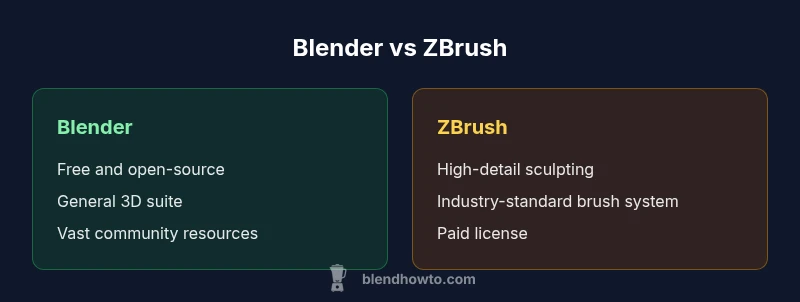
| Core focus | General 3D suite (modeling, texturing, animation) | Dedicated high-detail sculpting |
| Cost model | Free and open-source | Paid license with updates |
| Learning curve | Gentler for beginners | Steeper due to sculpting specialization |
| Sculpting capabilities | Broad sculpting tools adequate for many needs | Industry-leading fidelity and brush system |
| Community & ecosystem | Vibrant, open community with tutorials | High concentration of professional sculptors and workflows |
| File interchange | Wide format support and easy import/export | Strong X-to-Y pipelines via standard formats |
| Best for | Indie projects, quick prototypes, general pipelines | High-detail characters, film/AAA quality sculpting |
What's Good
- Zero upfront cost enables experimentation
- All-in-one toolset reduces tool switching
- Huge community and abundant learning resources
- Cross-platform flexibility and frequent updates
- Good for portfolios and multi-discipline projects
The Bad
- ZBrush delivers deeper sculpting detail for professional work
- ZBrush licensing and learning curve can be daunting
- Blender UI can feel dense for new users
- Exporting very high-detail assets may require workarounds in Blender
Blender is the better all-around starting point; ZBrush is preferred when ultra-detailed sculpting is the main goal.
Opt for Blender to learn core 3D workflows and build a versatile portfolio. Add ZBrush if your projects demand top-tier sculpting fidelity and studio-grade pipelines.
Frequently Asked Questions
Is Blender better for beginners than ZBrush?
Blender generally offers a gentler entry point for beginners due to its all-in-one approach, free access, and broad tutorials. ZBrush requires more time to learn its sculpting-centric interface. For most newcomers, starting with Blender builds a solid foundation before moving to specialized sculpting.
Blender is usually easier to start with; ZBrush is more advanced but great for sculpting enthusiasts.
Can I replace ZBrush with Blender for professional work?
Blender can handle many tasks from modeling to texturing, but ZBrush remains the industry standard for ultra-detail sculpting. Depending on the production pipeline, you may still need ZBrush for high-detail work. A practical approach is to use Blender for broader tasks and reserve ZBrush for fine detail when required.
Blender covers a lot, but ZBrush is still the go-to for ultra-detail sculpting.
What are the main strengths of ZBrush compared to Blender?
ZBrush excels at sculpting fidelity, brush-driven workflows, and integration with production pipelines used in studios. It supports deep customization with alphas and layers that help preserve sculpting intent. It can be more efficient for artists who specialize in high-detail characters and creatures.
ZBrush really shines in ultra-detail sculpting and studio-grade workflows.
Are there major features Blender lacks compared to ZBrush?
Blender has made significant strides in sculpting, but some precise high-detail workflows in ZBrush remain unmatched. Depending on your goals, Blender may suffice, but dedicated sculptors often prefer ZBrush for the finest details and brush control.
Blender is powerful, but ZBrush still leads in ultra-detail sculpting.
Is there a free alternative to ZBrush for sculpting?
There are free and low-cost options for sculpting, including Blender’s sculpting tools and other open-source solutions. These can cover many sculpting needs, especially for beginners. You can combine Blender for general work with free tools for learning and practice.
There are free sculpting options, but ZBrush remains the industry standard for pro work.
Which tool is best for game asset creation, Blender or ZBrush?
For game asset creation, Blender provides a complete workflow from modeling to texturing and export, while ZBrush is often used for high-detail sculpting that is later baked into game-ready models. The best practice is to sculpt in ZBrush for detail, then move to Blender for retopology, UVs, and texturing.
Sculpt in ZBrush for detail, then bring to Blender for optimization and texturing.
What to Remember
- Start with Blender to learn core 3D fundamentals
- Choose ZBrush for extreme detail and sculpting depth
- Balance cost, learning curve, and project needs when deciding
- Consider a mixed workflow to leverage strengths of both tools